ENGLISH 15
OPTIONS: Under the Options menu item, you will find:
RESOLUTION: Sets the sensor image resolution. Choose from 2 resolution settings:
- 320 x 240
- 640 x 480
NOTE: When connected to a PC, FlipView cannot capture high-resolution images, but can be used for demonstration and streaming. To take advantage of full 5 MP resolution, unplug FlipView
from the computer.
DATE/TIME: Turns the Date and Time stamp on or off.
LANGUAGE: Changes the language setting. Choose from 12 languages:
- English, German, French, Spanish, Russian,
Italian, Portuguese, Dutch, Polish, Japanese, Korean and Chinese
X,Y RETICLE: Turns the reticle guide on the preview screen on or off.
FULL SCREEN MODE: Uses the full screen of your monitor. Press Esc key to revert back.
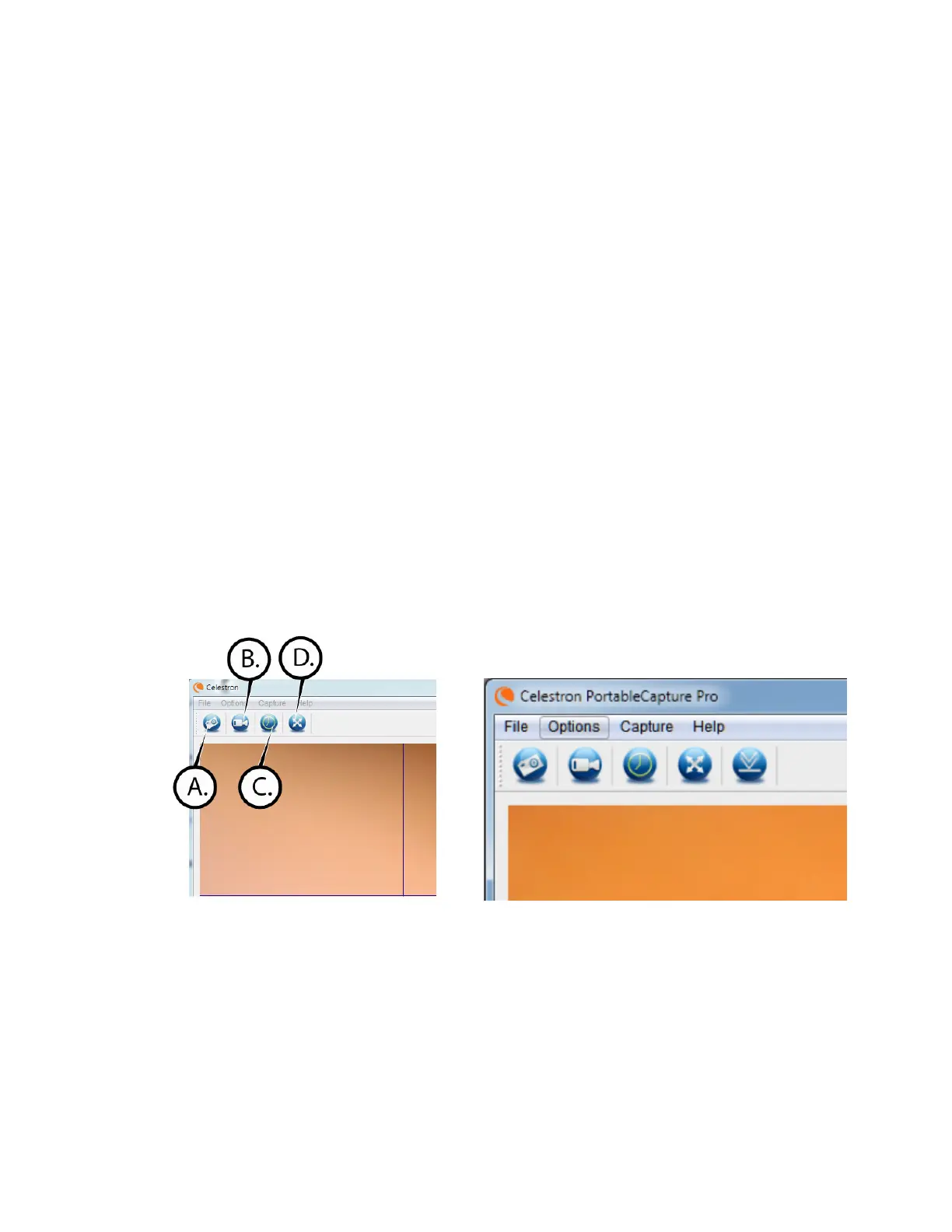
ICONS: Along with the menu items, there are icons which mean the following:
A. Take a still image (photo)
B. Start videos/stop video
C. Full screen mode














 To Next Page