6 I ENGLISH
3. OBSERVING AND CAPTURING IMAGES:
DIGITAL IMAGING
VIEW A SPECIMEN
Power FlipView on and aim it at your specimen. Adjust the
illuminator by rotating the illuminator adjustment wheel (7).
Adjust the focus wheel (18) until the specimen is in focus.
CAPTURE AN IMAGE
To capture a still image, press the shutter trigger (1).
CHANGE MODE
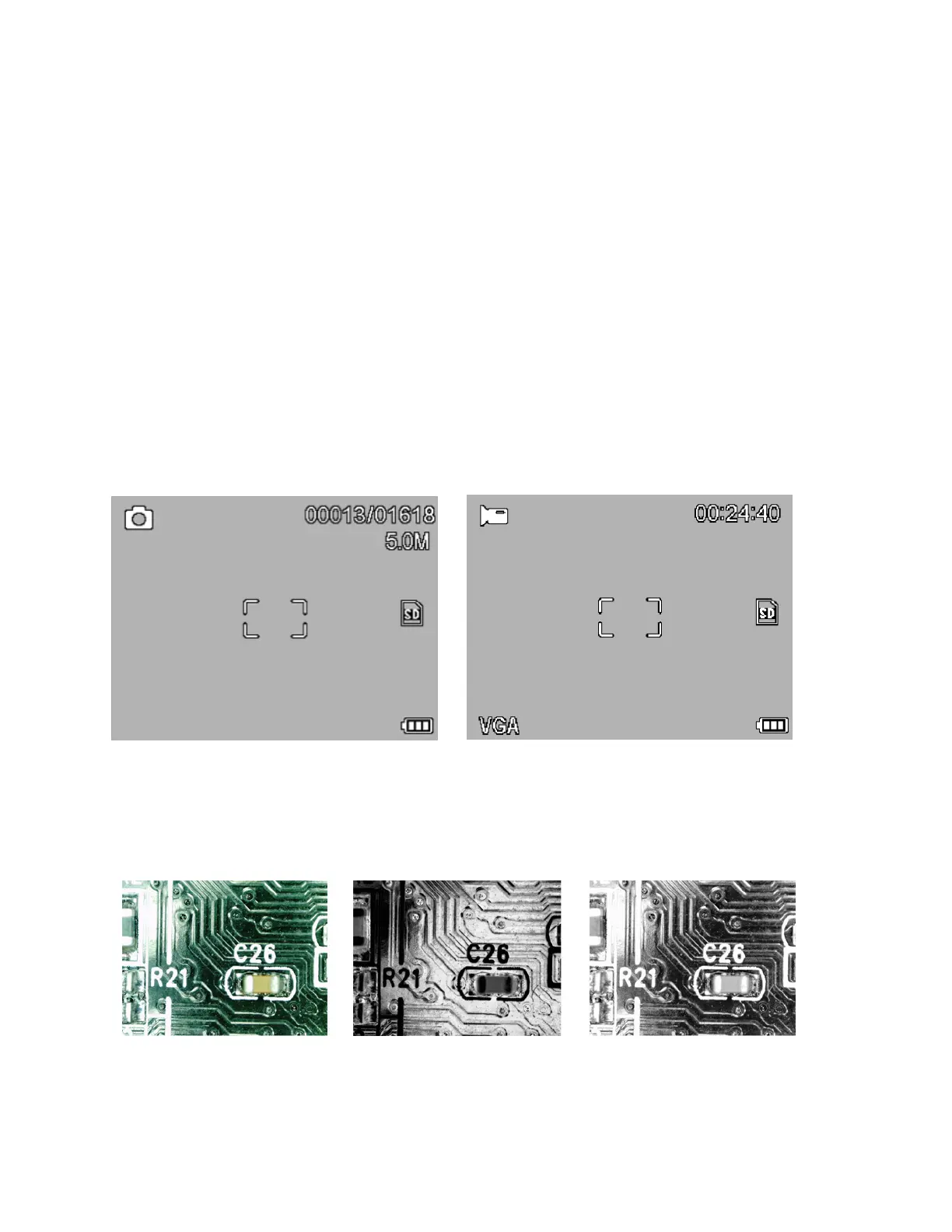
To toggle between still image, video and preview modes, press
the playback button (6). From still image press twice to get to
video mode. To determine the current mode, look for the icons
in the upper left corner of the LCD screen.
CHANGE COLOR MODE:
To change between color, negative and B&W streaming preview
modes, press the color mode button (5).
A.
B.
C.














 To Next Page