8 | ENGLISH
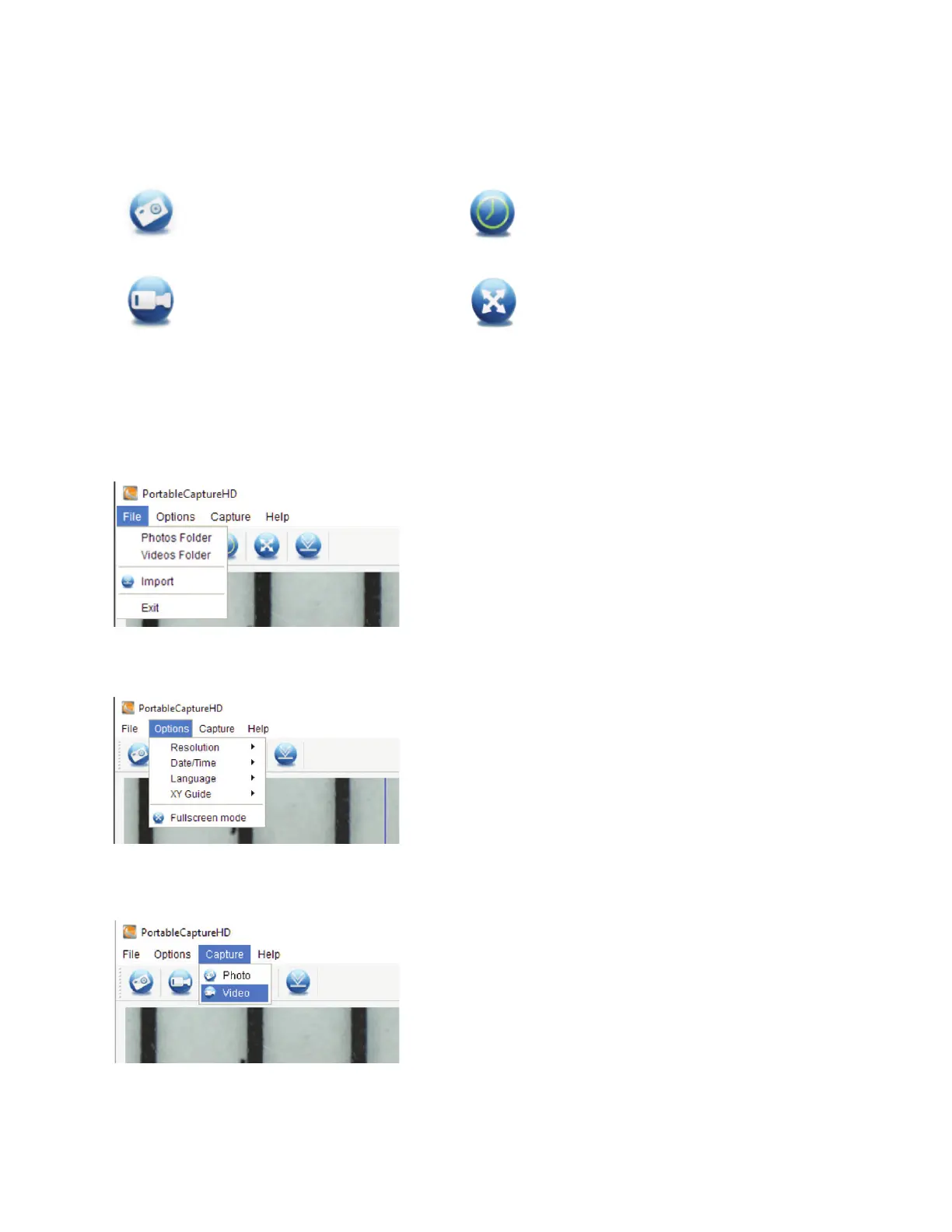
A. MAIN WINDOW ICONS
Photo: Take a still image
Video: Start / Stop record video
Timer: Time Lapse feature
Full Screen: Streaming image- full size
(Press ESC or double-click to exit)
B. MAIN MENU
1. File
Photos Directory: Set the directory to store photos taken
Videos Directory: Set the directory to store video taken
2. Options
Resolution: Change preview size
Date/Time: Set to display system date/time on preview window
Language: Choose different OSD language
Crossing: Display cross on preview window
Full-screen mode: Enter into full screen. Click ESC or double click to exit
3. Capture
Photo: Take a photo
Video: Record a video clip
6. SOFTWARE INTERFACE INSTRUCTIONS














 To Next Page