4
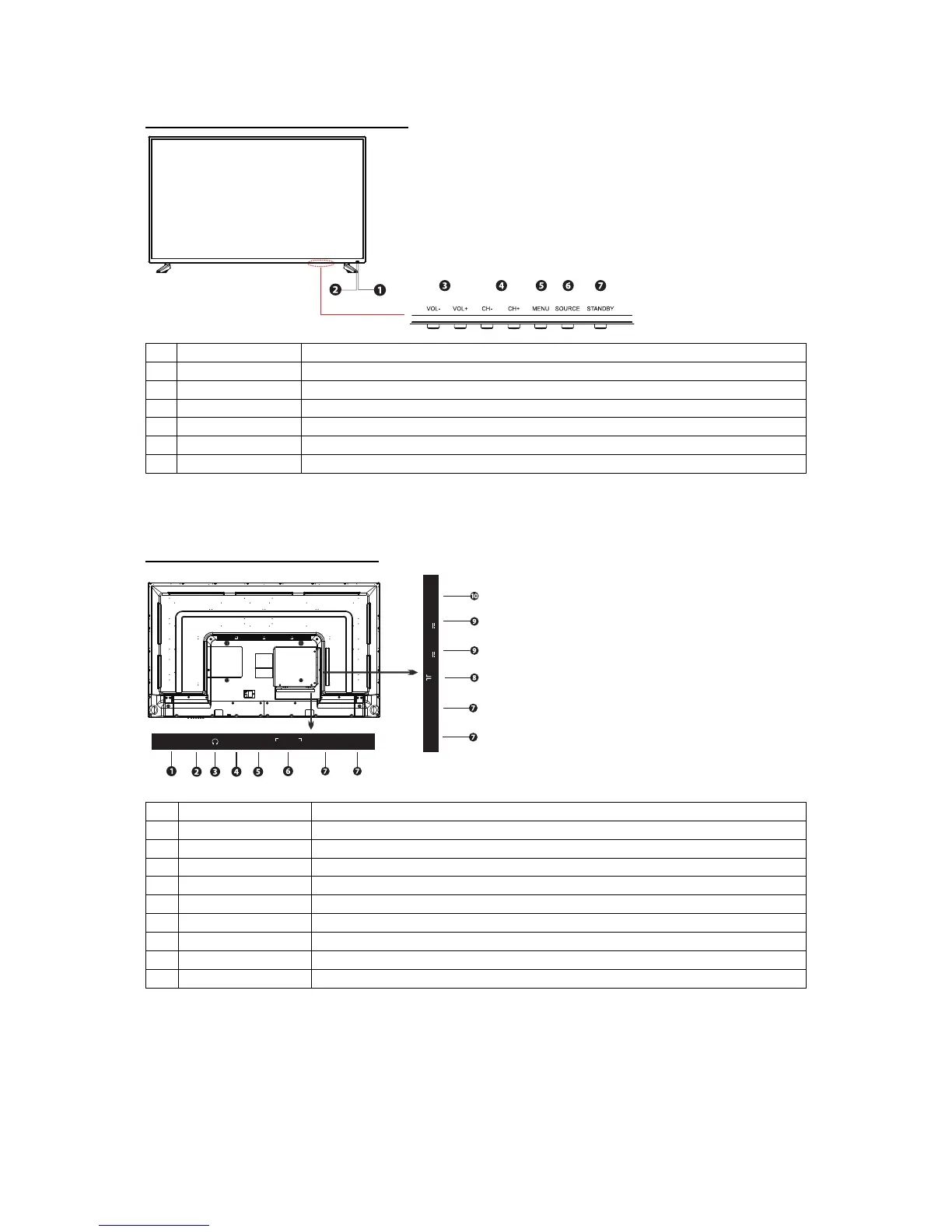
Front IR sensor and TV buttons
1 Power LED Red = Standby Green = ON Orange = Active Standby
2 IR receiver Receives infra-red signals from the remote
3 Vol +/- Adjust the volume
4
Select channels
5 Menu Displays the onscreen Menu options
6 Source Select input source (HDMI1, HDMI2, HDMI3, HDMI4, AV)
7 Standby Switches the TV ON/OFF from and to Standby mode
Rear View and Connections
1 Network RJ45 connector to connect between the TV and internet Router
2 IR IR Input
3 Headphone Headphone/Earphone connector
4 Mini AV Connect devices with composite video and audio outputs
5 Digital Audio out Connect an Optical audio cable
6 Audio out (RCA) Connect to analogue audio receiver
7 HDMI x 4 Connect HDMI sockets on devices such as game consoles and DVD player
8 TV Aerial Connect the TV aerial
9 USB Play video audio and text files and use as storage for recordings
10 Micro SD (SDXC) Play video audio and text files and use as storage for recordings
Digita l
audio ou t
NETWOR K
HDMI1 H DMI 2
IR
RL
AUDI O OUT
MINI
AV
Micro SD
TV Ae rial
HDMI3
HDMI4
USB1 USB2
CH +/
-
Digital
audio o ut
NETWORK
HDMI1 HDMI2
IR
MINI
AV
RL
AUDI O OUT
Micro SD
TV Aeria l
HDMI3
HDMI4
USB1
5V 500mA
USB2
5V 500mA



 To Next Page