Installing / Removing the stand feet
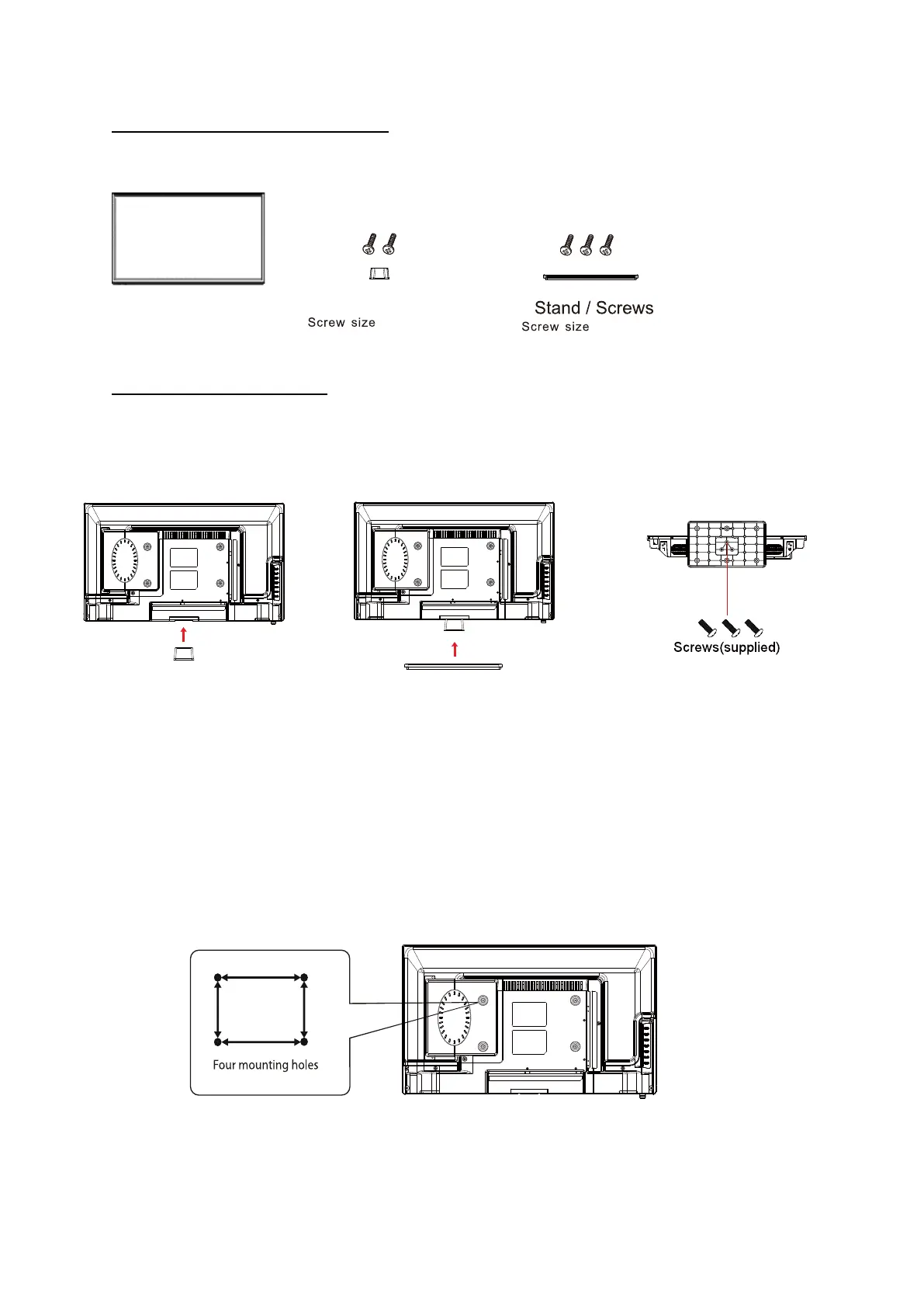
Parts
Television
Stand assembly instruc�ons
The Television is VESA-Compliant and designed to be wall mounted with a VESA-Compliant
200 x 100mm moun�ng kit. Mount the Television according to the instruc�ons of the wall
bracket (Not supplied)
2
ST4 x 12 3PCS
ST4 x 12 2PCS
Neck / Screws
2.Put the stand to the neck of the TV set
as shown below.
1.Place the neck in position as shown,
fix it with the supplied screws(
ST4x12).
(ST4x12 3 PCS)
3.Attach the stand with the supplied screws.
Screw size M4 x 8
200mm
100mm



 To Next Page