EasyManua.ls Logo

Cello Freeview C24FVP - Remote Control Functionality; Smart TV, Apps, and Guide Access; Navigation, Playback, and System Control

Cello Freeview C24FVP
28 pages
Print Icon
To Next Page IconTo Next Page
To Previous Page IconTo Previous Page
Loading...
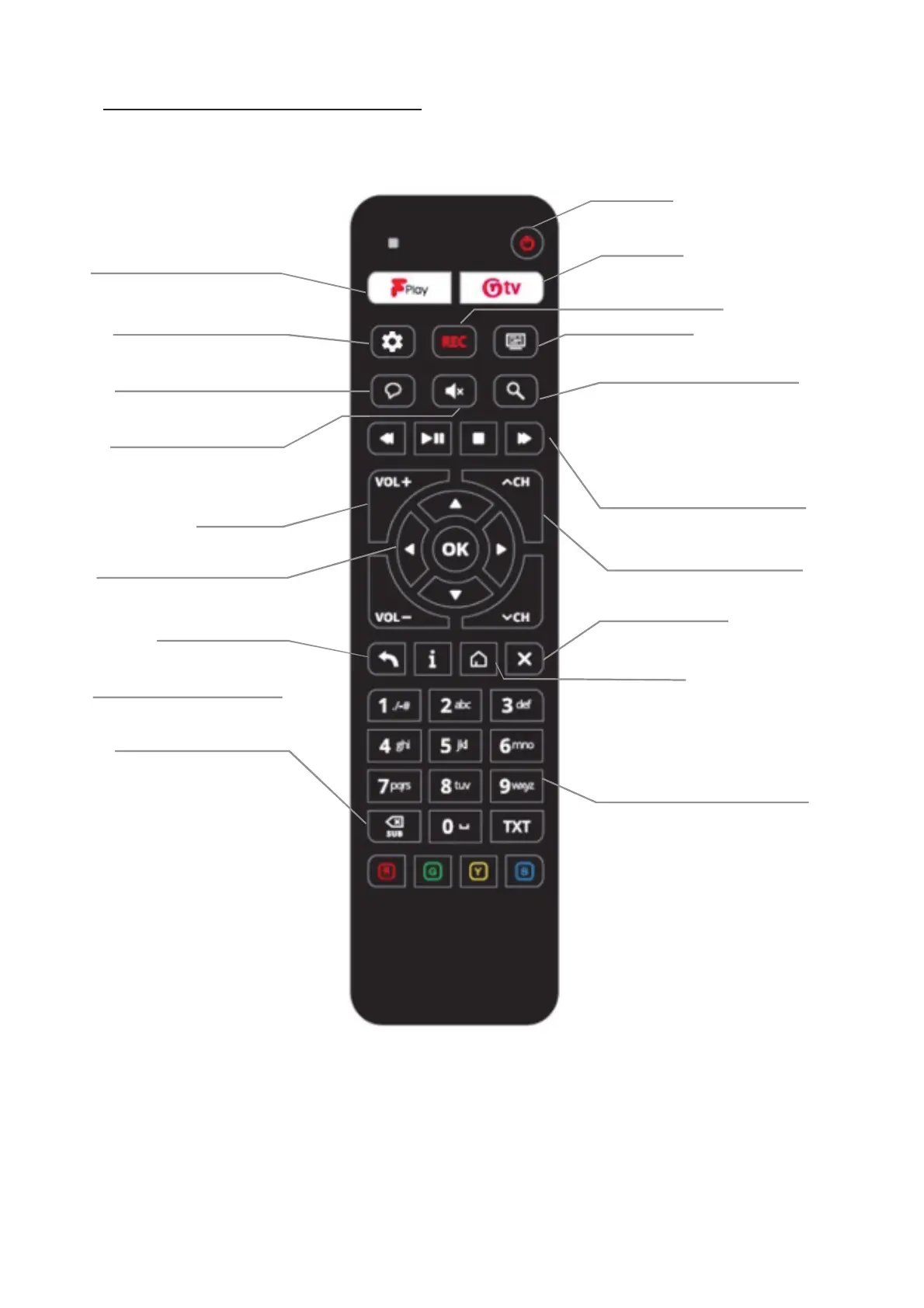
@tv access to
netgem.tv avenue
POWER
ON/OFF
NOT IN USE
TV GUIDE
OPEN THE EPG
Search
Access to Search Avenue
PLAYBACK CONTROLS
REWIND, PLAY/PAUSE
STOP & FORWARD
CHANNEL UP/DOWN
PAGE UP/DOWN IN EPG
EXIT
RETURN TO LIVE TV
HOME
RETURN TO MAIN MENU
FPLAY
FREEVIEW EXPLORE APP
SMART TV MENU
CHANGE AUDIO SOURCE
(Depending on Devices
VOICE CONTROL
Pair a device
MUTE
MUTE AUDIO FROM ANY SOURCE
VOLUME
UP/DOWN
4-WAY NAVIGATION
OK TO SELECT
STEP BACK
GO BACK TO LIVE TV FROM HOME
MORE INFO
OPEN PROGRAMME CARD
DELETE
TURN ON SUBTITLES
IN FULL-SCREEN PLAYBACK
NUM-PAD
CHANNEL NUMBER &
TEXT INPUT
Remote control
5

Related product manuals