
 Need help?
Do you have a question about the Cello LED24FullHD and is the answer not in the manual?
Details the functions of the first 18 buttons on the remote control.
Allows selection of picture modes like Dynamic, Standard, Mild, or User.
Adjusts contrast, brightness, saturation, tint, and sharpness for optimal viewing.
Selects audio enhancement techniques like Standard, Music, Sports, or User.
Adjusts balance, auto volume, surround sound, and SPDIF mode for audio output.
Covers auto tuning and manual tuning for digital (DVB-T) and analog (ATV) channels.
Sets up password, blocks programs, or enables parental guidance.
Configures the clock, off time, on time, and sleep timer.
Navigates USB device and selects media types (Photo, Music, Movie, Text).
 General
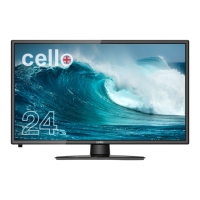
| Screen Size | 24 inches |
|---|---|
| Display Type | LED |
| HDMI Ports | 2 |
| USB Ports | 1 |
| Contrast Ratio | 1000:1 |
| Refresh Rate | 60 Hz |
| Tuner | Freeview HD |
| Aspect Ratio | 16:9 |
| Built-in Speakers | Yes |
| Resolution | 1920 x 1080 |

 To Next Page






