19
3.Movie
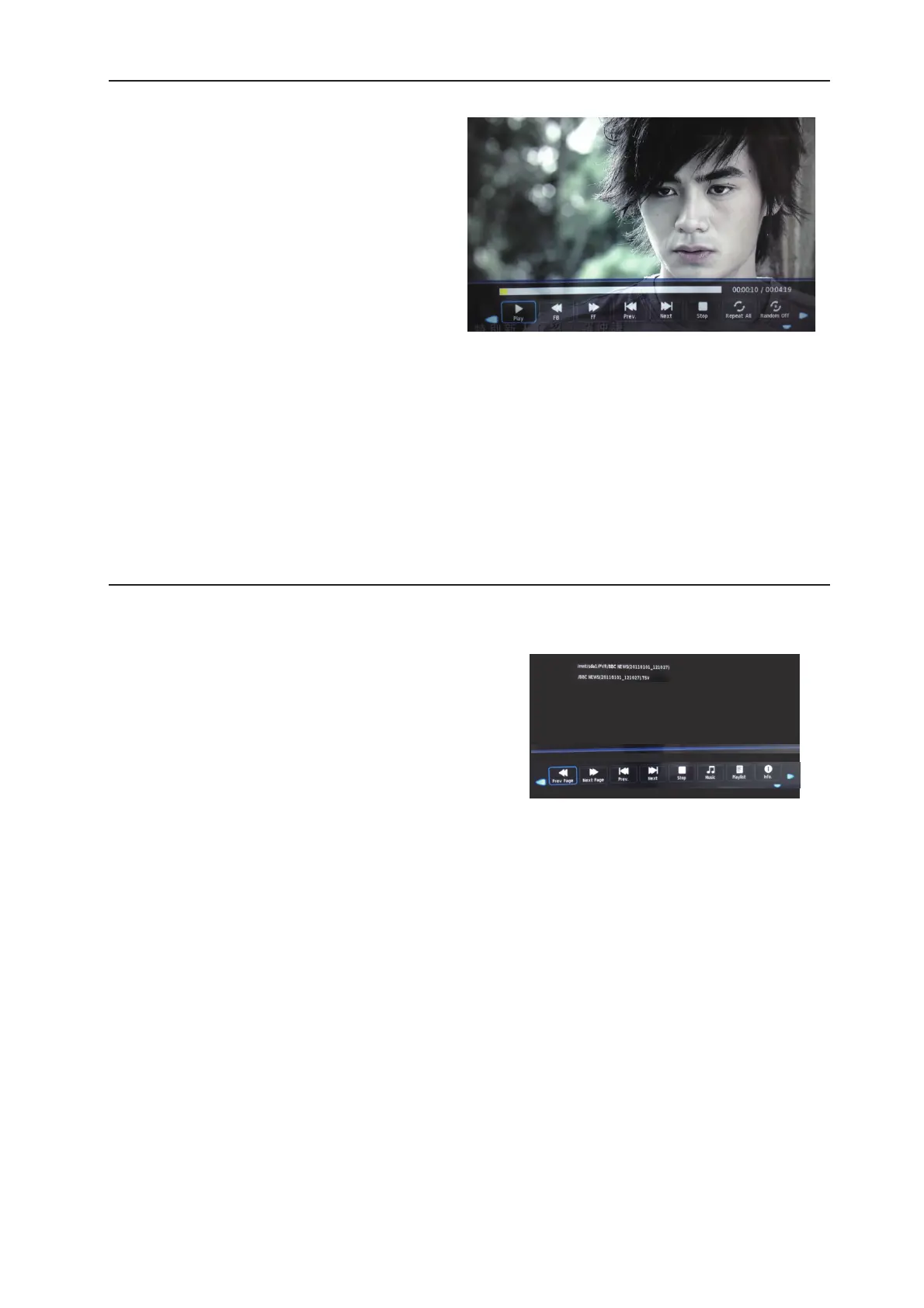
Watch a film
Press left/right buttons to select the option on the
menu,and press the ENTER button to activate.
Play: Play the movie.
FB:
Retreat quickly.
FF:
Fast forward.
Prev./Next:
Go to a video/Turn to the next video.
Stop: Stop playing.
Repeat: Select the repeat mode from Repeat All,
Repeat One,Repeat None.
Aspect Ratio: Select the aspect ratio of the on screen display.
Move View: Moves the enlarged picture area.
4.Text
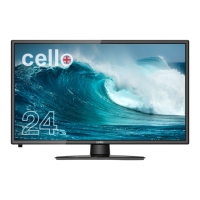
View text files
Press left/right buttons to select the option on the
menu,and press the ENTER button to activate.
Prev/Next page: Turn to previous/next page of the text.
Prev./Next:
Turn to previous/next file.
Stop: Stop auto turning pages.
Music: Play/pause the background music of your choice.
Playlist:
Display the playlist on the screen.
Info: Display the information of the text file.
1/128


 To Next Page