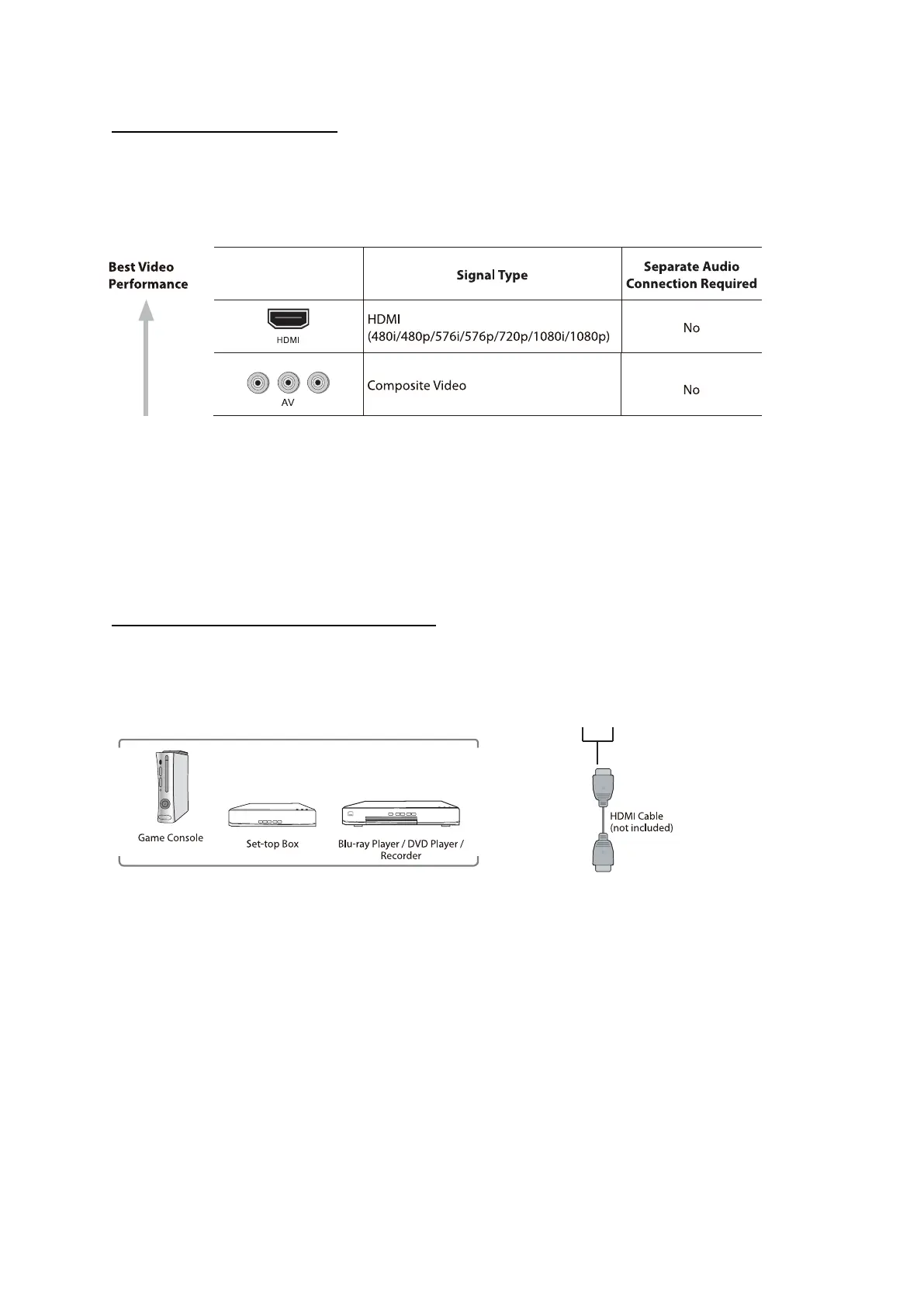
Video and Audio connec�ons
This TV supports High-Defini�on Mul�media Interface (HDMI) and High-Bandwidth Digital
Content Protec�on (HDCP) Protocol.
Always connect a device to the TV with the highest quality connec�on available. Also, use
good quality cables to ensure a good transfer of picture and sound.
An HDMI connection has the best picture and sound quality. One HDMI cable combines
video and audio signals.
Connec�ng an AV device with HDMI cable
Audio/Video
devices:
HDMI1 & HDMI2
After connecting to an external device (Blu-ray disc player, Game console, Set-top box, or personal
computer) with the HDMI cable. Select the HDMI in the source menu and the TV will automa�cally
detect the resolu�on coming from the device. For the best picture quality adjust the device output
resolution up to 1920 x 1080.
6



 To Next Page