12
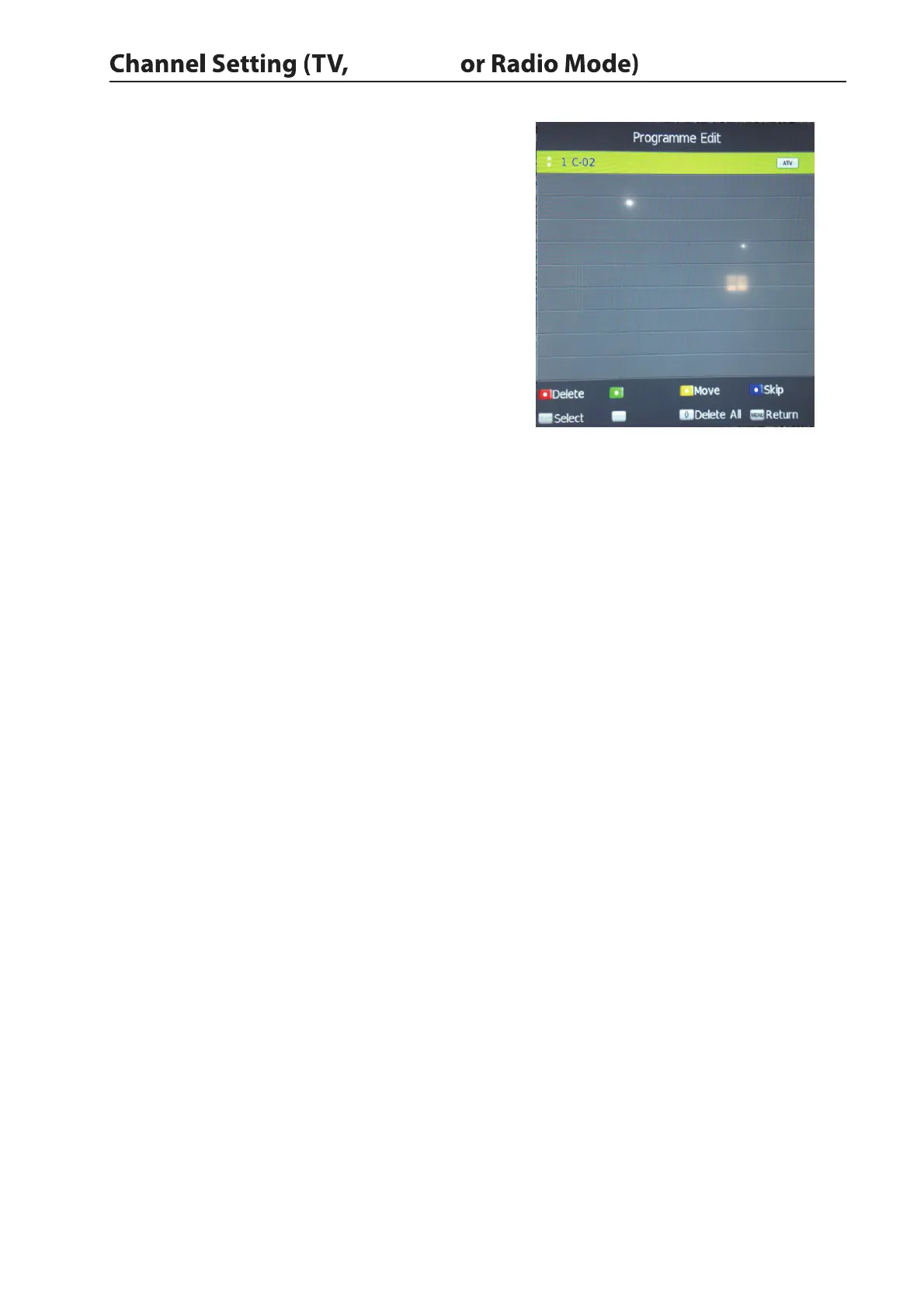
Programme Edit
Use up/down keys to select program edit.Press ENTER
to enter the menu.
Delete
Press the RED button to delete the highlighted channel,
a red circle will appear next to the cahnnel name.
Press the RED button again to confirm delete.
Press the MENU to return to the main menu.
Move
Press up/down to select the cahnnel,press yellow button
to enter the move mode,then press up/down to move the channel location,press yellow button again or press
ENTER to confirm.
Press MENU to return to the main menu.
Skip
Press up/down to select the channel you wish to skip.
press the BLUE button,a logo will appear next to the channel name and the channel will be skipped when you
scroll through the channels.
Press the BLUE button again on the highlighted channel to disable the skip function.Press MENU to return
to the main menu.
Signal Information
Only available in Antenna mode.
CI Information
When insert CI Module,display CI Information.
Software Update(USB)
1.Download the software to the usb device,then insert the usb device to the unit.
2.Press the menu button to select the CHANNEL menu.
3.Press the left/right buttons to select Software Update(USB) and then press the ENTER button to update
software.
4.When the updating is completed,the unit will be reset to standby mode.
Rename
Favorite
ENTER
FAV
Antenna


 To Next Page