. 9 .
MGTAPW LEGENDS
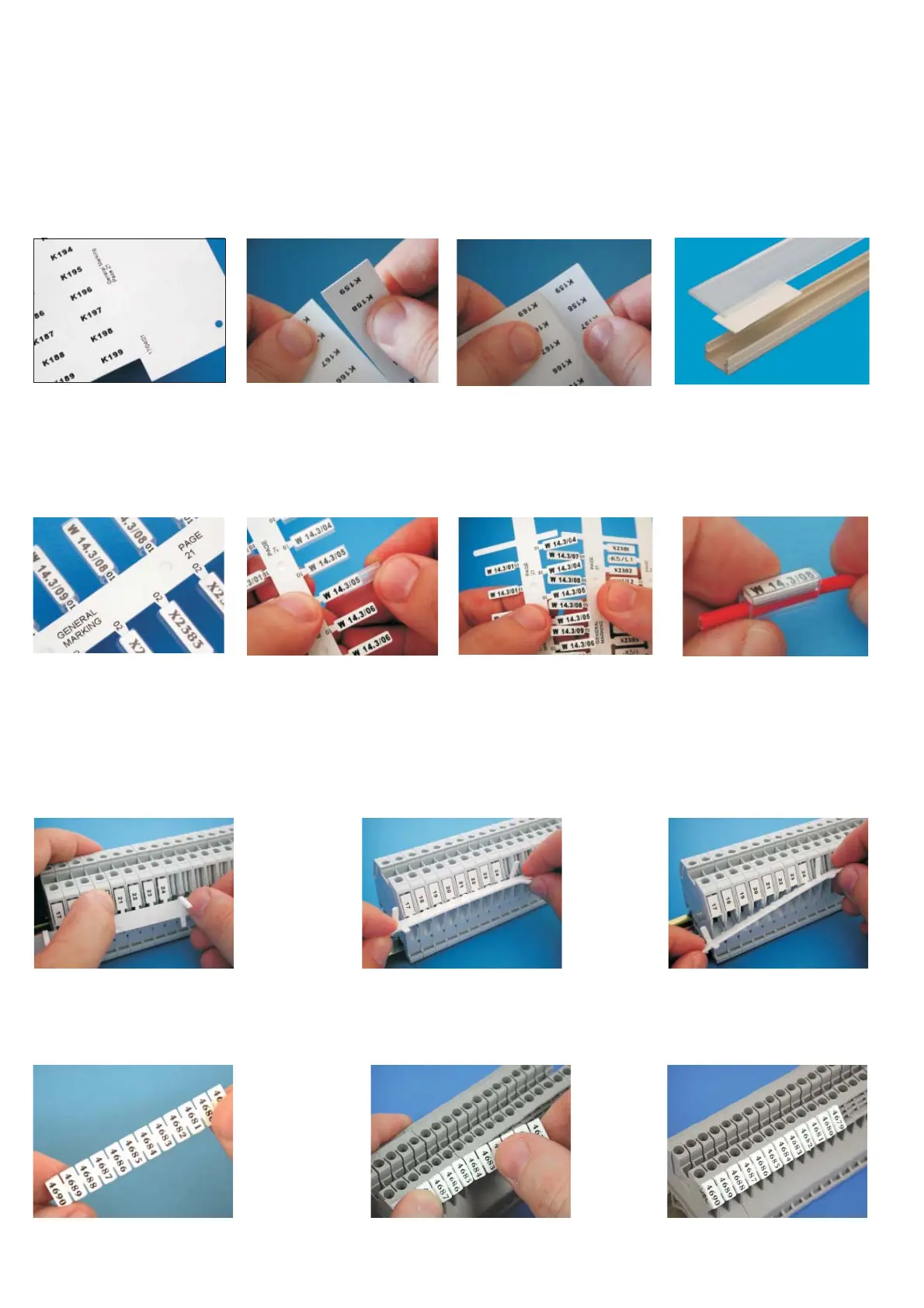
High quality thermal transfer
printing typically allows more
characters to be accommo-
dated than ink based systems.
Reference data may also be
printed on the stems and sprues
to assist installation.
Individual tags or strips of printed
tags are easily removed from the
sheet for immediate use.
Transparent PM tag holders may
be pre-fi tted before removing
the tags from the sheet.
Example of an MG-TPM tagin
a PM holder mounted on a
single core cable.
The long life print is perfectly
protected against chemical and
atmospheric degradation.
MGCPM TERMINAL BLOCK MARKERS
Single
Modular
A stem of printed markers is re
moved,
complete, from the sheet, and the
markers fi tted onto the terminal blocks
without removal from the stem
.
The stem is carefully detached from
the mounted markers.
T
he group of terminal blocks is
quickly and easily marked.
A strip of printed, joined markers is
removed from the sheet.
The strip is fi tted onto the termi-
nal blocks.
The group of terminal blocks is
quickly and easily marked.
High quality printing of fonts and
graphics suit a wide range of ap-
plications including component
identifi cation, rating plates and
signage. Reference data may
also be printed on the counter-
foil to assist installation.
Alternatively, fully printed sheets
are easily divided into strips.
Individual MG-TAPW legends are
simply and precisely remo-
ved from partially printed sheets
for immediate use, leaving no ob-
structions to prevent the remain-
der of the sheet being printed.
Example of an MG-TAPW legend
mounted on RTR-TAPW rail with a
transparent RT-CCWS cover.
MGTPM CABLE TAGS
4.8) Printing cycle
Ensure there is a genuine printable medium correctly positioned on the template then:
– Set the data in the program, proceed via Print Setup to Print Preview (Consult user manual) then press F6 to start the
printing cycle; the carriage will close then gradually open again automatically, until it stops fully open at the end of the
cycle, with the sheet printed.
– Remove printed sheet and continue loading/print preview/printing cycle.
4.9) MARKINGENIUS media - examples of applications.


 To Next Page