Thermo Recorder
10
3. Click “DataLogger” from SE-345 menu to download
data.
Note:
1. Refer to page 11(6.1) about installing SE-345 software.
2. Refer to page 12(6.2) about software introduction.
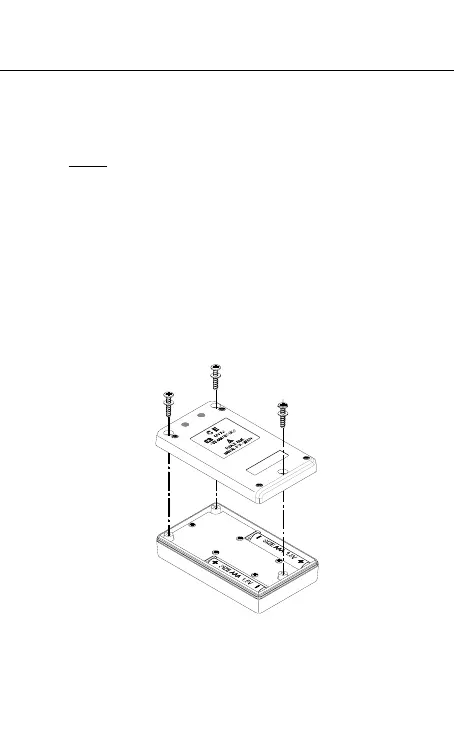
5.5 Replace Battery
1. Please stop data recording before replacing battery.
2. Use two Alkaline Battery Size AAA 1.5V .
3. After replacing the battery, please make sure
screwing these three screws tightly with gasket to
keep it airtight.



 To Next Page