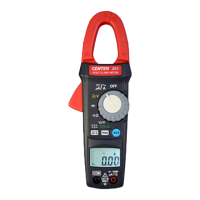
Sound Level Meter
8
6.2 Clearing Stored Data (From Auto Store):
If you want to clear the memory, power off the
unit, then press and hold button and then
press button and hold at least 5 seconds,
then LCD will show "CLr" and “SURE” to clear
the memory.
6.3 Manual store:
Press the button to store measurement data using manual store.
Up to 99 data sets can be stored in the internal memory.
6.4 Reading Stored Data ( From Manual Store ):
(1) Press the button. The “ ” symbol appears.
(2) Press the or buttons to select the data number in which the data
were stored. The data are shown on the LCD. When there are no data in a
number the LCD shows “ 00 ”
(3) To terminate the recall mode, press the button once more.
Note:
The battery indicator “ ” shows the remaining
battery power. The number of black bar
decreases as the battery running out. When the
power is almost empty, “ ” will disappear.
Press or button, LCD display will show
“ Lo bat ” warning indication. If the meter is
under record mode, it will stop.
6.5 Clearing Stored Data (From Manual Store):
If you want to clear the memory, power off the
unit, then press and hold button and then
press button and hold at least 5 seconds,
then LCD will show “ CLr ” and “ SURE ” to
clear the memory.



 To Next Page