DATALOGGER THERMOMETER
14
DataLogger:
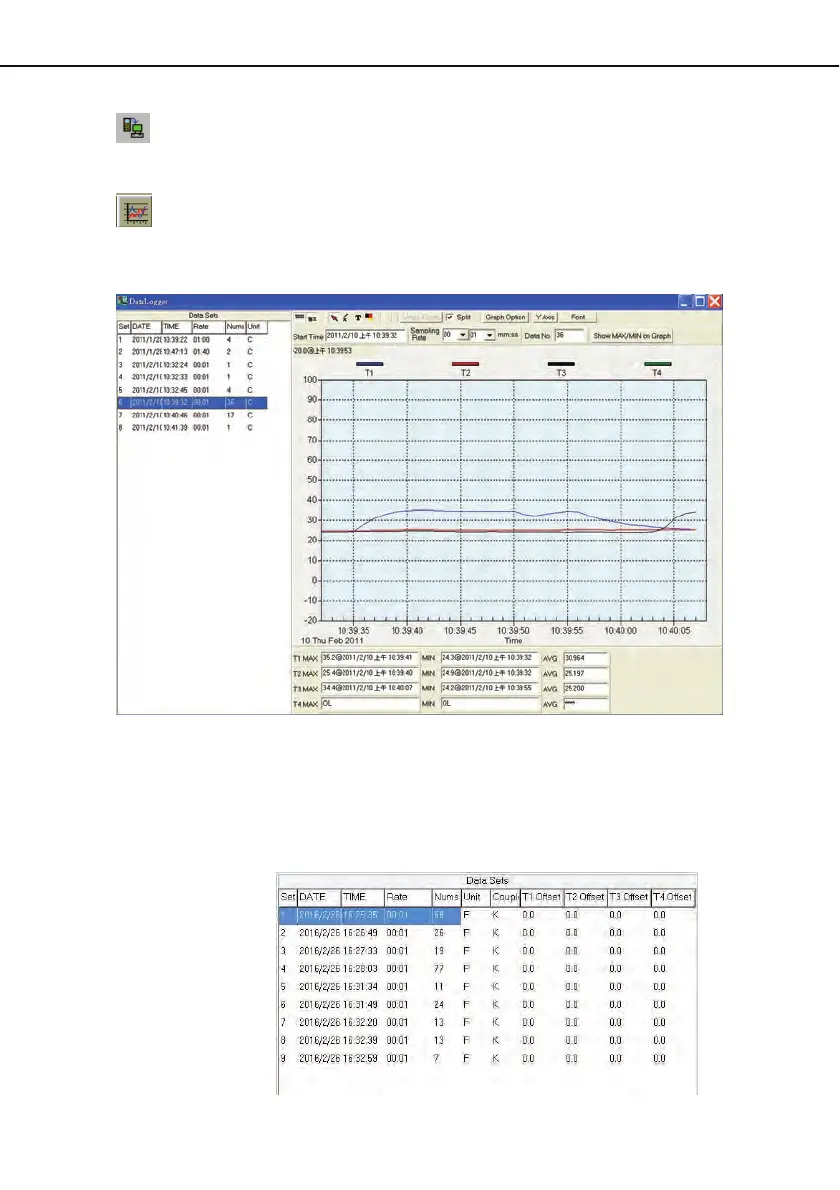
By opening the DataLogger Window, the user can load recorded data of meter to
PC in this window.
Output To Graph - Graphing tabular data.
9.8 DataLogger:
When you have the theromameter connceted to PC, select " DataLogger " from main menu
or click Datalogger icon from tool bar to load recorded data from the meter and there will be a
progress indicator to show the loading status. If error occurs, just click “ DataLogger icon "
again.
After the data was downloaded, the left hand side will show how many data sets were loaded
and detail information for each data set (start data, start time, recording rate and record
numbers).
for examples:



 To Next Page