DATALOGGER HYGRO THERMOMETER
8
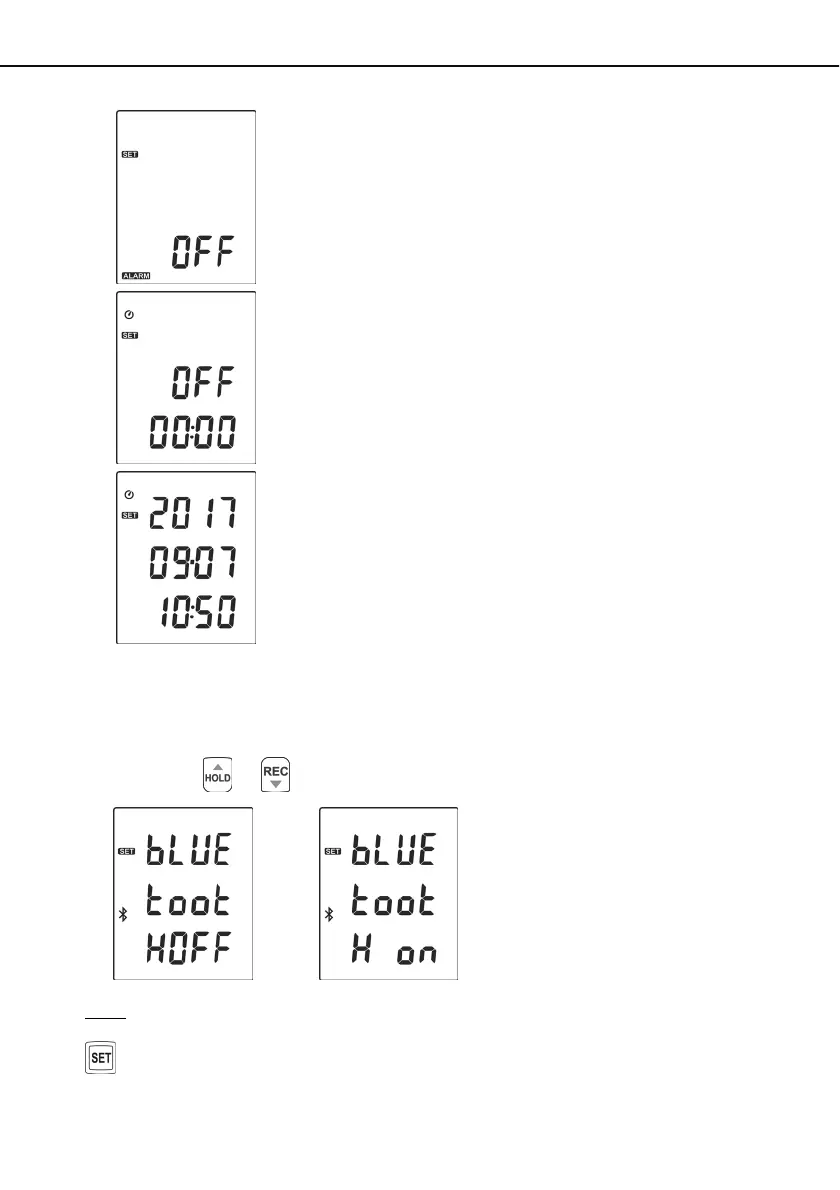
(6) Fig.6 Set alarm point.
(7)
Fig.7 Set auto power off time.
(8) Fig.8 Set system clock.
7.3 Menu Description:
7.3.1 Set Bluetooth ON/OFF
Press the
or button to turn on or off. (see Fig.9 or Fig.10)
Fig.9 Fig.10
Note:
When Bluetooth function is turned ON, it is entering standby/pairing mode, the blue LED built in
flashes once every 3 seconds. When successfully connected, the blue LED quickly flashes
thrice every 3 seconds.


 To Next Page