DATALOGGER HYGRO THERMOMETER
20
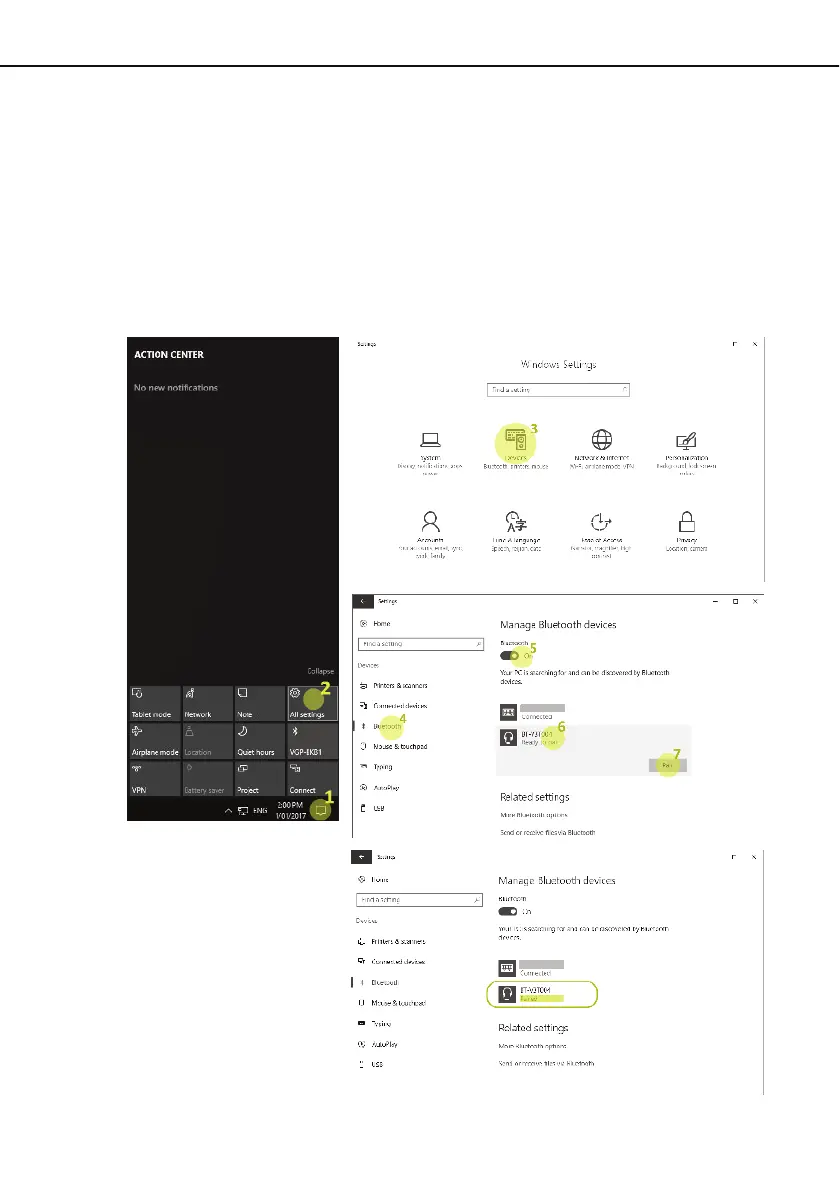
11.10 Bluetooth Pairing:
11.10.1 Via ACTION CENTER (Windows 10)
(1) Open [ ACTION CENTER ];
(2) Click [ All Settings ];
(3) Click [ Devices ];
(4) Select [ Bluetooth ];
(5) Turn On;
(6) Select [ BT-xxxxxx ](serial number);
(7) Click [ Pair ];
(8) After installing, the device will appear as paired.


 To Next Page