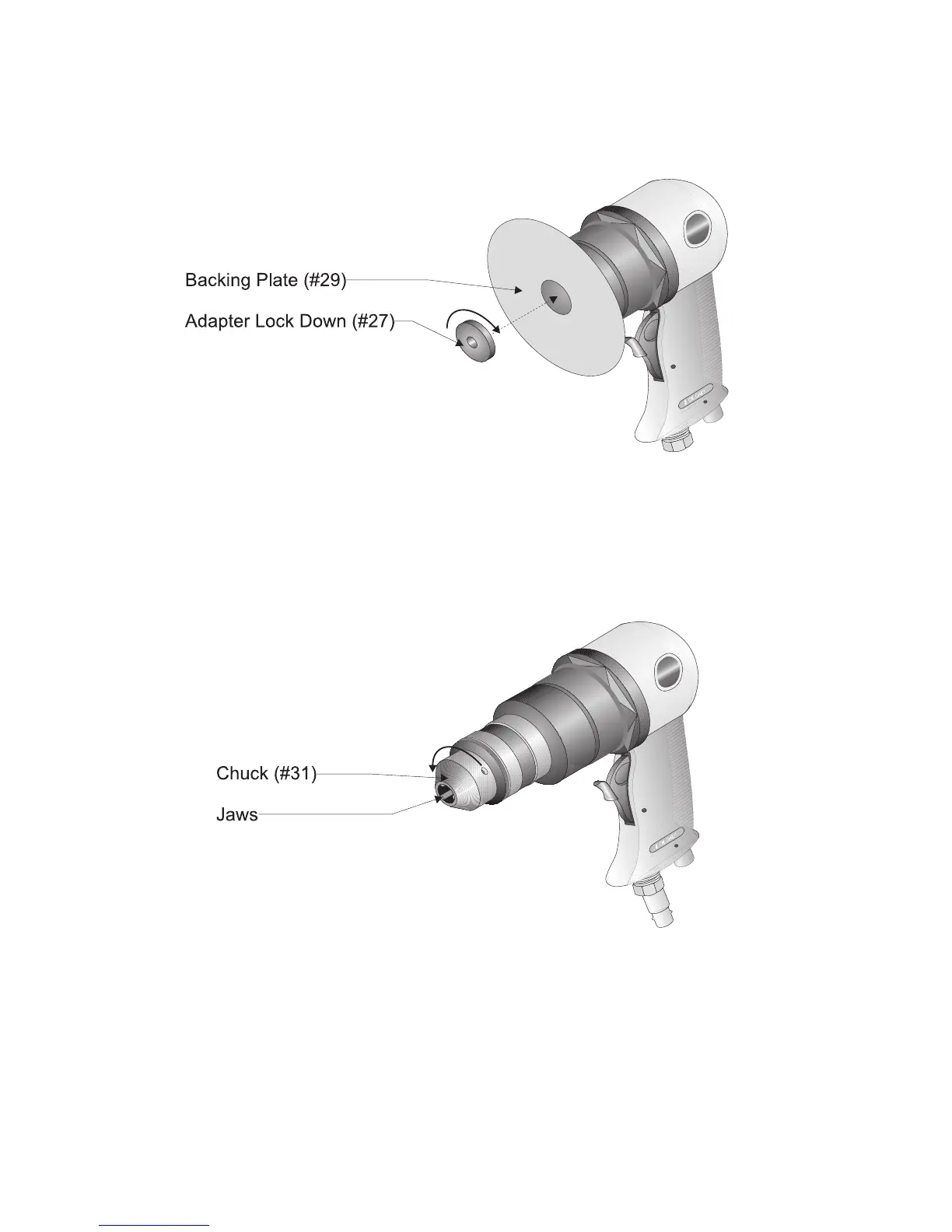
Step 7: Thread the ADAPTER LOCK DOWN (#27) onto the ROTOR as shown in Figure 2.
Tighten.
Figure 2 — Installing the Backing Plate
Drill Bit Installation
Step 1: Select the drill bit needed for the drilling you wish to perform.
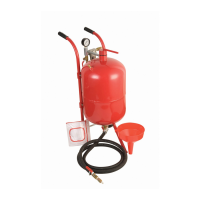
Step 2: Open up the Jaws of the Drill by turning the CHUCK (#31) as shown in Figure 3.
Figure 3 — Opening the Drill Chuck
Step 3: When the Jaws are open wide enough to insert the drill bit, slide the bit into the CHUCK
as far as possible.
Step 4: By hand, turn the CHUCK to tighten the Jaws.
Page #5 -- SKU: 35245



 To Next Page