29
30
3. Music Box
3-2. Playing Music File
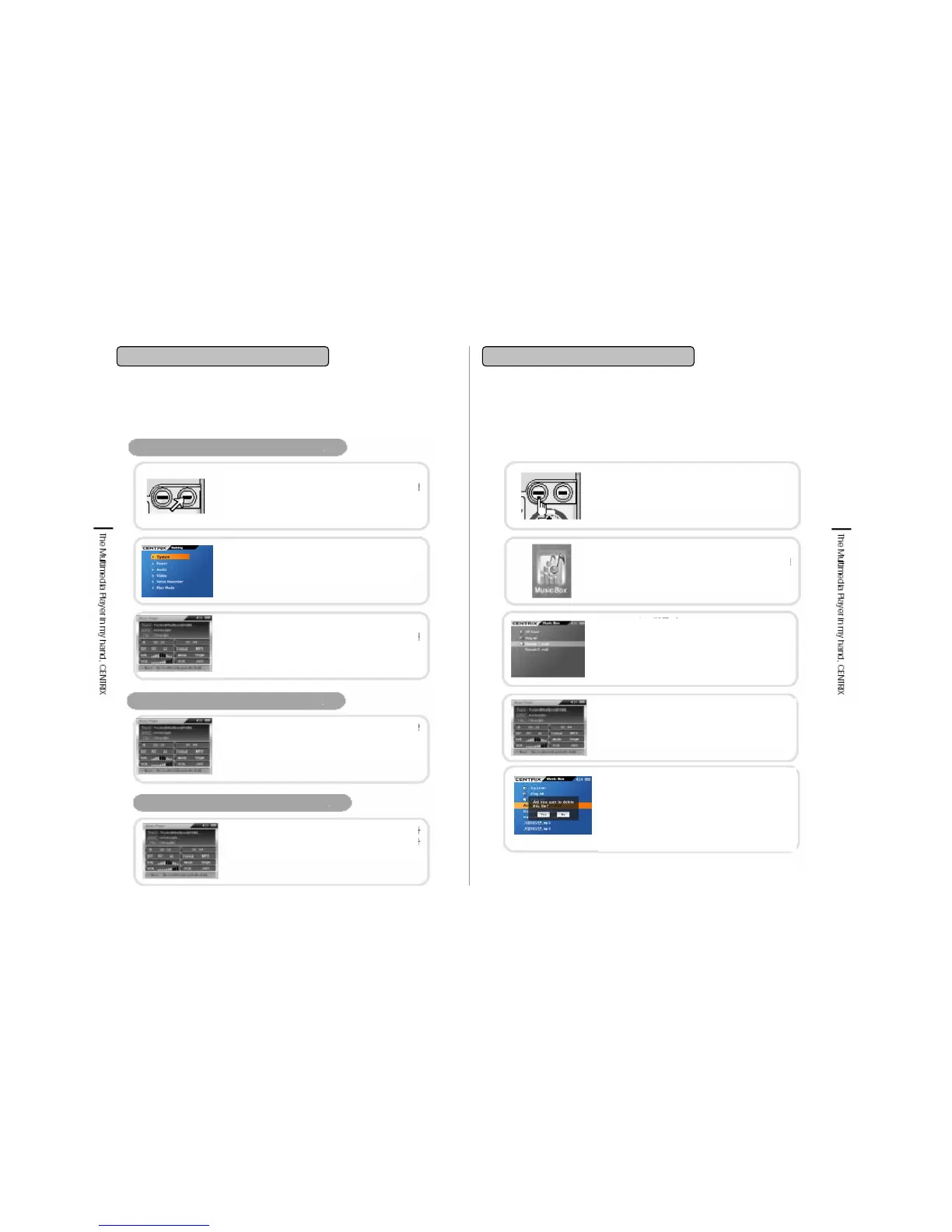
Music Player Setting
Equalizer Setting
ID Tag information Display
Press Menu While Playing
If you press ‘Menu’ button while playing
then it is shifted as the circumstance
setting mode of the current file.
Settings
Set the Audio setting function or Play mode
suites to user’s taste.
Returning to Play mode
After circumstance setting is completed,
press ■/ESC button to switchover to the
playing
If you press ‘Select’ button while music file
playing then it is shifted as Equalizer preset
setting.
ID TAG contains Artist name, title info. The
player supports standard ID Tag version
1,2.
* Other function is same as in 3-2. Playing Music file.
You can make lists of music file and listen them consecutively.
3. Music Box
3-3. Using Playist
POWER ON
Press POWER button for Power on.
Music Menu Selection
Transfer to navigation button and select Music
and click. By selecting, the icon will be
indicated.
Add to Playlist
Select music file and click MENU button
shortly. You will be asked whether you want to
add to Playlist. Use direction key to select YES
button then the file will be added to the list.
Deletion of file in Playlist
Select file to be deleted and Click MENU
button shortly. You will be asked whether
you want to delete file from Playlist. You can
choose Yes. And then the file will be deleted
from Play list. But the file is only deleted on
the Playlist not on the original folder.
Playing Playlist
Select file under the play list and the files in
Playlist is played consecutively.


 To Next Page