37
38
6-1. Snapshot Screen
6. Snapshot
Music Player Display
Image Rotation
Play /Pause
Play Next/ Previous File
Damaged/Unplayable File
재생 불가 파일
Delete File
Use Volume +.- button while image
file playback then screen image will
be rotated to the Left/ Right.
Use Pause button to pause the music
file playback and press the button again
to resume the playback.
Press ◀ or ▶ buttons to play previous/
next music file while playing.
If selected file is not a playable or a
damaged one, then “This file is
damaged or not playable.” message
will be shown on the screen and it
returns to the folder again.
To delete one file, put cursor on the file
and press Menu key shortly. Select as
“delete’ and then press ‘select’ button,
the file is deleted.
◀▶
5. Image
5-2. View Photo File
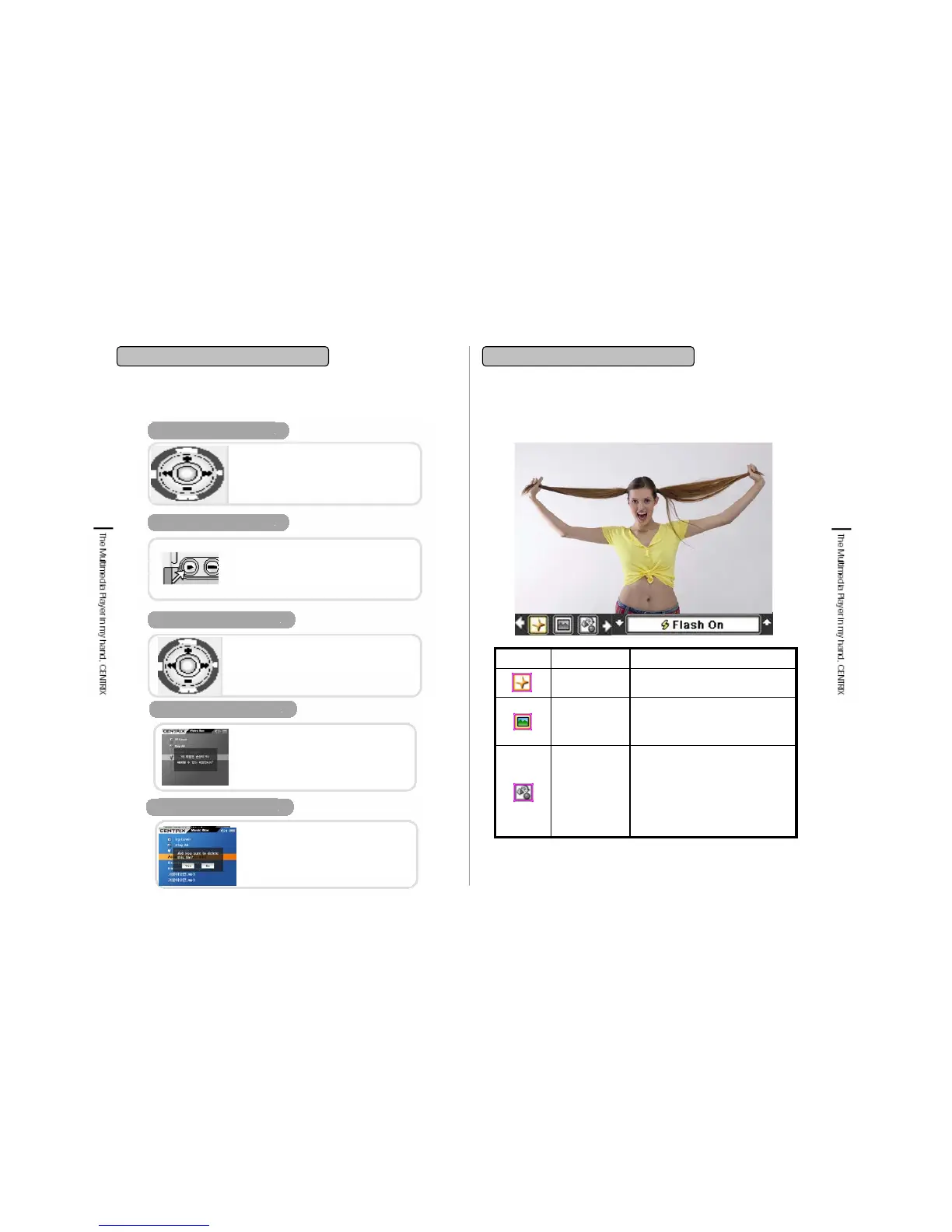
You can make a Snapshot through built-in camera.
Gives effects on photographing
such as, Normal,
Solarize (Picturesque), Negative
(Film status), Sepia (a bit red),
Black & White status.
Effect
SXGA(1280 X 1024)
VGA(640X480)
QVGA(320 X240)
Resolution
Flash On/ OffFlash
Setting ValuesIcon Info.Icon


 To Next Page