45
46
8-3. Selecting File and Detailed Function
8. File Manager
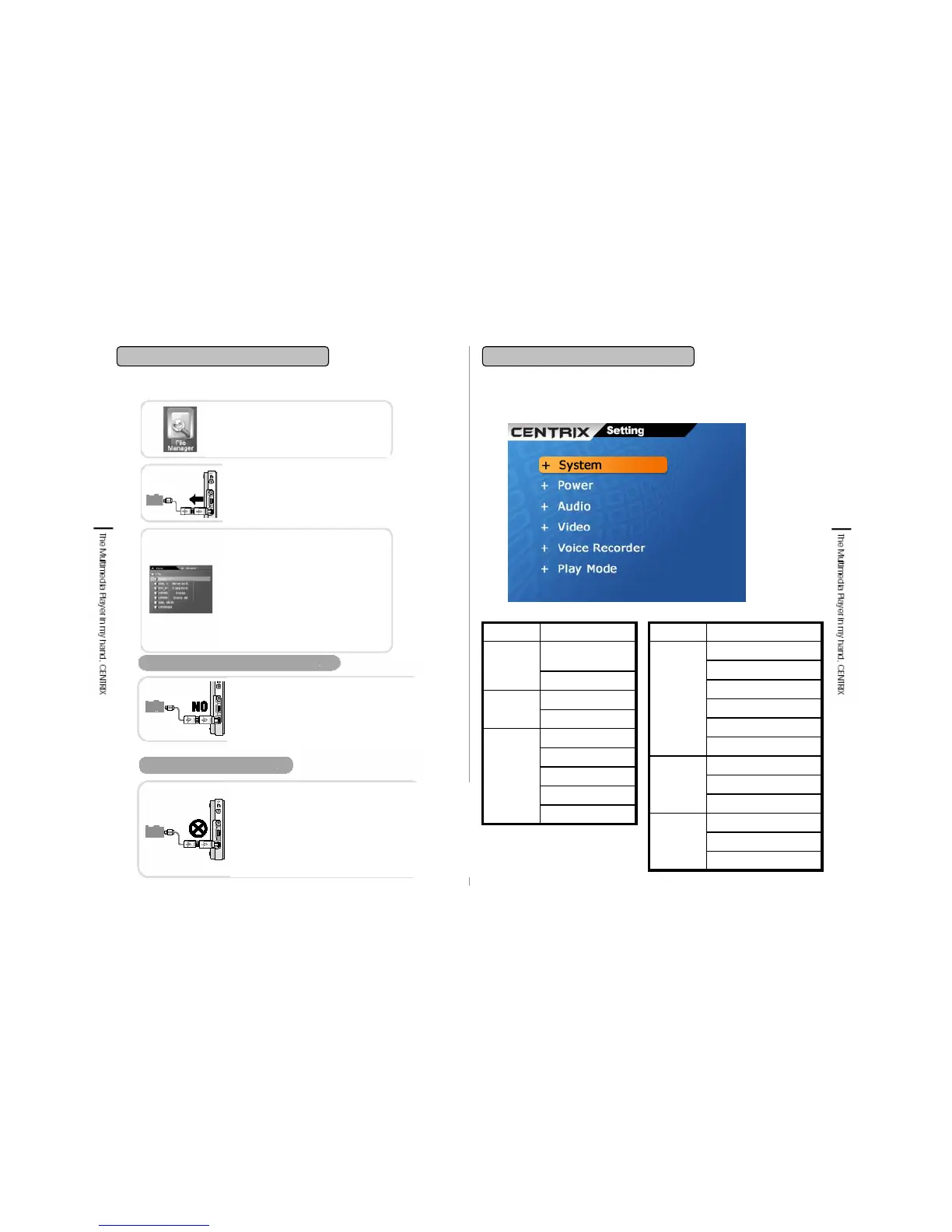
9-1. Setting menu structure
9. Settings
Amplifier
Balance
Bass Boost
Equalizer
Speaker
Audio
Power Off
LCD Off
Power
OS Update
System info.
Display
System
FunctionMenu
LCD Brightness
Video
LCD Contrast
Saturation
TV Out
Size
Language
Caption
Repeat
Play
Mode
Sampling Rate
Voice
Recorder
Bit Rate
Mic Gain
Slide Timer
Function Menu
Function completion
Press pause button ■/ESC to complete
File Manager function then it will transfer
to initial screen.
Cable separation
After completion of function, separate USB
cable between player & Device. If it is
separated while file transferring or copying, it
may cause file damage.
All the devices (external storage device)
which are connected to this product are
powered by this product. If connected device
has much power consumption, the connection
can be released automatically for product
safety.
You can connect devices (external storage device)
which is detected on PC without separate Application
or need no separate Security function. Some digital
cameras and USB Flash memory and etc. are not
connected. Some device (external storage device)
which is connected to this player is detected only when
the power itself is on. Before connecting to this player,
be sure of the using procedure.
Release of Device
Device connection unavailable
Put cursor on the selected file and
press Menu button, then below pop-
up will be displayed.
MOVE TO A(B): Transfer selected
file to A(B)
COPY TO A(B): Transfer selected
file to A(B)
DELETE: Delete selected file.
DELETE ALL: Delete all the files
within the selected folder.


 To Next Page