47
48
9. Settings
9. Settings
9-2. System
Item
Functions
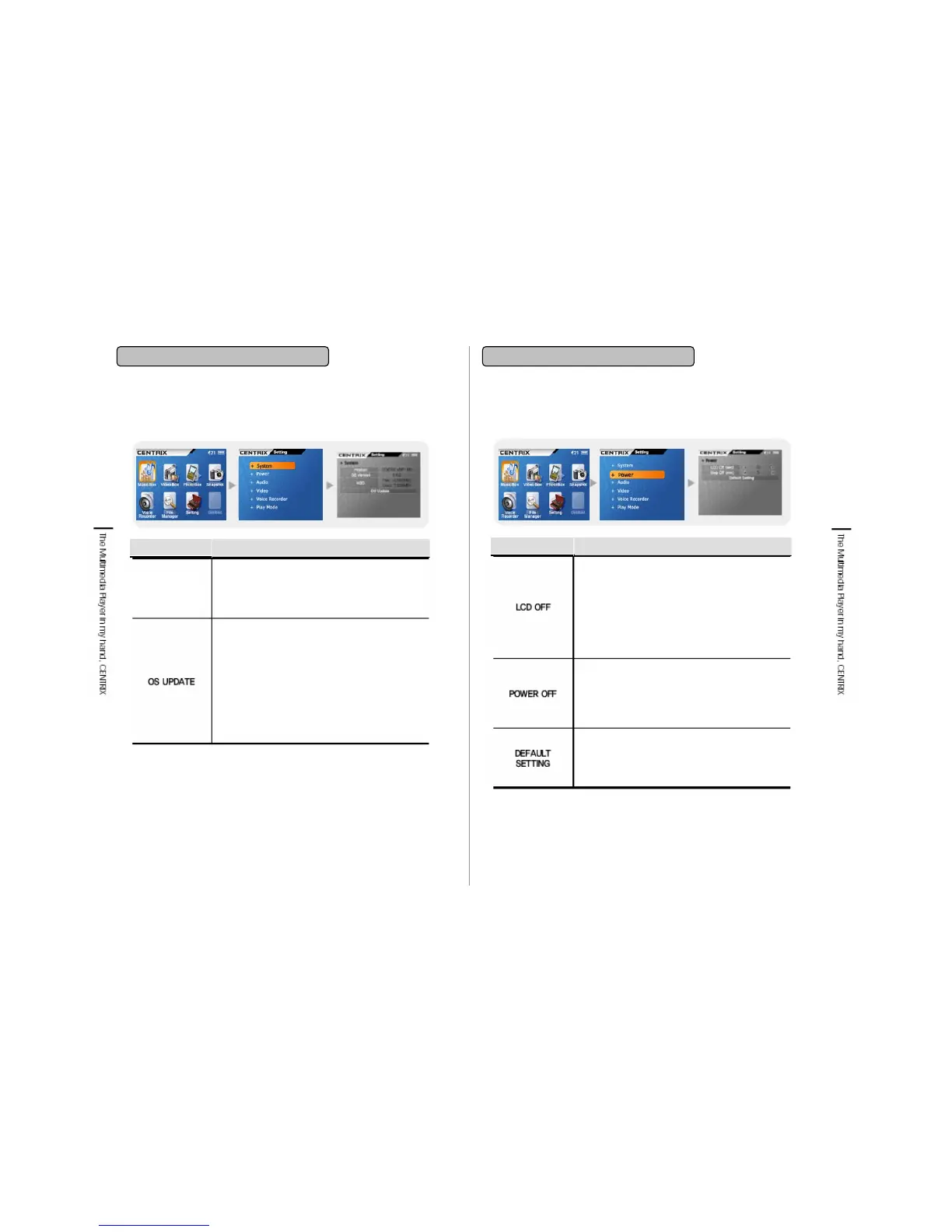
Put the cursor on OS Update and press Select key
then updated Firmware version saved in the Root is
searched. If there is no Firmware saved, it is
indicated that there is no Firmware. If there is a
Firmware saved, you will be asked whether you will
update Firmware. If you select ‘Yes’ Firmware
update will be processed. Do not operate product
during update. After completion of update, power off
by pressing power button and reboot the player, then
it will be operated as a Firmware updated status.
System info.
Indication
Displays the system info. of player.
Product name
OS version: Shows the Latest update version
HDD: Shows the occupied and empty capacity
9-3. Power
Item
Functions
LCD Off Menu is to set the automatic LCD Off
time while pausing and there is no other key
operating.
LCD is turned off while MP3 playing or voice
recording.
When key input value is added, LCD is turned on
and the setting unit is second.
This function is applied for saving battery
Power Off Menu is to set the automatic Power Off
time while pausing and there is no other key
operating.
The setting unit is minute.
This function is applied for saving battery
This function is to initialize as a basic setting
value. The initial value is as below.
LCD OFF: 30 seconds
POWER OFF: 10 minutes


 To Next Page