14
2. Getting Started
13
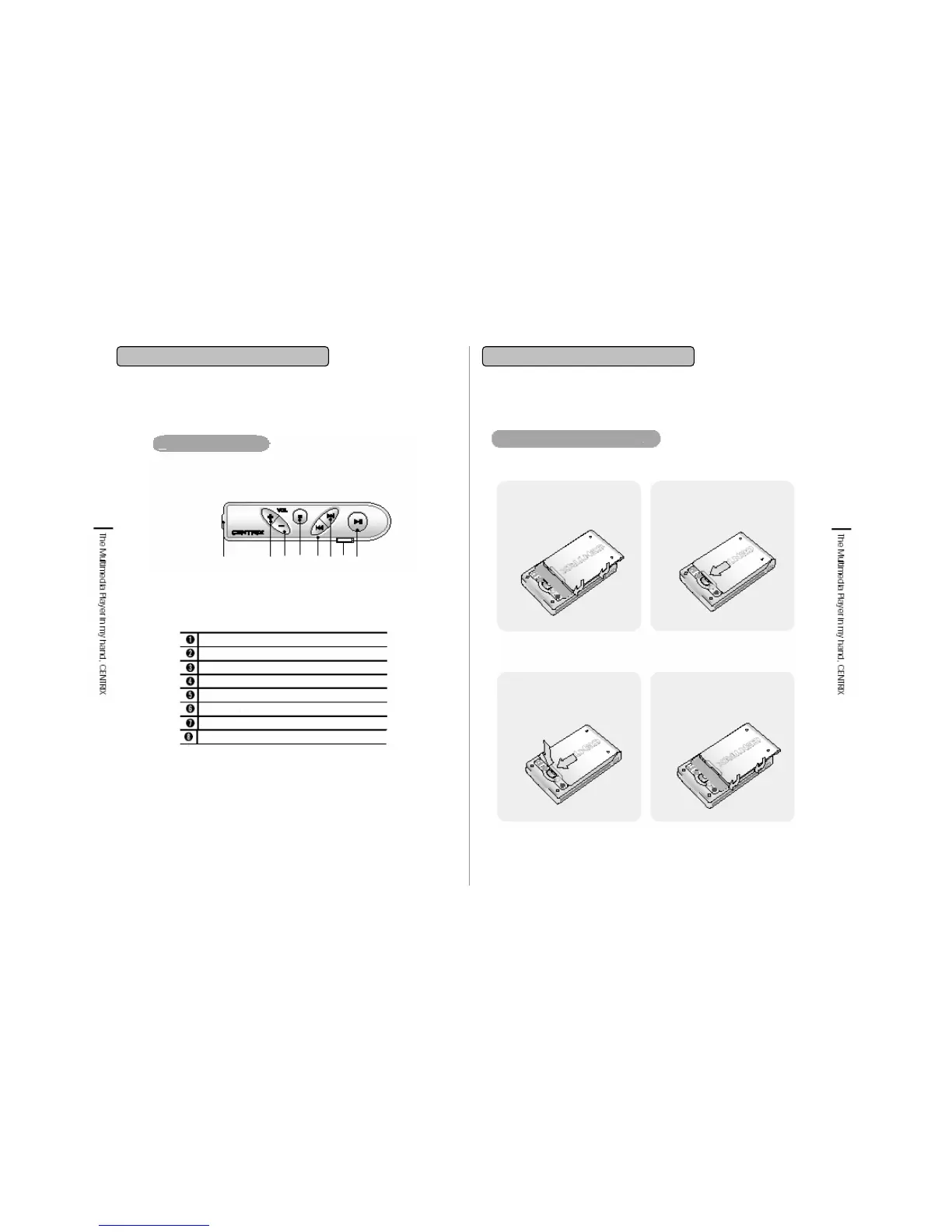
2-1. Name of parts
Earphone Jack
Volume Up
Volume Down
STOP
REW/ Previous Song
FF/ Next Song
Hold key
Play/ Pause
Remote Control
①
②③④ ⑤⑥
⑦
⑧
Attaching/Detaching battery
2. Slide the battery to the
arrow direction till it locks into
the place precisely.
*Detaching the rechargeable battery
1. Cover 4/3 of battery onto
the back side of main body
And fix it.
*Attaching the rechargeable battery
2. Slide 4/3 of the battery out
of the player and
lift it up then it will release.
1. Press the lock to
release the battery and
slide 4/3 of it out of the
player.
2-2. Connecting & Installation
2. Getting Started


 To Next Page