Aug 13/2004 560-34-114
Revision 2 - Jan 2/2007 Page 20
Citation SERVICE BULLETIN
SB560-34-114
G. TCAS Scenarios:
(1) Place TCAS in TA/RA mode and select transponder number 1. Create each scenario by
pressing the “SCEN” button on the TCAS-201 Test Set (displays the “Scenario Test” screen)
and use the “SELECT” and “SLEW” buttons to set the described range, altitude, closure rate,
and vertical rate. Initiate each test by pressing the “Run” button. Make sure that the bearing,
distance, relative altitude and aural alerts indicated in the aircraft correspond with each
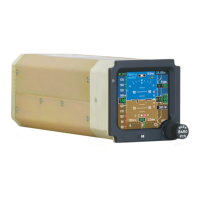
scenario. When a resolution advisory occurs, the PFD will display guidance to satisfy the RA.
The pitch envelope to be avoided, and the aircraft symbol will be indicated in red.
(2) Scenerio I:
Intruder Transponder Type
Mode-C ATCRBS
Range 10 nautical miles
Closure Rate
+450 knots
Altitude
20,100 feet
Vertical Rate 0 (zero) feet/minute
(3) The intruder symbol will begin as an OTHER symbol with a relative altitude of +01. The bearing
will be from the direction of the test antenna. The intruder symbol will become PROXIMITY
traffic close to six nautical miles. Shortly after, the symbol will become a TA and “Traffic,
Traffic” should be heard. The intruder then becomes an RA. “Descend, Descend” will be heard,
followed by “Increase Descent, Increase Descent”. “Clear of Conflict” will be heard when the
threat has passed.
(4) Scenario II:
Intruder Transponder Type
Mode-C ATCRBS
Range 10 nautical miles
Closure Rate
+450 knots
Altitude
19,900 feet
Vertical Rate
0 (zero) feet/minute
(5) The intruder symbol will begin as an “Other” symbol with a relative altitude of -01. The bearing
will be from the direction of the test antenna. The intruder symbol will become proximity traffic
close to six nautical miles. Shortly after, the symbol becomes a TA and “Traffic, Traffic”
should be heard. The intruder then becomes an RA. “Climb, Climb” will be heard, followed by
“Increase Climb, Increase Climb”. “Clear of Conflict” will be heard when the threat has passed.
(6) Repeat Step 12G(4) and 12G(5) using the Automatic Pop-up display. Press the TCAS button
on the MC-800 MFD Controller, removing the TCAS display from the MFD/PFD display.
Press TCAS DSP AUTO SEL annunciator. Initiate scenario II. The MFD/PFD display does
not display any TCAS displays. When intruder becomes proximity traffic around 6 miles,
TCAS display will automatically pop-up. When clear of the intruder the TCAS display will be
removed from the MFD/PFD display.
(7) Repeat Steps 12G(1) through 12G(6) with Transponder number 2 selected.
H. (For airplanes with the GPWS system installed.) GPWS Aural Tests:
(1) This test must be completed with the WOW set to GROUND and landing gear down and
locked. Refer to Step 12E(8) to begin the TCAS self test. The GPWS self-test must be started
immediately after the TCAS self-test begins (prior to hearing the test message). During TCAS
self test, the only aural message heard is “TCAS System Test OK”. To make sure that GPWS


 To Next Page