17. Cooling and Lubrication System
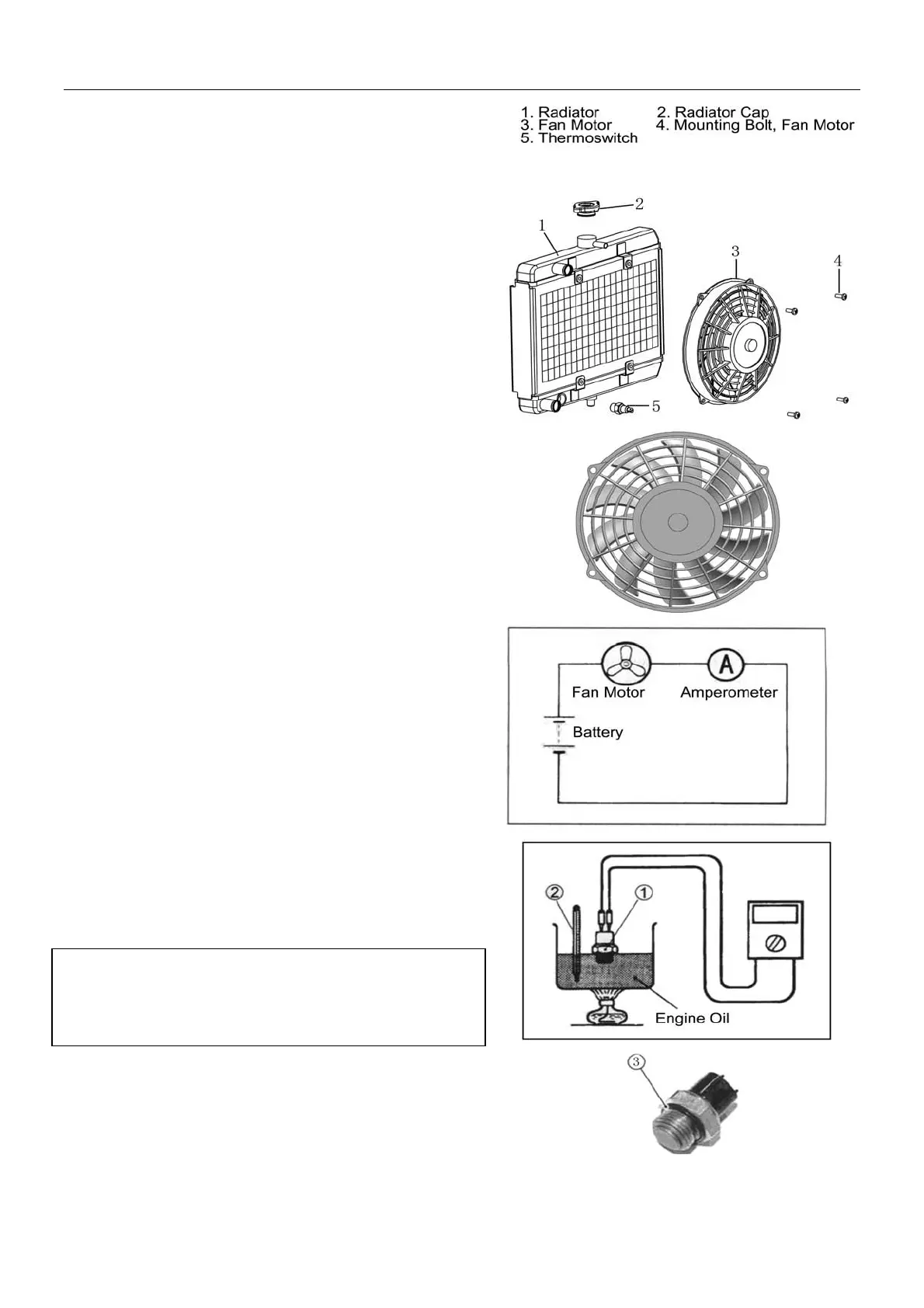
Inspection of Fan Motor
z Remove fan motor from radiator
z Turn the vanes and check if they can turn smoothly;
z Check fan motor: Make sure that the battery applies
12 volts to the motor and the motor will run at full
speed while the ammeter shall indicate the ampere
not more than 5A.
z If the motor does not run or the ampere exceeds the
limit, replace the motor.
z Installation: Apply a little thread locker to the bolts
and tighten to the specified torque.
Fan Motor Bolt Tightening Torque: 10N.m
Inspection of Thermoswitch
z Remove thermoswitch
z Check the thermoswitch for closing or opening by
testing it at the bench as illustrated. Connect the
thermoswitch① to the circuit tester, place it in a
vessel with engine oil. Place the vessel above a
stove.
z Heat the oil to raise the temperature slowly and take
the reading from thermometer ② when the
thermoswitch closes and opens.
Tool: ammeter
Thermoswitch Operating Temperature
Standard: (OFF-ON): Approx. 88℃
(ON-OFF): Approx. 82℃
Note:
z Avoid sharp impact on thermoswitch.
z Avoid contact of thermoswitch with thermometer or
vessel
z Installation: Use a new O-ring③ and tighten the
thermoswitch to the specified torque:
Thermoswitch Tightening Torque: 17N.m
z Check coolant level after installation of
thermoswitch. Fill coolant if necessary.
17-5



 To Next Page