Chapter 2
19
function.
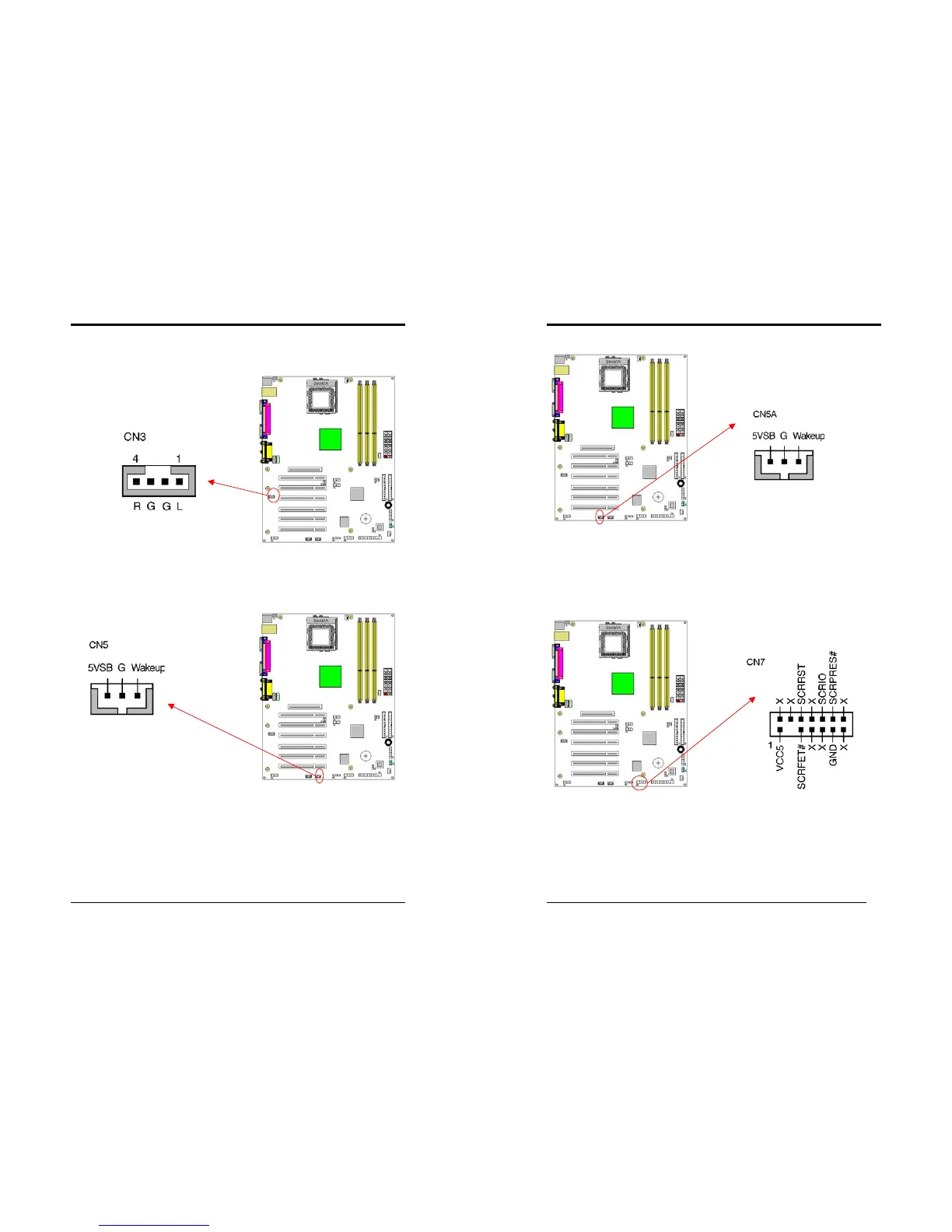
CN3 (Auxiliary Audio-in Connector):
These connectors are for CD-Rom devices audio. It is for Auxiliary Audio-in Device,
which will input the sounds sources into the motherboard.
CN5 [WOL (Wake-on-LAN) Connector]:
Enable the Wake Up On LAN selection in BIOS's Power Management Menu to use
this function. The capability to remotely manage PCs on a network is a significant
factor in reducing administrative and ownership costs. Magic Packet technology is
designed to give WOL capability to LAN controller. This header is used to connect
an add-in NIC (Network Interface Card) which gives WOL capability to the
motherboard.
Chapter 2
20
CN5A [WOM (Wake-on-Modem) Connector]:
The Wake Up On Modem selection in BIOS's Power Management Menu must be
enabled to use this function. This header is used to connect an add-in modem card,
which gives WOM capability to the motherboard.
CN7 (Smart Card Reader Connector):
This connector must be connected to a Smart card reader, which allows you to
transfer data through Smart Cards and Smart Card user interface software.



 To Next Page