18
Power
1 Connect Power
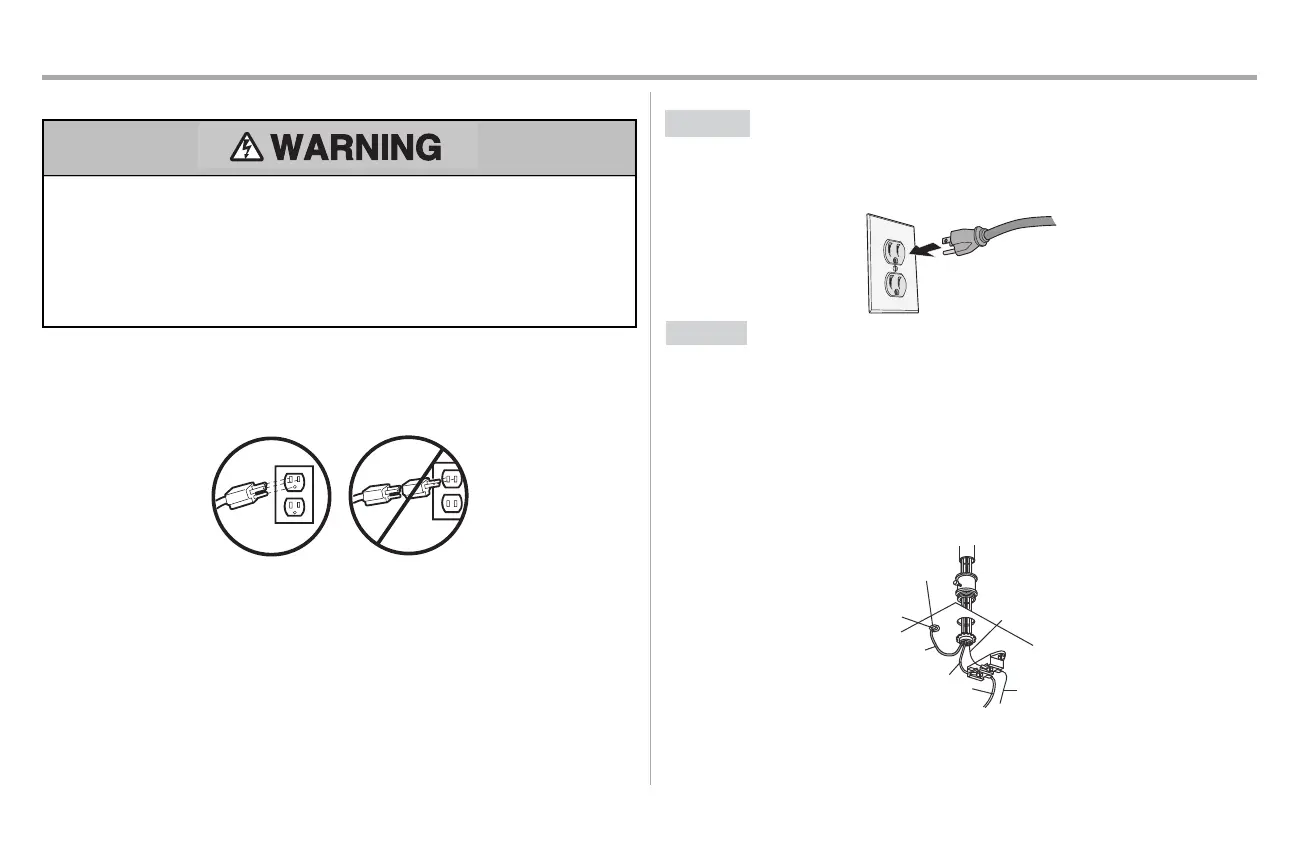
To preventpossible SERIOUS INJURY or DEATHfrom electrocution or fire:
l
Be sure power is NOTconnected to the opener, and disconnectpower to circuitBEFORE
removing cover to establish permanentwiring connection.
l
Garage door installation and wiring MUSTbe in compliance with ALL local electrical and
building codes.
l
NEVER use an extension cord, 2-wire adapter,or change plug in ANY way to make it fit
outlet. Be sure the opener is grounded.
To avoid installation difficulties, do not activate the garage door opener at this time.
To reduce the riskofelectricshock,your garage door opener has a grounding type plug with a third
grounding pin.Thisplug will only fit into a grounding type outlet.If the plug doesn’t fit into your outlet,
contact a qualified electrician to install the proper outlet.
THERE ARE TWO OPTIONS FOR CONNECTINGPOWER:
OPTION A
TYPICAL WIRING
1. Plug in the garage door opener into a grounded outlet.
2. DO NOT run garage door opener at this time.
OPTION B
PERMANENT WIRING
If permanent wiring is required by your local code, refer to the following procedure. To make a
permanent connection through the 7/8 inch hole in the top of the motor unit (according to local
code):
1. Remove the motor unit cover screws and setthe cover aside.
2. Remove the attached 3-prong cord.
3. Connectthe black (line) wire to the screw on the brass terminal;the white (neutral) wire to the
screw on the silver terminal; and the ground wire to the green ground screw.The opener
must be grounded.
4. Reinstall the cover.
Ground Tab
Gr
een
Ground
Screw
Ground
Wire
White Wire
PERMANENT WIRING
Black
Wire
Black
Wire





 To Next Page