en 10
G. Holiday Mode (requires 78EV wall control):
Portable remote controls do not function if this feature is activated�
H. Program remote control via wall control
(requires 78EV wall control)�
I. Operator light control (requires 78EV wall control):
The operator light can beswitched on and o at any time.Automatic
lighting (only with light barrier and wall bracket) When the light bar-
rier is interrupted, the lighting automatically switches on during the
opening of the door� Activation: Press and hold the “LIGHT” button
on the wall bracket for 10 seconds� Deactivation: see activation�
J. Keyless entry (requires 747EV wireless keypad):
Enter a 4 digit code of your choice to operate the door�
K. Temporary access (requires 747EV wireless keypad):
A temoprary code can be programmed to allow limited acces to the
garage (by time or number of openings)�
L. One button close feature (requires 747EV wireless keypad):
Without having the access code the door can be closed from any
position (not opened)�
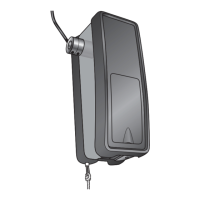
M. MyQ (requires 828EV gateway):
Allows operating your garage door opener via internet or a
compatible mobile phone�
N. Garage Door Monitoring
(requires 829EV Garage Door Monitor):
Features optical (by LEDs) and audible control of the status of
your garage door� Allows closing your garage door from the place
this device is installed�
O. Power supply for external devices (terminal 30V)
30VDC/max� 50mA
Note: For external (universal) receivers, the under 1 watt standby
mode must be turned o.
P. Turning on/o the under 1 watt standby mode
The under 1W standby mode is always switched on at the factory�
(After the lights go o and with the garage door closed.)
Switch o under 1 watt standby:
1� Disconnect device from the mains�
2� Press the UP and DOWN buttons on the back on the adjusting
panel simultaneously and hold�
3� Connect the device again while the buttons are still pressed�
4. After about 5 seconds the opener’s light ashes 10 times as
conrmation.
Note: Every time the opener is disconnected from the
mains, the opener’s light ashes 10 times during reconnection to
indicate that the under 1 watt standby mode is o.
Switch on under 1 watt standby: See activation
Q. Cycle counter
This garage door opener features a cycle counter
(open/close = 1 cycle)�
1� Pull plug�
2� Simultaneously press and hold round and sqare button on the
backside of the opener�
3� While holding the buttons insert plug�
4� After approx� 5 sec the LED indicates the number of cycles (for
every 100 cycles the LED ashes once). Release buttons.
28 Operation of the door opener
Automatic opening / closing of the door:
The door opener can be operated using the following devices:
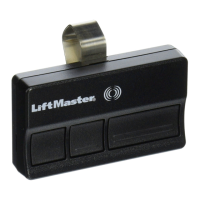
• Remote control: Press the button until the door starts to move�
• Wall switch (if this accessory is installed): Press the pushbutton until
the door starts to move�
Manual opening of the door (by hand):
RELEASE: Briey pull the red handle down. Then open the door by
hand� Open close door without pulling the cable!
RECONNECT: The lockout feature prevents the trolley from reconnec-
ting automatically� Push the green button on the trolley� With the next
door movement the system will reconnect�
If possible, the door must be closed completely� Weak or
defective springs can cause a rapid shutting down of the
open door, which can lead to property damage or serious
personal injury.





 To Next Page