EasyManua.ls Logo

Chamberlain LiftMaster MJ5011U - User Manual

Chamberlain LiftMaster MJ5011U
28 pages
Print Icon
To Next Page IconTo Next Page
Loading...
MEDIUM DUTY DOOR OPERATOR
MODELS MJ5011U, MH5011U, MHS5011U, & MGJ5011U
INSTALLATION MANUAL
NOT FOR RESIDENTIAL USE
Now with
Built in
Radio Receiver
315 MHz
Now with
Built in
Radio Receiver
315 MHz
Now with
Built in
Radio Receiver
315 MHz
Now with
Built in
Radio Receiver
315 MHz
Now with
Built in
Radio Receiver
315 MHz
Now with
Built in
Radio Receiver
315 MHz
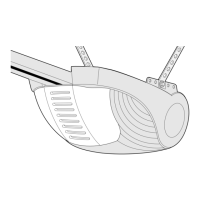
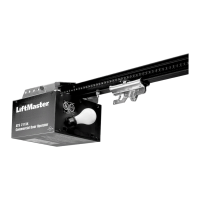
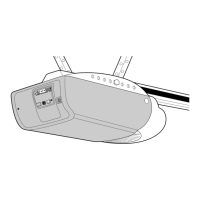
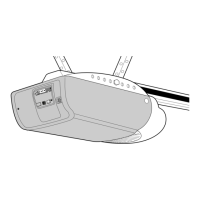
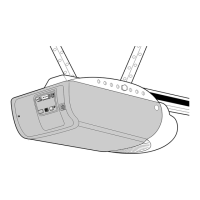
Your model may look different than the model illustrated in this manual.
THIS PRODUCT IS TO BE
INSTALLED AND SERVICED BY A
TRAINED DOOR SYSTEMS
TECHNICIAN ONLY.
Visit www.liftmaster.com to locate a
professional installing dealer in your area.
Serial #
(located on electrical box cover)
Installation Date
2 YEAR WARRANTY
OPERATOR RATING: 12 cycles per hour,
50 cycles per day; maximum

Questions and Answers

  • M
    Michelle JeffersonAug 17, 2025
    What to do if my Chamberlain LiftMaster MJ5011U Garage Door Opener remote gives no response?
    • B
      Brian HuertaAug 17, 2025
      If your Chamberlain Garage Door Opener remote is not responding: * **Remote control is not programmed:** See PROGRAMMING REMOTE CONTROLS section. * **Remote control not compatible:** Obtain qualified LiftMaster remote control device. * **Low battery:** Replace the battery.
  • J
    jacobsaliciaAug 20, 2025
    Why does my Chamberlain LiftMaster MJ5011U door drift after stopping?
    • T
      Tonya PatelAug 20, 2025
      If your Chamberlain Garage Door Opener door drifts after the operator stops, it could be due to: * **Door not balanced properly:** Disconnect the trolley assembly and check the door for proper operation. * **Clutch slipping:** Adjust the clutch, referring to the ADJUSTMENT section. * **Brake not functioning:** Check the brake mechanism to ensure the brake lever is free and the brake pads are properly engaging the brake disc.
  • A
    Adam PachecoAug 25, 2025
    Why does my Chamberlain LiftMaster MJ5011U Garage Door Opener have poor radio range?
    • Y
      Yvonne JimenezAug 25, 2025
      A Chamberlain Garage Door Opener might have poor radio range due to: * **Low battery in remote:** Replace the battery. * **Antenna not configured:** See SETUP RADIO ANTENNA. * **Ambient radio interference or building structural issue:** Use EXTERNAL ANTENNA kit (see ACCESSORIES page).
  • S
    Susan SchultzAug 28, 2025
    Why can't my Chamberlain LiftMaster MJ5011U Garage Door Opener learn the remote?
    • H
      Heather RogersAug 28, 2025
      If your Chamberlain Garage Door Opener cannot learn the remote, it might be due to: * **Low battery:** Replace the battery. * **Remote control not compatible:** Obtain qualified LiftMaster remote control device.
  • K
    Kim WilliamsSep 1, 2025
    Why does my Chamberlain Garage Door Opener reverse unexpectedly?
    • J
      jefferywrightSep 1, 2025
      If your Chamberlain Garage Door Opener reverses unexpectedly, it could be due to: * Intermittent Entrapment: Check all connections. * Protection Device activation: Check all connections and ensure that the photoelectric sensors are not blocked, and the sensing edge is not activated.
  • D
    Dana UnderwoodSep 4, 2025
    What to do if my Chamberlain LiftMaster MJ5011U makes noise but the door doesn't move?
    • R
      Ronald MorrisSep 4, 2025
      If your Chamberlain Garage Door Opener is making noise but the door isn't moving, consider these possibilities: 1. **Clutch slipping:** Adjust the clutch; refer to the ADJUSTMENT section. 2. **Brake not releasing (if present):** Verify the brake assembly operation and wiring. 3. **Door operation problem:** Disconnect the trolley and inspect the door for proper operation.
  • K
    Katie PerrySep 8, 2025
    How to fix a non-functioning TTC on a Chamberlain LiftMaster MJ5011U?
    • N
      Natalie HensonSep 8, 2025
      If the TTC (Timer-to-Close) function is not working on your Chamberlain Garage Door Opener: * **Monitored Entrapment:** Check all connections. Verify photoelectric sensors are not blocked and the sensing edge is not activated. * **TTC temporarily disabled:** Close and Open the door. TTC will be re-enabled. * **TTC not programmed properly:** Reprogram TTC. See PROGRAMMING TTC section.
  • S
    Sandra MorenoNov 12, 2025
    What to do if my Chamberlain Garage Door Opener doesn't respond to commands?
    • S
      Sherri WoodNov 12, 2025
      If your Chamberlain Garage Door Opener isn't responding, there are several potential causes and solutions: * **No power:** Verify that there is primary line voltage (120 Vac, 60 Hz) at terminals L1 & L2. * **Stop circuit not complete:** Check that the Stop Button input (terminals 3 & 5) is correctly wired and the stop button isn't stuck. * **Stuck button:** Make sure all buttons on the 3-button control station are moving freely and releasing as they should. * **Interlock input activated:** If there is no interlock, ensure the jumper is located at terminals 3 & 4. * **Motor overload tripped:** Allow the motor to cool down, then try again. * **Accessory failure:** Attempt to close by holding the CLOSE button for more than 5 seconds. If the door closes, inspect the accessory for ...

Summary

Safety Information

Application

Operator Specifications

Weights and Dimensions

Detailed measurements and weight specifications for operator models.

Motor

Information regarding the motor type, horsepower, and voltage.

Electrical

Details on operator voltage and control wiring specifications.

Mechanical

Specifications for door speed, output force, and drive train.

Safety

Information on safety disconnects for different operator models.

Entrapment Protection

Details on LiftMaster Monitored Entrapment Protection (LMEP) and sensors.

Environmental

Specifies the operating location and temperature range.

Carton Inventory

Lists the components included in the operator's packaging.

Preparation

Preparing Your Door

Recommendations for door readiness before operator installation.

Handing Identification

Guidance on identifying the operator's handed configuration.

Assembly

Typical Installation

Determine Mounting Location for Operator

Guidance on selecting the optimal position for operator mounting.

Install the Operator

Step-by-step instructions for physically installing the operator unit.

Install Emergency Disconnect System

Procedures for installing the manual emergency disconnect system.

Power and Ground Wiring Connections

Instructions for safely connecting power and ground wires.

Install 3-Button Control Station

Steps for mounting and wiring the 3-button control station.

Setup Radio Antenna

Instructions for positioning and securing the radio antenna.

Important Safety Instructions

Adjustment

Adjust the Limits

Procedure for setting the door's open and close travel limits.

Adjust the Clutch

Steps to adjust the operator's clutch for proper operation.

Entrapment Protection

LiftMaster Monitored Entrapment Protection (LMEP)

Detailed explanation of the LMEP device and its function.

Install the Photoelectric Sensors

Instructions for mounting photoelectric sensors for safety.

Mount the Photoelectric Sensors

Guidance on correctly positioning the photoelectric sensors.

Entrapment Protection Wiring Options

Diagrams showing wiring for various entrapment protection devices.

Logic Board Layout

Basic Programming

Determine the Wiring Type

Explains how wiring type affects operator functionality.

Remote Controls

Procedures for programming remote controls and control stations.

Timer-to-Close (TTC)

How to program and verify the automatic timer-to-close feature.

Testing

Test 3-Button Control Station

Verifies the functionality of the 3-button control station.

Test the Entrapment Protection Devices

Checks if safety sensors and edges are working correctly.

Test Limit Adjustment

Confirms that the door limits are set properly.

Test Remote Control

Tests the operation of remote controls.

Emergency Disconnect

Model MH

Instructions for manual operation of the MH model.

Model MHS

Instructions for manual operation of the MHS model.

Models MJ and MGJ

Procedures for manual operation of MJ and MGJ models.

Troubleshooting

Accessories

Remote Controls 315 MHz

Lists available remote control accessories for the operator.

Control Stations

Details on available control station accessories.

Chain Tensioners

Information on chain tensioner accessories for shaft types.

Entrapment Protection Devices

Various entrapment protection devices available as accessories.

Mounting Brackets

Available mounting bracket accessories for operator models.

Antenna

Details on antenna and extension kit accessories.

Field Modification Kits

Kits for adding functionality like single button control.

Control Connection Diagram

3 Button Station or 3 Position Keyswitch with Spring Return to Center and Stop Button

Wiring diagram for 3-button or keyswitch control stations.

2 Button Station or 3 Position Keyswitch with Spring Return to Center

Wiring diagram for 2-button or keyswitch control stations.

Device to Reverse

Diagram showing connections for reversing devices like sensors.

External Interlock

Diagram illustrating external interlock wiring connections.

Chamberlain LiftMaster MJ5011U Specifications

General IconGeneral
TypeChain Drive
Horsepower1/2 HP
Remote ControlYes
Voltage120V
Motor TypeAC
Security+ 2.0Yes
Battery BackupNo
Drive TypeChain Drive
Lighting100-watt (max) light

Related product manuals