EasyManua.ls Logo

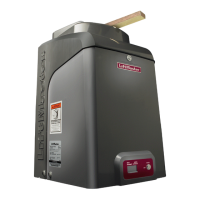
Chamberlain LiftMaster CSW24V - User Manual

Chamberlain LiftMaster CSW24V
2 pages
Print Icon
To Next Page IconTo Next Page
Loading...
1/4 gate length
1/4 gate length minus 14 inches
at least 9 inches
24 inches
28 inches
6 inches
(check local and
national codes)
QuickStart for single gate applications
This QuickStart is intended to highlight a single right-hand gate application. Each application is unique and it is the responsibility of the purchaser, installer and end user to ensure that
the total gate system is installed and operated properly. Refer to the installation manual for complete information regarding installation, testing, and programming.
MODEL CSW24V
& CSW24VH
1 Install the concrete pad and conduit.
2 Attach the operator to the concrete pad.
3 Position the operator arm onto the output shaft so that the pin slides
into the slot.
2
4
6
7
3
1
5
4 Concrete Anchors
1/2" x 3 1/2"
INSTALLATION
8
9
4 Position the gate bracket on the gate (1/4 the length of the gate
from the gate hinge center). Ensure the arm is level.
5 Weld the gate bracket and long arm section in this position.
6 Weld the short arm section.
7 Secure the operator arm to the output shaft.
8 Tighten the handle.
9 Remove the pin from the vent plug on both the top and bottom
gear boxes.
INSTALL THE COVER
1 Remove the operator arm from the output shaft by
releasing the handle.
2 Align the tabs on the rear cover with the slots on the chassis
and place the cover over the operator.
3 Secure both sides of the rear cover to the chassis with two
5/16-18 hex bolts and washers.
4 Reattach the operator arm to the output shaft (making sure
the pin fits into the slot) and secure by pushing the handle
down.
5 Place the operator arm cover over the operator arm and
secure.
6 Align the front cover with the back cover, making sure the
grooves line up.
7 Secure the front cover to the chassis with two 5/16-18 hex
bolts and washers.
8 Secure the front cover to the rear cover using the 5/16-18
screw.
Tabs on Rear Cover
Slots on Chassis
Groove on Front Cover
5/16-18
Hex Bolts
and Washers
5/16-18
Screw

Other manuals for Chamberlain LiftMaster CSW24V

Questions and Answers

  • M
    megan21Jul 30, 2025
    Why my Chamberlain LiftMaster CSW24V does not respond to a wireless control?
    • V
      vanessa73Jul 30, 2025
      If your Chamberlain Garage Door Opener isn't responding to a wireless control, start by using the Diagnostic code to identify the issue. Then activate the wireless control and check if the XMITTER LED is on. If it's not, try re-learning the wireless control/transmitter to the control board or replacing the wireless control. Also, ensure the Stop button isn't stuck. Check the operator’s antenna and antenna wire. If none of these steps work, the control board may be defective and require replacement.
  • M
    Melissa MorrisonAug 5, 2025
    How to troubleshoot Chamberlain Garage Door Opener when it does not run?
    • D
      David LopezAug 5, 2025
      If your Chamberlain Garage Door Opener isn't running and the diagnostic LED is off, here's what you can check: 1. **Power:** Ensure there's AC and battery power. 2. **Fuses:** Verify the fuses are intact. 3. **Batteries:** If running on battery, charge or replace them if they're low or dead. 4. **Control Board:** A defective control board may need replacement.
  • J
    Janet WhiteAug 11, 2025
    What to do if Chamberlain LiftMaster CSW24V gate stops and reverses?
    • K
      Kelly SnowAug 11, 2025
      If your Chamberlain Garage Door Opener gate stops and reverses during travel, it could be due to several reasons. First, use the Diagnostic code to identify the issue. Then, check the force setting and retest to ensure an obstruction causes the gate to stop and reverse. Also, check all Entrapment Protection Device inputs and Open and Close inputs for any active sensors or inputs. Finally, check all vehicle detector inputs for an active detector. Ensure the battery voltage is at least 22.0 Vdc; if it's lower, charge or replace the batteries.
  • T
    Theresa SweeneyAug 18, 2025
    Why Chamberlain LiftMaster CSW24V relay clicks but motor doesn't turn on?
    • B
      Brian KingAug 18, 2025
      If your Chamberlain Garage Door Opener motor doesn't turn on even though the relay clicks, first, disconnect the arm from the operator to ensure it moves freely. Next, inspect the motor and motor wires for any damage like open or shorted wires; if found, replace the motor. Finally, the control board might be defective, requiring replacement.
  • L
    Lisa MaloneAug 25, 2025
    Why Chamberlain Garage Door Opener gate does not close from Timer-to-Close?
    • R
      Robyn JonesAug 25, 2025
      If your Chamberlain Garage Door Opener gate doesn't close with the Timer-to-Close feature, check the Timer-to-Close (TTC) setting. Also, check all Open inputs, Entrapment Protection Device inputs, and vehicle loop detector inputs for any active signals. Verify AC power and the AC Fail option setting. Ensure the battery voltage is at least 22.0 Vdc if the LOW BATT option is set to OPEN, and check the Fire Dept input.

Summary

Gate Installation

Concrete Pad and Conduit

Install the concrete pad and conduit for operator placement.

Operator and Arm Mounting

Attach operator to pad, position arm on shaft, and weld bracket.

Arm Securing and Vent Pin Removal

Secure operator arm to shaft, tighten handle, remove vent pins.

Cover Installation

Rear Cover Attachment

Remove operator arm, align and secure the rear cover.

Front Cover Attachment

Reattach arm, secure arm cover, align and attach front cover.

Electrical Wiring and Connections

Entrapment Protection Wiring

Connect entrapment protection devices to control board.

Battery and AC Power Connection

Connect battery wires to control board and turn on AC power.

Power Wiring Configuration

Wire operator for 120 Vac or 240 Vac/solar applications.

Gate Operation Setup

Setting Initial Gate Limits

Set the open and close limits for the gate.

Fine Tuning Gate Force

Adjust force dial for proper gate movement and safety.

Obstruction Test Procedure

Perform obstruction test to ensure safety reversal.

Programming Remote Controls

Pair remote controls with the operator.

Chamberlain LiftMaster CSW24V Specifications

General IconGeneral
Remote ControlYes
Motor Type24VDC
Security+ 2.0Yes
Drive TypeChain
Safety Featuresobstruction sensing, reversing system
Horsepower1/2 HP
Remote Controls Included1

Related product manuals