en 9
27 Special Features (optional)
A. Door within a door connection
Description of feature:
Locate auxiliary quick connect terminals� Remove wire bridge�
Insert bell wire into quick connect terminals 4 and 5�
B. Flashing light connection
Description of feature:
The Chamberlain ashing light can be installed anywhere. Connect
light leads to quick connect terminals 6 and 7�
C. Partial opening feature
Description of feature:
The pedestrian , ventilation or pet opening position is an adjustable
second stop position between the fully opened and fully closed
position of the garage door�
Activate:
NOTE: Any time programming requires pushing two buttons simul-
taneously, make sure this is executed accurately� If other buttons
than described will ash, briey cut operator from current and start
rogramming from the beginning�
1� Move the door into to the desired partial opening position
using the remote control or wallcontrol�
2� Choose a non programmed button on your remote control�
3� Push square button and UP button simultaneously for 3
seconds and wait for the operator light to ash. Then push
the remote control button� To program an additional remote
control start again with step1�
Deactivate:
1� Move the door to the fully closed position�
2� Push square button and UP button simultaneously for 3
seconds and wait for the operator light to ash.
4. Add MyQ devices
5. Test
Need Help?
Use an internet enabled computer or smartphone to add devices� Fol-
low the instructions on the website/app�
Note: After you add a device, the blue light on the internet gateway will
appear and stay on�
For smartphones/tablets free apps can be downloaded from iTunes
Store or Google Play�
Computers: You are able to operate your garage door using your inter-
net browser�
After having installed and registered correctly you may now test the
foolowing features:
• open and close the garage door
• status request DOOR OPEN or DOOR CLOSED
Visit myliftmaster�eu or send us an e-mail to info@liftmaster�eu
D. Instructions for Auto-Close Feature
Description of feature: The Chamberlain Safety IR Sensors must
be installed (required by EN60335-2-95)�
Activate:
Push square and DOWN button simultaneously until th eoperator
light blinks� 1 push UP button = 10 seconds� up to 180 sec� possi-
ble (18x) During countdown the down button ashes. To complete
programming push square button�
Deactivate:
Push square and DOWN button simultaneously until th eoperator
light blinks� To complete programming push square button�
Notes:
- The auto-close timer resets if the IR sensors are interrupted�
- In the partial open position automatic close is not possible�
- The garage door operator must have reached the programmed
UP limit to activate the auto-close timer�
Troubleshooting:
Question: Operator will not work anymore without IR sensor�
Solution: Correct� IR sensors are mandatory once connected�
A full logic board reset is required�
E. Change from fast speed to slow speed Description of feature:
The garage door opener chooses the necessary speed automati-
cally�
Change speed:
1� Move the door to the fully closed position�
2� Push UP and DOWN buttons simultaneously until operator light
blinks�
Attention: One piece doors, Canopy garage doors and any other
type of swing-out doors must be operated with slow speed� For
safety reasons, below 1�9m of travel length the speed is slow�
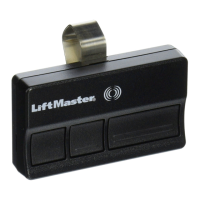
F. OPEN, STOP or CLOSE programming of the remote control.
Description of feature:
Each remote control button can be programmed to either OPEN,
STOP or CLOSE the door�
OPEN:
Push yellow round button and UP button simultaneously until the
LED goes on� Now push a selcted button on the remote control for
OPEN only and wait for the operator light to ash.
STOP:
Push yellow round button and square button simultaneously until
the LED goes on� Now push another selcted button on the remote
control for STOP only and wait for the operator light to ash.
CLOSE:
Push yellow round button and DOWN button simultaneously until
the LED goes on� now push a third button on the remote control for
CLOSE only and wait for the operator light to ash.






 To Next Page