15
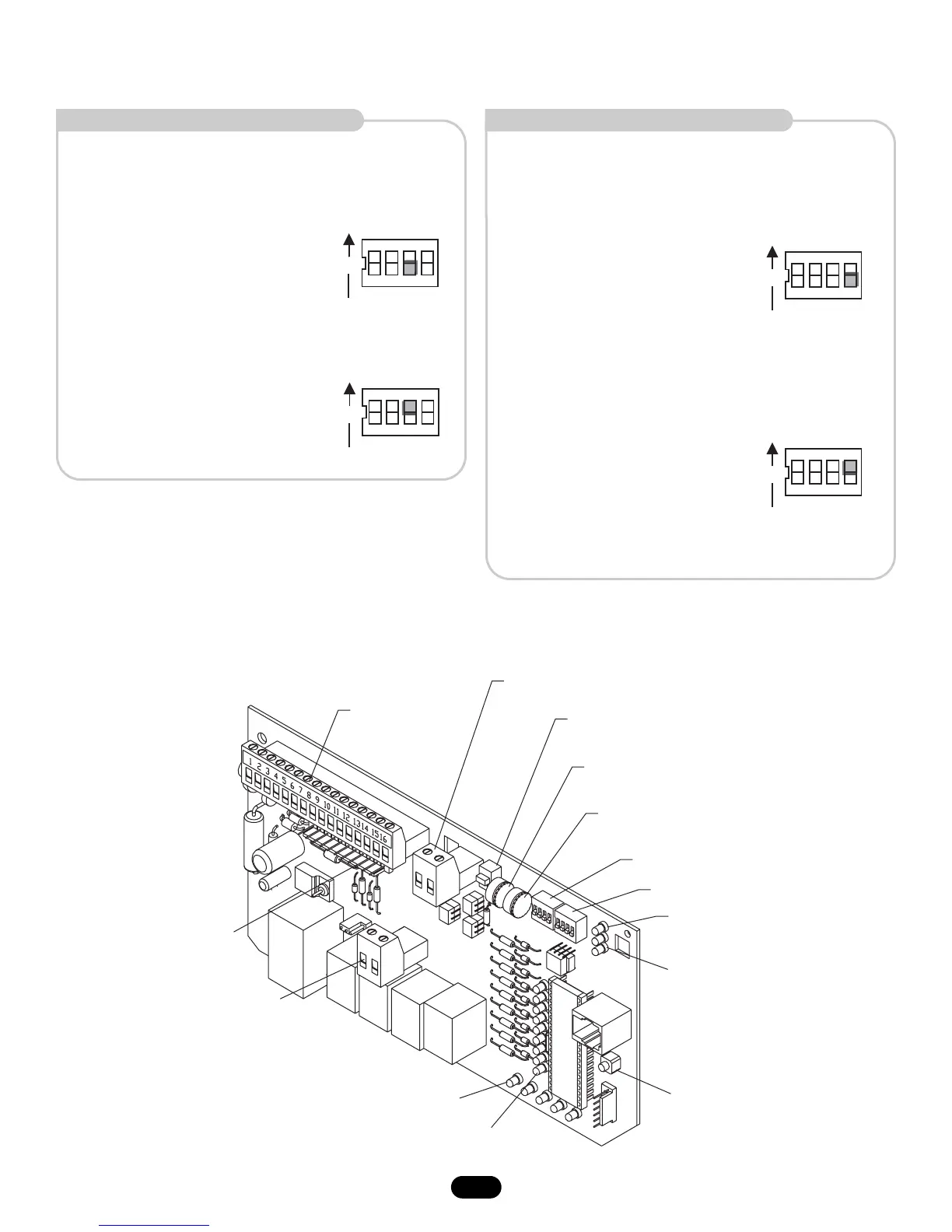
EDGE/PHOTO CLOSE
This switch (S2-4) selects edge or photo sensor for the gate
closing protection input.
Close Photo Eye (Reverse): When
the control board is configured for
photo eyes, the input functions to
reverse the gate to the open limit
when activated during the close
cycle. Shown as factory default.
NOTE: Timer to close will reset if enabled.
Close Edge: When the control
board is configured for safety
edges, the input functions to
reverse the gate to the open limit
when activated during the close
cycle. The entrapment is not cleared
at the limit and the timer to close
will be disabled. The timer to close
may be enabled by activating the
interrupt (safety) loop, open or override open inputs.
ΥΛ325 ΕΝΤΡΑΠΜΕΝΤ ΠΡΟΤΕΧΤΙΟΝ (ΧΟΝΤΙΝΥΕ∆)
ΧΟΝΤΡΟΛ ΒΟΑΡ∆ ΙΛΛΥΣΤΡΑΤΙΟΝ
EDGE/PHOTO OPEN
This switch (S2-3) selects edge or photo sensor for the gate
opening protection input.
Open Photo Eye (Pause): When the
control board is configured for photo
eyes, the input functions to pause the
gate during the opening cycle. Once the
input is cleared the gate continues to
open.
Shown as factory default.
Open Edge: When the control board is
configured for safety edges, the input
functions to reverse the gate to the close
limit when the edge is activated during
the opening cycle.





 To Next Page