EasyManua.ls Logo

Chamberlain LiftMaster Professional SL540 - User Manual

Chamberlain LiftMaster Professional SL540
36 pages
Print Icon
To Next Page IconTo Next Page
Loading...
CONTROLLER BOARD
GL
Serial # ________________________
(located on electrical box cover)
Installation Date __________________
2 YEAR WARRANTY
MODELS SL540 AND SL570 ARE FOR VEHICULAR PASSAGE GATES ONLY
AND ARE NOT INTENDED FOR PEDESTRIAN PASSAGE GATE USE
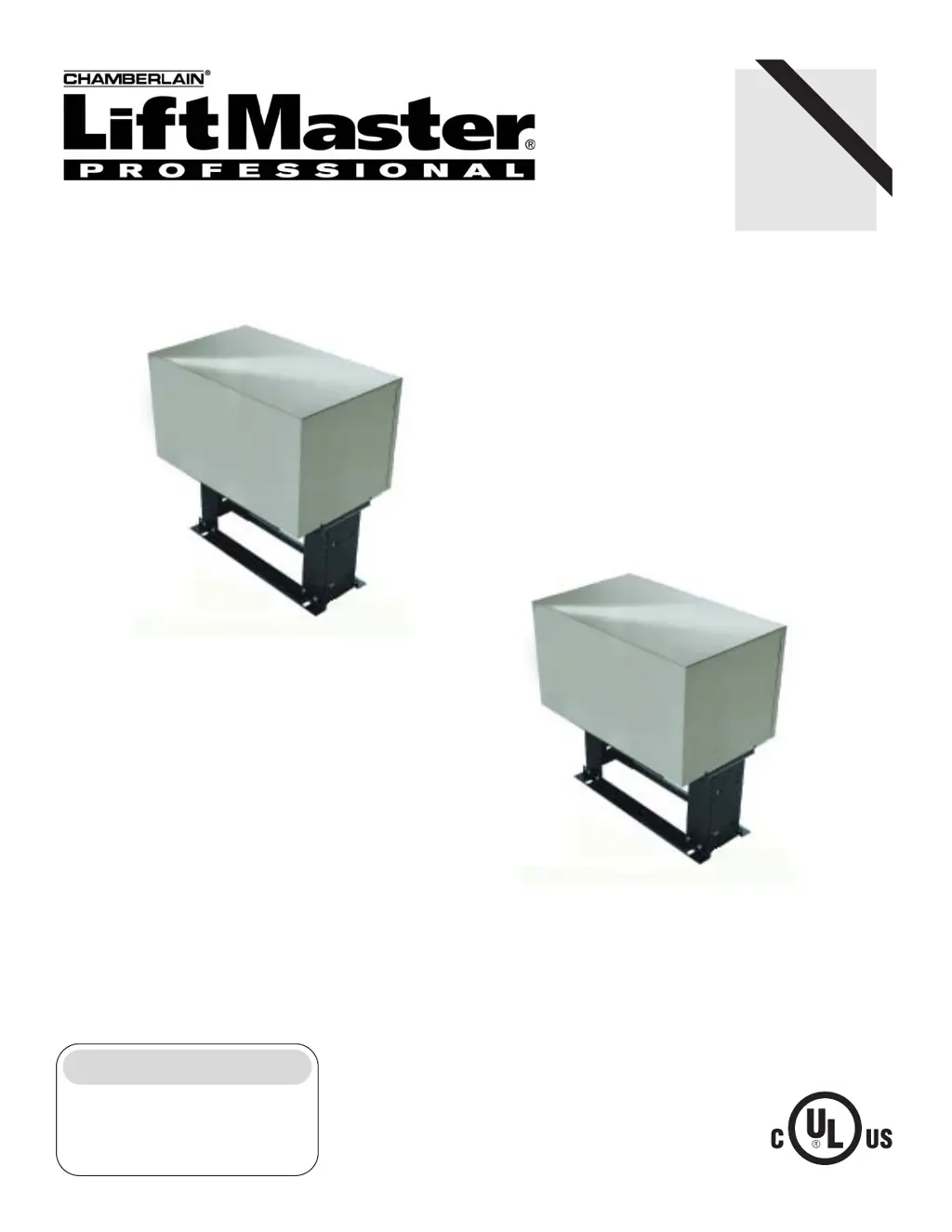
MODEL SL540
MEDIUM DUTY SLIDE GATE OPERATOR
MODEL SL570
HEAVY
DUTY, SLIDE GATE OPERATOR

Questions and Answers

  • C
    Charles OlsonAug 18, 2025
    What to do if Chamberlain LiftMaster Professional SL540 programming changes do not effect the gate?
    • M
      martindavidAug 18, 2025
      If programming changes do not affect your Chamberlain Gate Opener, and the switch S1-1 is in the on position, switch S1-1 off, make desired changes, and then switch S1-1 on.
  • D
    Darlene SilvaAug 23, 2025
    What to do if Chamberlain LiftMaster Professional SL540 Gate Opener runs slow?
    • J
      James SchultzAug 23, 2025
      If your Chamberlain Gate Opener runs slowly or trips the internal overload, consider these potential solutions: 1. Measure the incoming line voltage at the unit’s on/off switch and the meter base or sub panel. 2. Check the number of amps currently being drawn from the panel. 3. Verify that the proper wire gauge was used for the distance between the breaker and the operator. 4. Inspect the motor visually; replace it if it’s humming, grinding, or making excessive noise. 5. Examine the contactor for sparking, smoke, or burn marks; replace the contactor if any of these are present. 6. Ensure the brake disengages when the contactor pulls in and engages when the contactor releases.
  • M
    Mrs. Tracy HunterAug 26, 2025
    Why Chamberlain LiftMaster Professional SL540 contactor chatters?
    • L
      Linda JosephAug 26, 2025
      If the contactor chatters when your Chamberlain Gate Opener starts, it could be due to these reasons: * The transformer’s secondary might be overloaded. Try removing all accessory devices and test the operator. If the chattering stops, find an alternate power source for some devices. * The incoming line voltage at the unit’s on/off switch might be outside the acceptable range. Measure the voltage to ensure it is within 5% of the operator’s rating when running.
  • V
    vbyrdAug 27, 2025
    What to do if Chamberlain LiftMaster Professional SL540 Gate Opener runs in wrong direction?
    • R
      Robert CunninghamAug 28, 2025
      If your Chamberlain Gate Opener runs in the wrong direction, turn off the unit’s main power at the breaker and swap any two power leads at the operator’s main power switch.
  • S
    Sarah AllenAug 30, 2025
    What to do if Chamberlain Gate Opener opens immediately upon power up?
    • J
      Jared ReillyAug 30, 2025
      If your Chamberlain Gate Opener opens immediately upon power up and does not close, check if any red LEDs are on, and if so, check the corresponding input. Remove the accessory and test the operator.
  • M
    Maria EdwardsSep 2, 2025
    Why master or second Chamberlain Gate Opener is not functioning properly?
    • H
      Hailey BlakeSep 2, 2025
      If the master or second Chamberlain Gate Opener unit isn't functioning correctly: * Cycle the power to each unit to initiate proper master/second communication, especially if the operators were previously in stand-alone mode. * Ensure the communication wire is a twisted pair and not run in the same conduit with any power wiring. * Check both the master and second units for proper programming.
  • R
    rodriguezmaxSep 4, 2025
    What to do if Chamberlain LiftMaster Professional SL540 Gate Opener runs but then stops and reverses direction?
    • P
      pfloresSep 4, 2025
      If your Chamberlain Gate Opener runs, then stops and reverses direction, consider the following: * Ensure the pot is set so the gate runs smoothly and reverses when encountering an obstruction. * Disengage the manual release and roll the gate open and close by hand at normal operating speed. * Adjust the clutch so the operator moves the gate without slipping but slips when the gate hits an obstruction. * Confirm the brake operates correctly. * Check that both LEDs indicate activation of entrapment protection devices on terminals J1-9 and J1-10 on the GL board. * Adjust the sensor so it’s centered over the limit shaft’s magnet and is .010 - .015 of an inch from the magnet.
  • Z
    zsteeleSep 7, 2025
    Why Chamberlain LiftMaster Professional SL540 Gate Opener has trouble learning the motor?
    • A
      Ashley McgeeSep 7, 2025
      If your Chamberlain Gate Opener has trouble learning the motor, make sure that the unit’s manual release is not engaged.
  • R
    Ryan WilliamsSep 9, 2025
    What to do if Chamberlain Gate Opener motor runs but gate doesn’t move?
    • A
      amy05Sep 9, 2025
      If the Chamberlain Gate Opener motor runs but the gate doesn’t move, and the operator stops and alarms: * Adjust the clutch so that the operator can move the gate throughout its travel without slipping. * Make sure that the unit’s manual release is not engaged.
  • T
    Teresa OsborneSep 12, 2025
    Why Chamberlain Gate edge pauses gate when struck during opening?
    • M
      Michelle ChanSep 12, 2025
      If the Chamberlain Gate edge pauses the gate when struck during opening, it means that the open obstruction input has been programmed to function with photo eyes, not gate edges.

Summary

Gate Speed and Horsepower Chart

Model SL540 Specifications

Details gate speed and horsepower specifications for the SL540 model.

Model SL570 Specifications

Details gate speed and horsepower specifications for the SL570 model.

Operator Dimensions

SL540 & SL570 Dimensions

Provides dimensional drawings for both SL540 and SL570 gate operator models.

UL325 Model Classifications

Class I: Residential Gate Operator

Defines UL325 Class I for residential vehicular gate operators.

Class II: Commercial;General Access Gate Operator

Defines UL325 Class II for commercial/general access vehicular gate operators.

Class III: Industrial;Limited Access Gate Operator

Defines UL325 Class III for industrial/limited access vehicular gate operators.

Class IV: Restricted Access Gate Operator

Defines UL325 Class IV for restricted access vehicular gate operators.

Safety Accessory Selection

Discusses selection of external entrapment protection devices for UL325 compliance.

Entrapment Protection Types

Details various types of entrapment protection recognized by UL325.

UL325 Entrapment Protection Requirements

Outlines entrapment protection requirements for gate operator classes.

Safety Precautions

Safety Installation Information

Provides essential safety guidelines for installing gate systems.

Safety Label Placement

Details the proper placement of UL required warning signs on the gate.

Warnings and Precautions

Provides important warnings and precautions regarding gate operation.

Safety Precautions for Open Roller Gates

Details safety precautions for open roller gates and pinch point hazards.

Safety Precautions for Ornament Grill Type Gates

Outlines safety measures for preventing hand/arm injuries with grill-type gates.

Pad Mounting (SL540 & SL570)

Concrete Pad Preparation

Details the steps for preparing a concrete pad for operator mounting.

Post Mounting (SL540 & SL570)

Post Preparation

Outlines the process for preparing and anchoring posts for operator mounting.

Gate Bracket & Drive Chain Installation

Manual Disconnect

Disengagement

Explains how to disengage the gate operator for manual movement.

Re-engagement

Describes how to re-engage the gate operator after manual movement.

Install Power Wiring & Control Station

Power Wiring Installation

Provides specifications for power wiring installation, including wire gauge and distance.

Disconnect Switch Power Wiring

Explains how to wire the disconnect switch for power.

Stop;Reset Button Control Wiring

Details the wiring for the stop/reset button control.

Limit Switch Adjustment

Guides the user through adjusting the limit switch actuators.

Programming the Radio Receiver

Set Security Mode

Explains how to set the security mode for the universal receiver.

Set Output Duration

Describes how to set the output duration for the receiver contacts.

Programming the Remote to the Receiver

Details the steps to program a remote control to the receiver.

Erase All Remote Control Codes

Provides instructions for erasing all stored remote control codes.

SAMS (Sequenced Access Management System)

SAMS Definition

Defines the Sequenced Access Management System (SAMS) and its concept.

SAMS Operation

Explains how the SAMS operates for traffic control in dual gate systems.

SAMS Wiring

Details the wiring requirements for integrating the SAMS.

Optional Control Devices

24 Vac Accessory Power

Information on obtaining 24Vac accessory power from the terminals.

Residential Radio (Single Button) Input

Describes the residential radio input for single-button gate control.

Shadow Loop Input

Explains the shadow loop input for gate operator protection.

Soft Open Input

Details the soft open input for general gate open control.

Interrupt (Safety) Loop Input

Describes the interrupt/safety loop input for gate operation.

Obstruction Open Input

Details the obstruction open input for gate protection.

Obstruction Close Input

Explains the obstruction close input for gate operation.

Stop;Reset Control Input

Describes the stop/reset control input for gate operation.

Hard Close Control Input

Details the hard close control input for gate operation.

Hard Open Control Input

Explains the hard open control input for gate operation.

Control Board Illustration

Controller Programming and Features

Motor Learn Function (Force Profile)

Explains the motor learn function for force profile programming.

Force Control

Guides on setting the force control for gate travel.

Diagnostics (LEDs and Codes)

Explains diagnostic LEDs and codes for troubleshooting.

Troubleshooting LEDs

Lists and describes troubleshooting LEDs for operator issues.

Relay Drive Troubleshooting LEDs

Describes troubleshooting LEDs for relay drives.

Program Settings (Dip Switch #1)

Timer to Close Enable

Explains how to enable the auto close timer via DIP switch S1-1.

Slide;Swing Selection

Details selecting slide or swing gate operation using DIP switch S1-2.

Right;Left Operation

Describes setting the gate opening direction with DIP switch S1-3.

Save Mode

Explains how to store DIP switch settings using S1-4.

Program Settings (Dip Switch #2)

Edge;Photo Open Input

Selects edge or photo sensor for gate opening protection input.

Edge;Photo Close Input

Selects edge or photo sensor for gate closing protection input.

Program Settings (Dip Switch #4)

Dual Gate Communications

Details master/second mode settings for dual gate communications.

Pressure Type Slipping Clutch

Adjusting the Clutch

Provides instructions for adjusting the pressure type slipping clutch.

Solenoid Actuated Brake

Adjusting the Brake

Guides on adjusting the solenoid actuated brake.

Troubleshooting

Operator Fails to Run

Lists causes and solutions for the operator failing to run.

Contactor Chatters

Addresses issues with contactors chattering during operation.

Slow Operation or Overload Tripping

Explains causes for slow operation or internal overload tripping.

Operator Runs in Wrong Direction

Provides solutions for the operator running in the wrong direction.

Stops and Reverses Direction

Addresses symptoms of stopping and reversing during operation.

Motor Runs, Gate Does Not Move

Troubleshoots situations where the motor runs but the gate does not move.

Opens Immediately, Does Not Close

Explains why the operator might open immediately and not close.

Trouble Learning the Motor

Guides on troubleshooting issues with the motor learn function.

Programming Changes Have No Effect

Addresses problems where programming changes have no effect.

Gate Edge Pauses Gate During Opening

Troubleshoots gate pausing when a gate edge is struck during opening.

Close Timer Not Activating

Addresses issues with the auto-close timer not activating.

Radio Controls Fail to Close Gate

Troubleshoots radio control issues when closing from the open limit.

Hall Effect Sensor Adjustment

Operator Maintenance

Repair Parts Kits - Electrical Box

Limit Shaft Assembly Kit

Lists components for the limit shaft assembly replacement kit.

Complete Electrical Box Kits

Provides details on complete electrical box replacement kits.

Limit Switch Assembly Kit

Lists components for the limit switch assembly replacement kit.

Variable Parts List - SL540 & SL570

Lists variable parts available for SL540 and SL570 models.

Illustrated Parts - Control Box

Repair Parts - Models SL540 & SL570

Complete Electrical Box Replacement Kits

Details complete electrical box replacement kits.

Motor Kits

Explains how to order motor replacement kits.

Brake Kit 115 V;230 V;460 V

Lists components for brake kits.

Chain Drive Kit

Details components for the chain drive kit.

Individual Parts

Lists individual replacement parts.

SL540 Output Shaft Assembly

Lists parts for the SL540 output shaft assembly.

SL570 Output Shaft Assembly

Lists parts for the SL570 output shaft assembly.

Intermediate Shaft Assembly

Lists parts for the intermediate shaft assembly.

Illustrated Parts - SL540 & SL570

Single Phase Wiring Diagram (SL540 & SL570)

Three Phase Wiring Diagram (SL570)

Warranty Policy

How to Order Repair Parts

Provides instructions and contact information for ordering repair parts.

Control Connection Diagrams

Chamberlain LiftMaster Professional SL540 Specifications

General IconGeneral
Operating Speed12 inches per second
TypeGate Opener
Power SourceAC
Safety FeaturesObstruction detection
Remote ControlYes
Drive TypeChain Drive
Motor TypeDC Motor

Related product manuals