EasyManua.ls Logo

Chamberlain Liftmaster Elite LA500-S - User Manual

Chamberlain Liftmaster Elite LA500-S
52 pages
Print Icon
To Next Page IconTo Next Page
Loading...
LA500 &
LA500-S
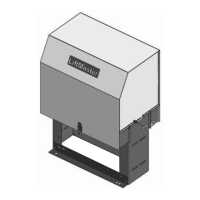
VEHICULAR SWING GATE OPERATOR
INSTALLATION MANUAL
UL325
compliant
UL991
compliant
This model is for use on vehicular
passage gates ONLY and not
intended for use on pedestrian
passage gates.
This model is intended for use in
Class I, II, III and IV vehicular swing
gate applications.
THIS PRODUCT IS TO BE
INSTALLED AND SERVICED BY
A TRAINED GATE SYSTEMS
TECHNICIAN ONLY.
Visit www.liftmaster.com to
locate a professional installing
dealer in your area.
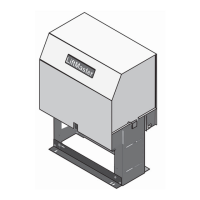
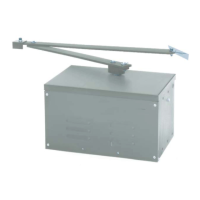
Your model may look different than the model illustrated in this manual.

Table of Contents

Questions and Answers

  • N
    Nicholas GilbertAug 19, 2025
    How to troubleshoot Chamberlain Liftmaster Elite LA500-S Gate Opener Maglock not working correctly?
    • W
      wilsonbrittanyAug 19, 2025
      If the Maglock on your Chamberlain Gate Opener isn't working correctly: * Check that the Maglock is wired to the N.C. and COM terminals. * Ensure the Maglock has power (do not power it from the control board accessory power terminals). * If shorting the lock’s NO and COM wires does not activate the Maglock, replace the Maglock or its wiring.
  • A
    Amanda DeckerAug 21, 2025
    How to troubleshoot Chamberlain Liftmaster Elite LA500-S Gate Opener solenoid lock not working correctly?
    • K
      Kristin AdamsAug 21, 2025
      If the Solenoid lock on your Chamberlain Gate Opener isn't working correctly: * Check that the Solenoid is wired to the N.O. and COM terminals. * Ensure the Solenoid has power (do not power the solenoid from the control board accessory power terminals). * If shorting the lock’s NC and COM wires does not activate the Solenoid, replace the Solenoid lock or its wiring.
  • P
    Pamela JordanAug 25, 2025
    What to do if Chamberlain Gate Opener has low or dead batteries?
    • D
      Daniel AdkinsAug 25, 2025
      If your Chamberlain Gate Opener is running on battery power only and the batteries are low or dead, charge them using AC or solar power, or replace the batteries.
  • K
    Kevin MartinAug 26, 2025
    How to check power to Chamberlain Gate Opener control board?
    • M
      Michael GrantAug 26, 2025
      To address the issue of no power to the control board of your Chamberlain Gate Opener, check both the AC and battery power sources.
  • T
    Thomas EnglishAug 28, 2025
    What to do if Chamberlain Gate Opener stops during travel and reverses immediately?
    • D
      dixonkarenAug 28, 2025
      If your Chamberlain Gate Opener stops and reverses immediately, consider these potential solutions: * Use the Diagnostic code to identify the issue. * Inspect the gate's path for obstructions. Remove the arm and move the gate manually to ensure it moves freely. Remove any obstructions or repair the gate if needed. * Check all Entrapment Protection Device inputs for an active sensor. * Check all Open and Close inputs for an active input. * Check all vehicle detector inputs for an active detector. * Ensure the battery voltage is 22.0 Vdc or higher by charging the batteries via AC or solar power, or replace them if necessary.
  • V
    Vincent KimAug 30, 2025
    Why Chamberlain Liftmaster Elite LA500-S opens, but will not close?
    • M
      Michael RobertsonAug 30, 2025
      If your Chamberlain Gate Opener opens but won't close, here's what you can check: * Check the DIAGNOSTIC LEDs. * Ensure the Open control is not active. * See if the Close Entrapment Protection Device is active. * Check for an active Vehicle loop detector. * Consider a Loss of AC power with AC FAIL set to OPEN. * Check for a Low battery with LOW BATT set to OPEN. * Verify that the Fire Dept input is not active.
  • M
    myersericaSep 2, 2025
    What to do if Chamberlain Liftmaster Elite LA500-S does not respond to a wired control/command?
    • M
      Mark PowersSep 2, 2025
      If your Chamberlain Gate Opener isn't responding to a wired control or command, consider the following: * Check the DIAGNOSTIC LEDs. * Check the Open and Close command input LEDs. * Ensure the Stop button is not active. * Make sure the Reset button is not stuck. * If running on battery power only, check for low or dead batteries. * Verify that the Entrapment Protection Device is not active. * Check if the Vehicle loop detector or vehicle probe is active. * A defective control board could also be the cause.
  • M
    Meagan PatrickSep 4, 2025
    Why Chamberlain Gate Opener relay clicks with command, but motor does not turn on?
    • J
      Jon LynchSep 4, 2025
      If the relay clicks when you send a command but the motor doesn't turn on for your Chamberlain Gate Opener, check these potential causes: * Check the DIAGNOSTIC LEDs. * Ensure the Reset button is not stuck. * Verify that the Stop button is not active. * If on battery power only, check for low or dead batteries. * Ensure the Open or Close input is not active. * Verify the Entrapment Protection Device is not active. * Check if the Vehicle loop detector or probe is active. * A defective control board could also be the reason.
  • C
    Craig PerezSep 6, 2025
    Why Chamberlain Gate Opener does not fully open or fully close when setting limits?
    • A
      Alejandro BaldwinSep 6, 2025
      If your Chamberlain Gate Opener doesn't fully open or close when setting limits, it could be due to the following: * The arm may not extend or retract enough during travel. * The arm might be interfering with the mounting bracket. * The gate might be too difficult to move.
  • K
    Katie AguilarSep 9, 2025
    Why Chamberlain Liftmaster Elite LA500-S arm moves, but cannot set correct limits?
    • J
      John HallSep 9, 2025
      If the arm of your Chamberlain Gate Opener moves, but you can't set the correct limits, consider these possibilities: * The arm may be jammed or not connected. * There might be a defective motor or motor wires. * The control board could be defective.

Summary

Introduction

Operator Specifications

Details technical specifications for the gate operator model.

Carton Inventory & Operator Dimensions

Lists included components and physical dimensions of the operator.

Features

Operator Features

Describes key functionalities and advanced features of the gate operator.

Control Board Features

Highlights features and capabilities of the main control board.

Expansion Board Features

Outlines the functions and connectivity of the expansion board.

Preparation

Site Preparation

Covers necessary site checks and preparations before installation.

Mounting Options

Illustrates various mounting methods and important considerations.

Installation

Manual Release

Disengaging the operator for manual gate operation.

Bracket Installation

Positioning and welding post and gate brackets for operator mounting.

Attach the Operator

Securing the operator mechanism to the installed brackets.

Control Box Installation

Mounting and connecting the control box for operation.

Wiring

Safety Wiring

Connecting entrapment devices and earth ground rod for safety.

Operator Connection

Connecting the operator arm cable to the control board.

Power Wiring

Covers AC power wiring for standard and XLM control boxes.

Battery Connection

Connecting batteries for backup and primary power.

Solar Power Wiring

Instructions for wiring solar panels for power.

Adjustment

Limit and Force Adjustment

Procedures for setting gate travel limits and adjusting force.

Erase Limits

Instructions on how to clear previously set travel limits.

Obstruction Test

How to test the gate's obstruction sensing and reversal function.

Operation

Manual Release & Reset

Procedures for manual gate operation and control board reset.

Operator Alarm & Remote Control

Understanding alarm functions and operating the gate with a remote.

Additional Features

Smart Gateway Integration

Connecting to the LiftMaster Internet Gateway for smart control.

Control Board Overview

Detailed look at the main control board components and functions.

Expansion Board Overview

Detailed look at the expansion board's features and settings.

Gate Operator Setup Examples

Provides example settings for different application types.

Remote Limit Setup

Procedures for setting gate travel limits using a remote control.

Maintenance

Maintenance Chart

A schedule for routine checks and maintenance tasks.

Batteries

Information on battery maintenance, replacement, and disposal.

Troubleshooting

Control Board Diagnostics

Interpreting control board LEDs and diagnostic codes.

Troubleshooting Chart

Guide to diagnose and resolve common gate operator faults.

Repair Parts

Standard Control Box Parts

List of replacement parts for the standard control box.

Gate Operator Arm Parts

List of replacement parts for the gate operator arm.

XLM Control Box Parts

List of replacement parts for the large metal control box (XLM).

Wiring Diagrams

Standard Control Box Diagram

Visual wiring diagram for the standard control box setup.

XLM Control Box Diagram

Visual wiring diagram for the large metal control box (XLM).

Warranty

LiftMaster 2 Year Limited Warranty

Details the terms and conditions of the product's limited warranty.

Chamberlain Liftmaster Elite LA500-S Specifications

General IconGeneral
BrandChamberlain
ModelLiftmaster Elite LA500-S
CategoryGate Opener
LanguageEnglish

Related product manuals