EasyManua.ls Logo

Chamberlain LiftMaster LA100 - User Manual

Chamberlain LiftMaster LA100
32 pages
Print Icon
To Next Page IconTo Next Page
Loading...
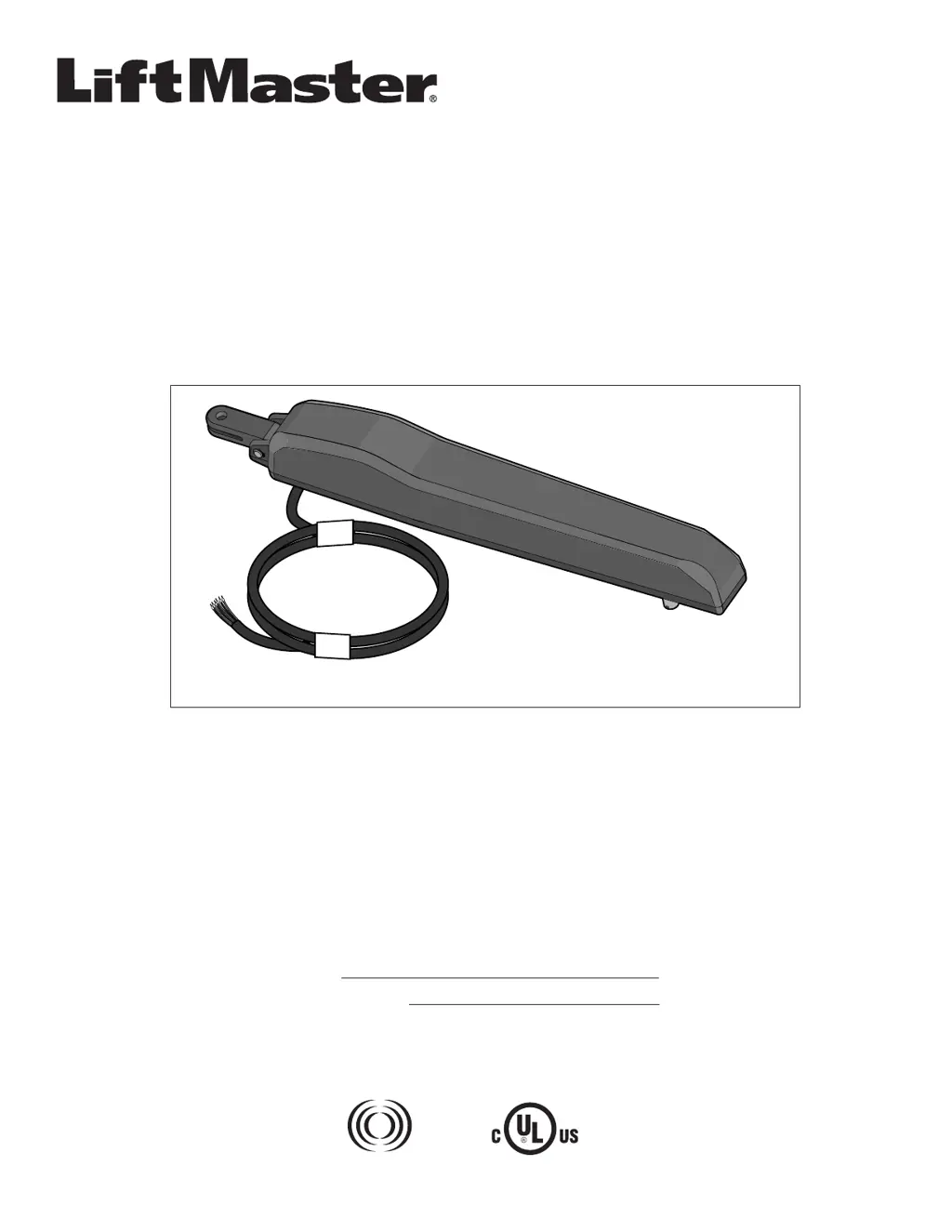
MODEL LA100
LIGHT-DUTY RESIDENTIAL DC ACTUATOR GATE OPERATOR
OWNER’S MANUAL
The Chamberlain Group, Inc.
300 Windsor Drive
Oak Brook, IL 60523
www.liftmaster.com
RESIDENTIAL USE ONLY
Please read this manual and the enclosed safety materials carefully!
Periodic checks of the operator by a qualified technician are required to ensure safe operation.
The model number label is located inside the control box of your operator.
Serial #
Installation Date
315 MHz
Radio Receiver
Built on Board

Questions and Answers

  • P
    Paul SchwartzAug 19, 2025
    How to fix Chamberlain Gate Opener if it will not run or respond to programming?
    • D
      David SullivanAug 19, 2025
      If your Chamberlain gate operator isn't running or responding to programming, first check that the power supply is properly plugged into a working outlet and inspect the circuit breaker. Also, check the wiring from the power supply to the gate controller. Verify the connections at the power supply terminals and the control board. Use a voltmeter to check for 24 Vac at the COM and 24 Vac terminals on the power supply, and at the end of the two wires leading from the transformer to the control board.
  • R
    Rachel GonzalezAug 21, 2025
    Why is my Chamberlain LiftMaster LA100 alarm sounding continuously?
    • J
      jennifer34Aug 21, 2025
      If the alarm is sounding continuously, it means the gate experienced two consecutive Gate Force obstructions. Check the gate path to ensure it is clear. To stop the alarm and resume normal operation, press and release the RESET BUTTON on the outside of the control box.
  • R
    ramosjulieAug 25, 2025
    What to do if my Chamberlain Gate Opener stops and reverses?
    • K
      Kristin LambertAug 25, 2025
      If your gate stops and reverses, a fault has likely occurred. First, check the gate path for any obstructions and manually check the gate's operation to ensure it moves smoothly. You may also need to adjust the force setting; refer to PROGRAMMING FORCE LEARN for instructions.
  • J
    jacqueline76Aug 26, 2025
    What to do if my Chamberlain LiftMaster LA100 will not respond to a remote control?
    • C
      christinachapmanAug 26, 2025
      If your Chamberlain Gate Opener isn't responding to the remote, and the remote's battery is good, check the YELLOW LED on the control board. If it blinks rapidly when you press the remote button, the remote is likely programmed. If the operator still doesn't respond, try reprogramming the remote. If the LED doesn't blink, replace the battery.
  • M
    Megan JacobsAug 28, 2025
    What to do if my Chamberlain LiftMaster LA100 safety sensors are misaligned or blocked?
    • M
      Michele CastilloAug 28, 2025
      If the safety sensors are misaligned or blocked, check the sensor path for obstructions or misalignment. When the sensors are correctly aligned, both indicator LEDs on the sensors will be lit. A loud beep will be heard when a run command is given.
  • L
    Lynn LewisAug 30, 2025
    What to do if my Chamberlain LiftMaster LA100 relays on control board ‘click’ but the operator does not move?
    • C
      Christina RodriguezAug 30, 2025
      If the relays on the control board 'click' when a remote command is given, but the operator doesn't move, the motor cable wiring from the operator to the control board may not be connected correctly or may be loose. Check the connections.
  • S
    Scott FischerSep 1, 2025
    What to do if my Chamberlain Gate Opener safety sensors are disconnected?
    • C
      Cameron JarvisSep 1, 2025
      If the safety sensors are disconnected, check all low voltage wiring from the sensors for breakage or poor connections. A loud beep will be heard when a run command is given.
  • A
    Amy MartinSep 3, 2025
    What to do if my Chamberlain LiftMaster LA100 safety sensors are connected wrong?
    • J
      Jennifer FisherSep 3, 2025
      If the safety sensors are connected incorrectly, check for proper connections of (Red / +) and (Black / -) wires at the control board. Polarity must be maintained.
  • S
    Sean JacksonSep 5, 2025
    What to do if my Chamberlain LiftMaster LA100 Gate Opener single button input 'SWITCH' is shorted?
    • L
      Leslie HallSep 5, 2025
      If the single button input 'SWITCH' is shorted, check for shorted wires or a stuck button on the switch accessory.
  • K
    Kelsey HernandezSep 7, 2025
    What to do if my Chamberlain LiftMaster LA100 Gate Opener experiences force reversal while closing due to maximum safe gate force exceeded?
    • K
      Kathy KramerSep 8, 2025
      If the gate experiences a force reversal while closing and the maximum safe gate force was exceeded, check the gate path for obstructions. Also, verify the operator cable connections at the control board.

Summary

Introduction to LiftMaster LA100 Gate Operator

Safety Symbol and Signal Word Review

Explains safety symbols and signal words used in the manual to ensure user understanding of potential hazards.

Operator Specifications and Inventory

Details gate operator specifications, carton contents, and hardware inventory for installation preparation.

Installation Requirements and Tools

Lists essential items for purchase and necessary tools required for a successful gate operator installation.

Safety Installation Guidelines

Provides critical safety information and essential guidelines for the proper and safe installation of the gate operator.

Gate Preparation and Overview

Gate Overview and Operation Direction

Illustrates the gate operator's placement and direction of travel for both left and right-hand swing gates.

Gate Condition Requirements

Outlines essential checks for the gate's condition, ensuring it is plumb, level, and free of obstructions before installation.

Mounting Location Options

Shows recommended mounting locations for the operator on various types of gates and posts.

Installation Guide

Mount Control Box and Power Supply

Instructions for mounting the control box and connecting the power supply safely and correctly.

Attach Operator to Gate

Guides on identifying gate hinge types and attaching the operator bracket securely to the gate.

Measure and Mark Gate Bracket Position

Details methods for accurately measuring and marking the gate bracket locations on the gate post.

Position Extension Bracket to Post Bracket

Steps for assembling and positioning the extension bracket onto the post bracket.

Position Operator on Mounting Location

Instructions for positioning and temporarily securing the operator assembly onto the gate post.

Final Reinstallation and Warning Signs

Covers reattaching the operator, tightening all hardware, and placing warning signs as required.

Wiring Procedures

Connect Gate Operator Cable to Control Box

Guides on routing the operator cable through the watertight connector and into the control box for connection.

Wire Control Board and Connect Power Supply

Instructions for wiring the control board terminals and plugging in the power supply for system operation.

Review Wiring Diagram and Safety

Presents the overall wiring diagram and important safety precautions to follow during the wiring process.

Programming the Gate Operator

Programming Basics and Gate Travel Limits

Covers initial setup, button functions, and the procedure for setting gate open and close travel limits.

Adjust Gate Force and Sensitivity

Details on setting gate force sensitivity, testing safety reversal, and making necessary adjustments.

Configure Advanced Features and Controls

Instructions for adding wireless devices, setting Timer-to-Close (TTC), and using Party Mode.

Operation and Maintenance

Important Safety Instructions

Crucial safety warnings and guidelines for operating and maintaining the gate operator to prevent severe injury or death.

Gate Operation and Safety Systems

Explains gate operation via remote control and how safety sensors detect and react to obstructions.

Manual Release and Maintenance Schedule

Procedures for manual release during power failure and a schedule for routine monthly maintenance checks.

Troubleshooting and Fault Code Resolution

Guide to diagnosing and resolving common gate operator problems, including understanding fault codes and their solutions.

Repair Parts Information

Control Box Components

Lists part numbers and descriptions for the control box assembly, including the control board and power supply.

Gate Operator Assembly Parts

Lists part numbers and descriptions for the gate operator unit and its associated hardware kit.

Available Accessories

Remote Controls and Keyless Entry

Details available accessories such as 3-button remote controls, mini-remotes, and keyless entry systems.

Safety Sensors and Related Devices

Describes safety sensors, wireless doorbells, and universal receivers for expanded functionality.

Warranty Policy

LiftMaster One Year Limited Warranty

Outlines the terms and conditions of the product's one-year limited warranty, including coverage and limitations.

How to Order Repair Parts

Provides contact information and necessary details for ordering replacement parts and obtaining service.

Chamberlain LiftMaster LA100 Specifications

General IconGeneral
BrandChamberlain
ModelLiftMaster LA100
CategoryGate Opener
LanguageEnglish

Related product manuals