EasyManua.ls Logo

Chamberlain LiftMaster Professional SW470 - User Manual

Chamberlain LiftMaster Professional SW470
40 pages
Print Icon
To Next Page IconTo Next Page
Loading...
CONTROLLER
BOARD
GL
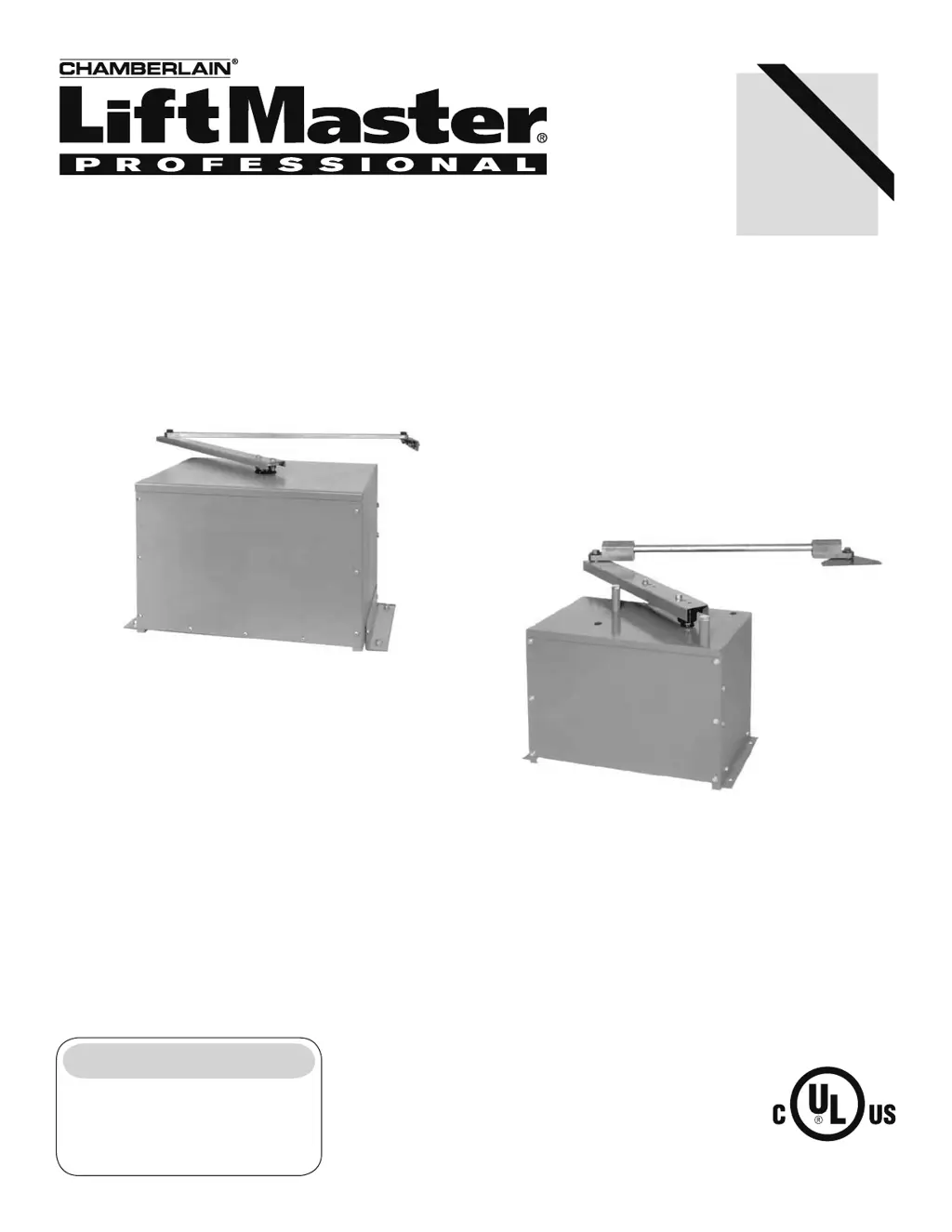
MODELS SW470 AND SW490 ARE FOR VEHICULAR PASSAGE GATES
ONLY AND NOT INTENDED FOR PEDESTRIAN PASSAGE GATE USE.
MODEL SW470
MEDIUM DUTY SWING GATE OPERATOR
Serial # _______________________
(located on electrical box cover)
Installation Date _________________
2 YEAR WARRANTY
MODEL SW490
HEAVY DUTY SWING GATE OPERATOR
INTENDED FOR PROFESSIONAL INSTALLATION ONLY.
VISIT WWW.LIFTMASTER.COM TO LOCATE A PROFESSIONAL
INSTALLING DEALER IN YOUR AREA.
THIS MANUAL IS TO BE LEFT WITH THE PROPERTY OWNER.

Other manuals for Chamberlain LiftMaster Professional SW470

Questions and Answers

  • S
    Steven JonesAug 17, 2025
    How to fix Chamberlain Gate Opener programming changes that do not effect the gate?
    • D
      David BradleyAug 17, 2025
      If programming changes aren't affecting the gate, check the save switch on S1-1. If it's in the 'on' position, subsequent changes won't take effect. Switch S1-1 'off' to make changes, then switch it back 'on' to save them.
  • E
    Erika LloydAug 19, 2025
    What to do if my Chamberlain Gate Opener operator fails to run?
    • J
      Jeffrey BeasleyAug 20, 2025
      Several factors can cause the operator to fail. First, check the green LED (D17) on the control board; if it's off, ensure a stop control is installed across terminals J1-3 & J1-5. Next, inspect the yellow diagnostic LED; six blinks indicate a master/second unit communication failure. For single units, ensure a jumper is across J4 pins 1 & 2; for dual configurations, check the communication wiring. Also, check the red input status LEDs (D11-D31) for active accessories, which may be malfunctioning. Verify proper J4 connector wiring and measure both high and low voltage power. Finally, if no LEDs are illuminated, ensure the J2 connector is making good contact, and if all else fails, replace the control board.
  • J
    Jonathan WrightAug 22, 2025
    Why does my Chamberlain LiftMaster Professional SW470 Gate Opener motor run but the gate does not move?
    • T
      Thomas RodriguezAug 22, 2025
      If the motor runs, but the gate remains stationary, the most likely cause is a damaged or improperly tensioned belt or drive chain. Inspect the operator's belt or drive chain to ensure it is intact and correctly tensioned.
  • B
    brandyboydAug 26, 2025
    What to do if my Chamberlain LiftMaster Professional SW470 operator runs slow and/or trips the internal overload?
    • S
      Stanley AndersonAug 26, 2025
      If the operator runs slowly or trips the overload, check the incoming line voltage at the unit’s on/off switch and the meter base/sub panel. The voltage at the operator should be within 5% of its rating when running. Also, visually inspect the motor for overheating or damage, and replace it if it's humming, grinding, or making excessive noise. Note that repeated motor problems may indicate poor primary power.
  • J
    Jessica DeckerAug 28, 2025
    What to do if my Chamberlain Gate Opener opens immediately upon power up and does not close?
    • M
      Mr. Jeremy MooreAug 28, 2025
      If the operator opens immediately upon power up and does not close, check the red input status LEDs (D11-D31) for an active or malfunctioning accessory. If any red LEDs are on, check the corresponding input. An installed accessory may be wired incorrectly or malfunctioning. Try removing the accessory and testing the operator.
  • P
    Philip JacksonAug 31, 2025
    Why does my Chamberlain LiftMaster Professional SW470 Gate Opener run but then stop and reverse direction?
    • P
      Paula MathewsAug 31, 2025
      If the operator runs, stops, and reverses, this can happen because of several reasons. The entrapment force pot may be incorrectly set, so that the gate will run smoothly normally and reverse when encountering an obstruction. Alternatively, the gate may be binding or not running smoothly. Disconnect the gate from the operator and swing the gate open and close by hand at normal operating speed to check for binding. Also, the Hall Effect Sensor might not be aligned correctly, so make sure that the sensor is adjusted so that it is within 20 thousandths of an inch or as close to the magnets located on the gearbox pulley as possible without coming into contact with them or the pulley. Replace the sensor if it is adjusted correctly but continues to fail.
  • A
    aramirezSep 2, 2025
    What to do if my Chamberlain Gate Opener master or second operator is not functioning properly?
    • A
      Angela HarrisSep 2, 2025
      If the master or second operator isn't functioning correctly, cycle the power to each unit to initiate proper communication, especially if they were previously in stand-alone mode. Also, check the communication wiring for damage, ensuring it's a twisted pair and not run with power wiring to prevent interference. Finally, review the program settings to ensure both the master and second units are programmed correctly.
  • B
    Bradley WillisSep 5, 2025
    Why do the relays chatter when my Chamberlain Gate Opener begins to move?
    • M
      Molly JohnsonSep 5, 2025
      Relay chattering typically indicates low secondary (low voltage) power. Measure the voltage at terminals R1 & R2; it should be within 5% of 24 Vac. If the high voltage power is good but the low voltage power is bad, ensure the circuit breaker isn't tripped and the correct primary tap is used on the transformer. If these are correct, replace the transformer.
  • C
    Cindy GraySep 8, 2025
    Why does my Chamberlain LiftMaster Professional SW470 open photo eye reverses gate closed when activated during opening?
    • M
      Michelle WeissSep 8, 2025
      If the open photo eye reverses the gate when activated during opening, it's likely that the open obstruction input is programmed incorrectly. The input may be set to function with gate edges instead of photo eyes. Reprogram the obstruction inputs for correct operation.
  • V
    Vanessa JohnsonSep 12, 2025
    Why doesn't my Chamberlain LiftMaster Professional SW470 Gate Opener gate activate the timer to close after the close photo eye is broken?
    • H
      Heather RodgersSep 12, 2025
      If the gate doesn't activate the timer to close after the close photo eye is broken, the close obstruction input is probably programmed incorrectly. It may be set to function with gate edges instead of photo eyes. Reprogram the obstruction inputs to match the installed accessories.

Summary

LiftMaster Professional Gate Operators

Safety and Component Information

Safety Warnings and Precautions

Highlights critical safety warnings and cautions for operation and installation.

Operator Specifications

SW470 Dimensions and Specifications

Details physical dimensions and weight/width capacities for the SW470 model.

UL325 Compliance and Safety Standards

UL325 Model Classifications and Requirements

Explains UL325 classes and entrapment protection requirements for gate operators.

Installation Safety Procedures

General Installation Safety Points

Covers essential safety practices for gate operator installation.

Swing Gate Safety Precautions

Swing Gate Operation Safety

Provides safety measures for swing and ornamental gates to prevent injury.

Control Arm and Gate Bracket Installation

Wiring and Electrical Connections

Power Wiring Specifications

Provides wire gauge specifications for power wiring based on motor HP and distance.

Wiring and Electrical Connections

System Adjustment and Configuration

Radio Receiver Setup and Programming

Covers setting security mode, output duration, and programming remote controls.

Limit Switch Adjustment Procedure

Step-by-step guide for adjusting open and close limit switches.

System Adjustment and Configuration

Control Board Overview

Control Board Programming and Features

Motor Learn and Force Control Setup

Guides on learning the motor profile and setting force control.

Programming Control Board Settings

Troubleshooting Common Issues

Operator Fails to Run or Overloads

Addresses issues like no stop control, overload, or motor problems.

Gate Movement and Programming Issues

Covers problems like gate binding, programming changes not taking effect, or incorrect sensor inputs.

Operator Maintenance and Safety

Important Safety Instructions for Maintenance

Critical safety guidelines to follow before and during maintenance.

Wiring Diagrams

SW470 Single Phase Wiring Diagram

Provides the electrical wiring diagram for the SW470 single phase operator.

SW490 Single Phase Wiring Diagram

Provides the electrical wiring diagram for the SW490 single phase operator.

SW490 Three Phase Wiring Diagram

Provides the electrical wiring diagram for the SW490 three phase operator.

Control Connection Diagrams

Warranty and Service Information

LiftMaster Two Year Limited Warranty

Details the terms and conditions of the product's two-year limited warranty.

Chamberlain LiftMaster Professional SW470 Specifications

General IconGeneral
BrandChamberlain
ModelLiftMaster Professional SW470
CategoryGate Opener
LanguageEnglish

Related product manuals