EasyManua.ls Logo

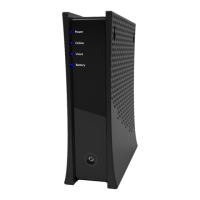
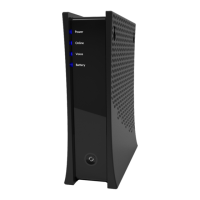
Charter Spectrum E31U2V1 - User Manual

Charter Spectrum E31U2V1
7 pages
Print Icon
To Next Page IconTo Next Page
Loading...
E31U2V1
Charter
C'OHM
Nl
ATION
DOCSIS
3.1
Advanced
Voice
Modem
Quick
Installation
Guide
Spectru~
Question and Answer IconNeed help?

Do you have a question about the Charter Spectrum E31U2V1 and is the answer not in the manual?

Summary

Safety Notices

Device Grounding

Install modem to include grounding coaxial cable to earth as close to building entrance.

Preparing for Installation

Understanding Device Connections

Understanding Device Connections (Cont.)

Installing the Modem

Connect Coaxial Cable

Connect coaxial cable from wall outlet to modem's rear connector.

Connect Ethernet Cable

Connect Ethernet cable from modem to PC for initial setup.

Connect Voice Cable

Connect RJ-11 phone cable to modem voice ports if service is provisioned.

Connect Power Adapter

Connect power adapter to modem and wall outlet.

Device Wall Mount Instructions

LED Behavior

Power LED Status

Describes the status and illuminated text for the Power LED indicator.

Online LED Status

Describes the status and illuminated text for the Online LED indicator.
LED Behavior (Cont.)

Charter Spectrum E31U2V1 Specifications

General IconGeneral
BrandCharter
ModelSpectrum E31U2V1
CategoryModem
LanguageEnglish

Related product manuals