10
|
ß Back to CONTENTS ß Back to CONTENTS
|
11
AVAILABLE REPORTS
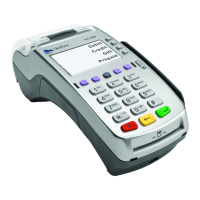
Your terminal
includes a variety
of transaction and
batch reports.
Use this data to help
you make crucial
business decisions.
Press [REPORTS]
to launch the
Reports menu.
REPORTS: CLERK REPORTS MENU
Totals Report Prints totals for all clerks.
Detail Report Prints detail information on all transactions
performed by all clerks, or a specific clerk.
Shift Report Prints transaction totals per shift.
Clerk Table Prints all clerks, clerk passwords and indicates
whether the clerk is logged in, if enabled.
REPORTS: MAIN MENU
Totals Report Prints totals by card issuer.
Detail Report Prints detail information for each transaction.
Clerk Reports Launches Clerk Reports menu options.
(See Reports: Clerk Reports Menu.)
Batch Review Launches Batch Review menu options.
(See Reports: Batch Review Menu.)
Batch History Prints a series of settlement reports by date.
Terminal Reports Launches Terminal Reports menu
options, which are used by the Help Desk Associate to
troubleshoot your terminal.
Merchant Reports Displays merchant names if terminal is
set up for multi-merchant processing.
Host Totals Prints host totals by transaction, batch or
merchant.
Products Report (Petroleum Only) Prints a list of product
codes, prices and descriptions.
AVAILABLE REPORTS Continued
Your terminal
includes a variety of
transaction and batch
reports. Use this data
to help you make
crucial business
decisions.
Press [GIFT CARD]
and then select
Reports to launch
the Gift Card
Reports menu.
REPORTS: BATCH REVIEW MENU
Totals Review Displays Total Sales, Total Refunds and Net
Sale Totals.
Detail Review Allows access to view details on all
transactions in the current batch. Enter search criteria to
retrieve transactions in the current batch, and then you may
void the transaction.
REPORTS: GIFT CARD REPORTS MENU
Totals Report Prints totals for all gift card transactions in
the current batch.
Detail Report Prints details on all gift card transactions in
the current batch.
Clerk Reports Displays menu to print totals report, detail
report or cashout report by Clerk ID.
Cashout Report Prints a totals or detail list of cashed-out
gift card redemptions by clerk.


 To Next Page