EXPLODED VIEWS AND SERVICE PARTS LISTS
EN
| Intelect
®
Legend 2 - Service Manual DOMESTIC 48
FINAL TEST
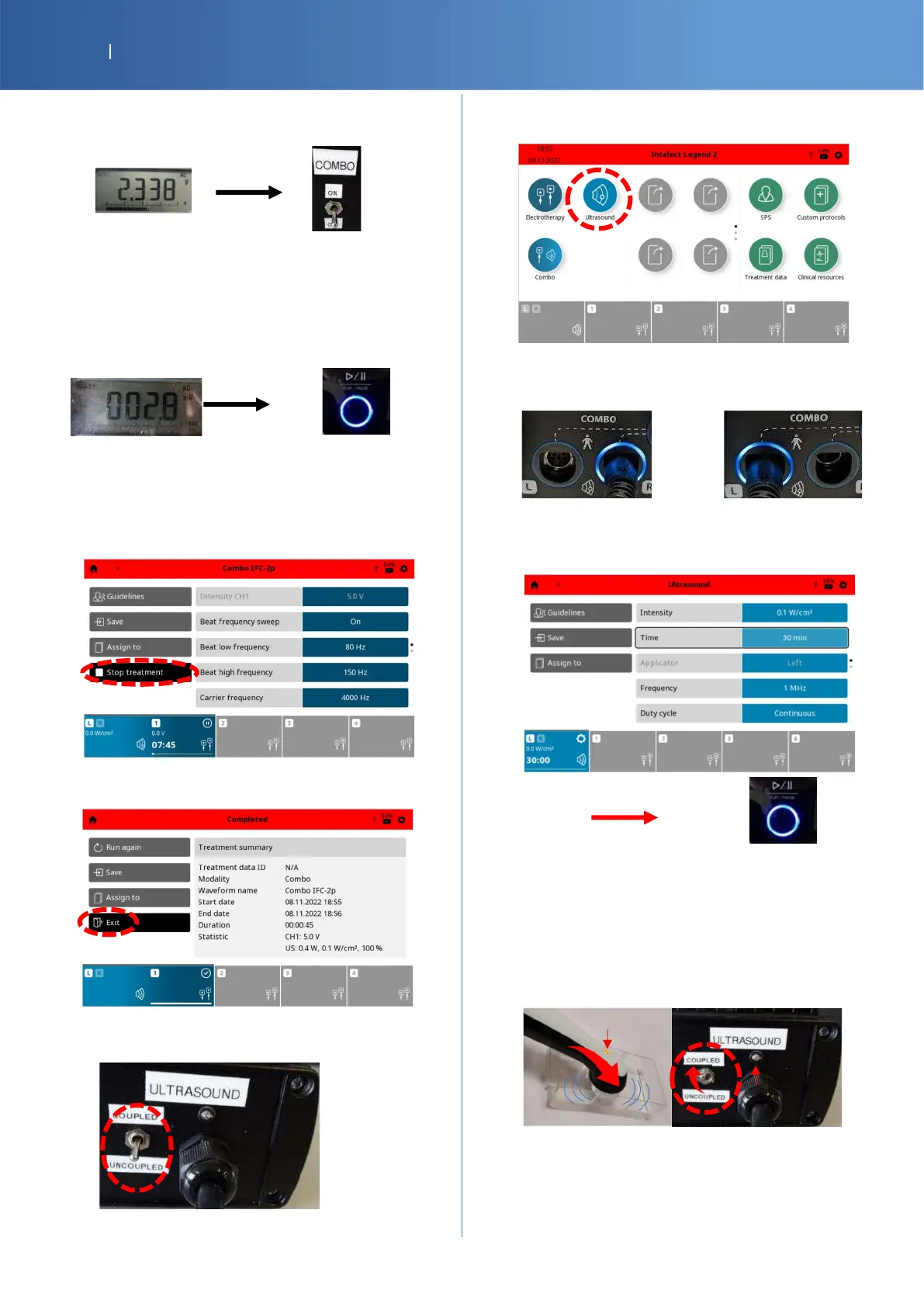
Set the multimeter to V AC and read the value,
you must have a value between 1.5V and 4V, after
stabilization.
After set the G16 Test Load switch COMBO to
“OFF”.
Check the voltage on the multimeter, you must
have 0mV +/- 100mV, after stabilization, then
press the “Pause” button.
Check Pass/Fail the tracker sheet §4 if both
voltages values are correct
The following screen is displayed, then, press the
“Stop treatment” button.
Then, press the “Exit” button.
Set the G16 Test Load switch ULTRASOUND to
“UNCOUPLED”.
Ultrasound and User Interface
Press the “Ultrasound” icon.
Check if the LED around the right connector is on.
Then, put the connector on the left side and check
the LED.
• Select the field “time” and increase the value with
the knob until 30 min, then press the “Play”
button.
Check if the LED of G16 Test Load is lit
intermittently and if there is a sound.
Wait 5 seconds and Set the G16 Test Load switch
ULTRASOUND to “COUPLED”
Or
Put the end of the transducer in water.
Check if the if the LED of G16 Test Load is lit
continuous.















 To Next Page