EasyManua.ls Logo

Chauvet Hurricane haze - User Manual

Chauvet Hurricane haze
16 pages
Print Icon
To Next Page IconTo Next Page
Loading...
3000 N 29
th
Ct, Hollywood, FL 33020 U.S.A.
(800) 762-1084 (954) 929-1115
FAX (954) 929-5560
www.chauvetlighting.com
User Manual
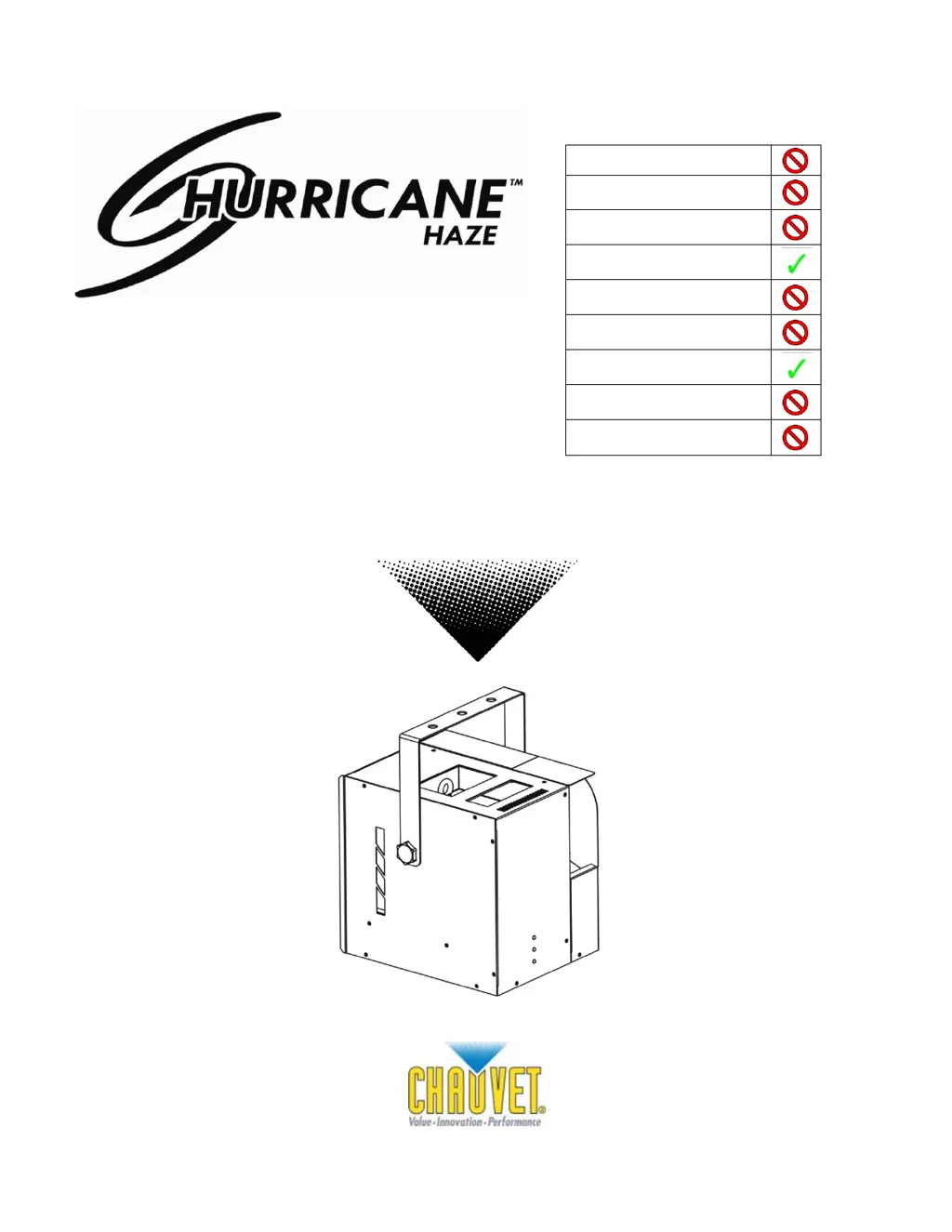
Snapshot
Use on Dimmer
Outdoor Use
Sound Activated
DMX
Master / Slave
115 V / 230 V Switch
Replaceable Fuse
User Serviceable
Duty Cycle

Questions and Answers

  • T
    Tara RichardsJul 26, 2025
    What to do if Chauvet Hurricane haze has no power?
    • R
      Ricky Stone Jr.Jul 26, 2025
      If your Chauvet Lighting Equipment has no power, verify that the power is reaching the mains. Also, inspect the device's fuse, checking both internal and external fuses.
  • E
    Ellen RuizJul 31, 2025
    How to fix loss of signal in Chauvet Lighting Equipment?
    • S
      Sheryl GibbsJul 31, 2025
      To resolve signal loss with your Chauvet Lighting Equipment: * Use only DMX cables. * Install a terminator. * Keep DMX cables separate from power cables or black lights.
  • S
    Steven MorganAug 5, 2025
    What to do if Chauvet Hurricane haze Lighting Equipment fixture is not responding?
    • D
      Danielle RayAug 5, 2025
      If your Chauvet Lighting Equipment fixture isn't responding, check the DMX dip switch settings to ensure correct addressing. Also, inspect the DMX cables and verify the polarity switch settings.
  • J
    Joshua BradleyAug 10, 2025
    Why does the breaker/fuse keep blowing on my Chauvet Lighting Equipment?
    • J
      Jeffrey BooneAug 11, 2025
      If the breaker or fuse keeps blowing on your Chauvet Lighting Equipment, check the total load placed on the device.
  • A
    Adam RiosAug 15, 2025
    How to fix no audio movement on Chauvet Lighting Equipment?
    • T
      Thomas JohnstonAug 15, 2025
      If your Chauvet Lighting Equipment fixture is on but not responding to audio, ensure that you have selected the correct audio mode on the control switches. If the audio is provided via a ¼” jack, verify that a live audio signal exists and adjust the sound sensitivity knob.
  • C
    Clinton HuffmanAug 20, 2025
    How to stop auto shut off on Chauvet Hurricane haze Lighting Equipment?
    • A
      Andrew DiazAug 21, 2025
      If your Chauvet Lighting Equipment is automatically shutting off, check the thermal switch reset.

Summary

1. BEFORE YOU BEGIN

Unpacking Instructions

Procedure for carefully unpacking the fixture and checking for damage.

AC Power Requirements

Details on connecting the fixture to power, voltage matching, and grounding.

2. INTRODUCTION

Safety Instructions

Crucial safety guidelines for installation, operation, and maintenance.

3. SETUP

Fuse Replacement

Step-by-step guide for replacing the fuse using a flat head screwdriver.

Mounting and Rigging

Instructions on fixture mounting positions and safe rigging practices.

4. OPERATING INSTRUCTIONS

DMX Mode and Settings

How to operate the fixture using DMX, including channel values and DIP switch settings.

Wired Remote (HH1) Operation

Guide to using the HH1 remote for timer, manual, and continuous functions.

5. APPENDIX

DMX Primer

Overview of DMX-512, channel assignment, and starting addresses.

Fixture Linking and Data Cabling

Instructions on daisy-chaining, cable types, and data link distance for DMX.

DMX Connectors and Data Conversion

Details on XLR connectors, pinouts, and 3-pin to 5-pin conversion for DMX.

Setting DMX Starting Address

Methods for assigning DMX addresses using DIP switches and calculation.

General Troubleshooting

Troubleshooting Symptoms and Solutions

Common issues and their corresponding solutions for fixture operation.

Maintenance and Storage

Returns and Claims Procedure

Technical Specifications

Chauvet Hurricane haze Specifications

Power IconPower
voltage-specific power input115 VAC 60 Hz or 230 VAC 50 Hz
power consumption510 W (4.2 A) max @ 120 V
inrush current45.6 W (1.33 A) @ 120 V
power factor0.99 @ 120 V
Output and Fluid Consumption IconOutput and Fluid Consumption
output12, 000 cfm
fluid consumption21 ml/min
Thermal IconThermal
maximum ambient temperature104° F (40° C)
Weight and Dimensions IconWeight and Dimensions
length11.1 in (284 mm)
width11.6 in (294 mm)
height14 in (360 mm)
weight17 lbs (7.6 kg)

Related product manuals