iGage X9x User Manual page 19 of 53
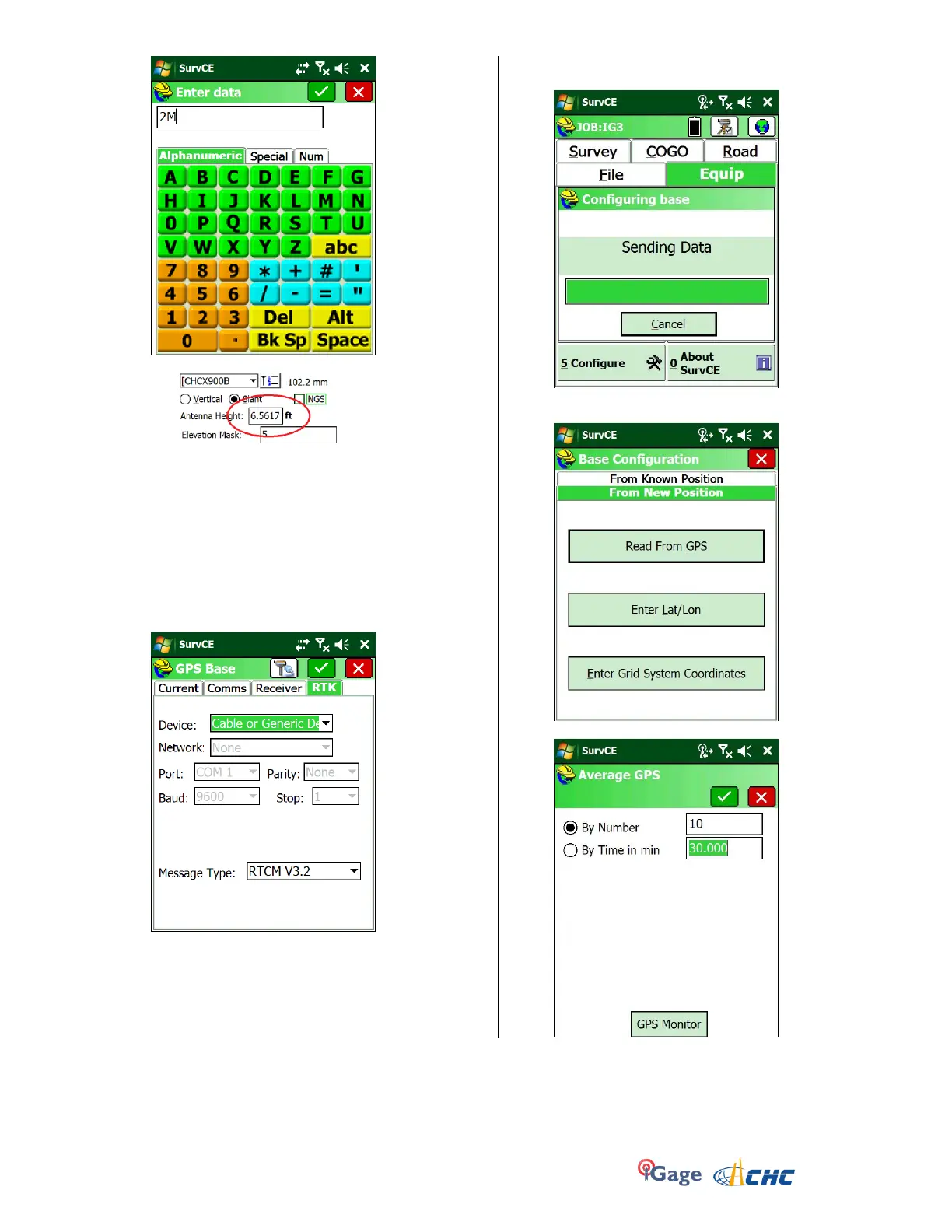
SurvCE will convert to your job’s units as appropriate:
17. Next select the RTK tab.
Set the Device to ‘Cable or Generic Device’ and choose
CMR+, RTCM3.0 or RTCM3.2 for the message type.
NOTE: You may choose CMR+ or RTCM3 for the
message type, however the Base and Rover MUST
Match Exactly!
Typically X900+ = RTCM3.2
X91+ = CMR+
18. Click on the green check mark (upper right) and SurvCE
will configure the receiver:
19. After 10 seconds, you are prompted to enter a position
or read the GPS. Select the correct option for your job:
20. If you choose to ‘Read From GPS’:


 To Next Page