Getting Start with LandStar 7
LT700H RTK ANDROID TABLET USER GUIDE | 2019-10 P a g e | 29
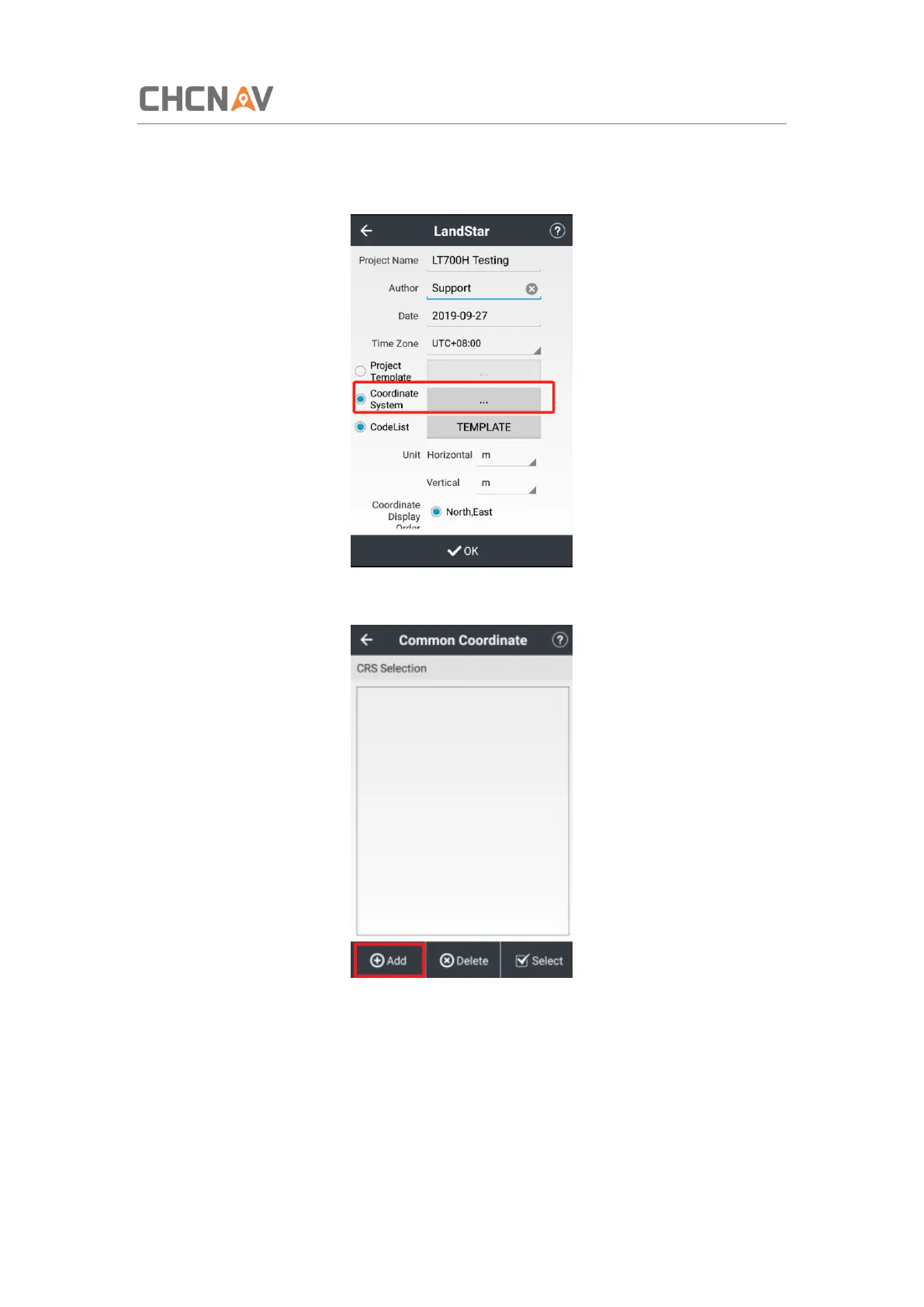
(5) Input the project name, author and the time zone of working region.
(6) Tap [Coordinate System] to choose the coordinate system of the project.
(7) Tap [Add] to add pre-define coordinate system in the list.



 To Next Page