Getting Start with LandStar 7
LT700H RTK ANDROID TABLET USER GUIDE | 2019-10 P a g e | 30
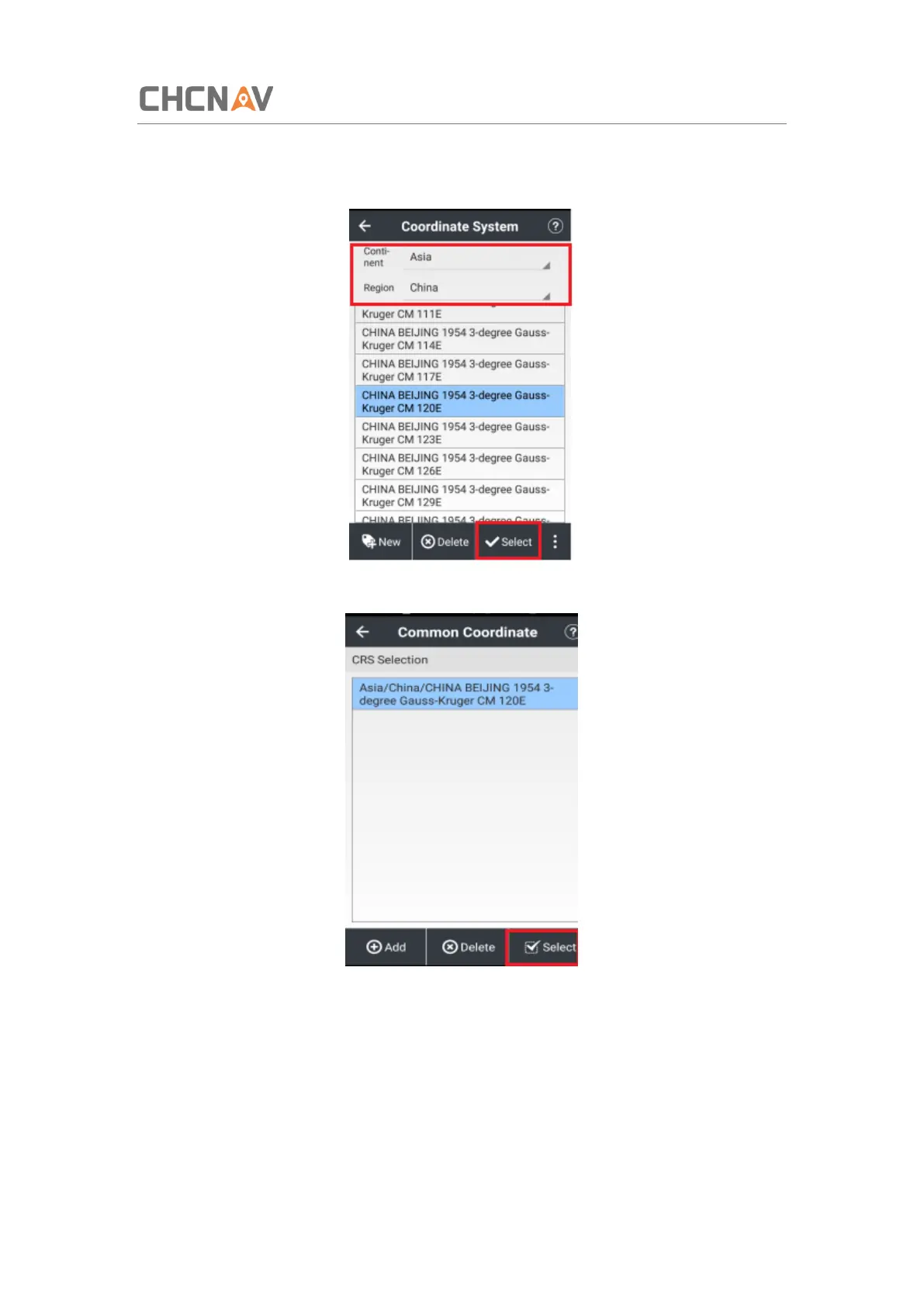
(8) Select the continent and region according to your working area.
(9) Select the proper coordinate system to use.
(10) Tap [Select] to confirm.
(11) Selected coordinate system is available in the pre-define list, tap [Select] to confirm.



 To Next Page