9
1530 / 1550 and 1570 / 1590
Appliances
Single appliance installation
Note - A single appliance can only be installed in the middle of the shelf, not
on the side. All appliances can be placed with their ports facing the front or
rear of the shelf.
1.
Place the shelf on a flat surface.
2.
Identify the location and holes to use for your appliance. Refer to the
"Legend" on the previous page
.
3.
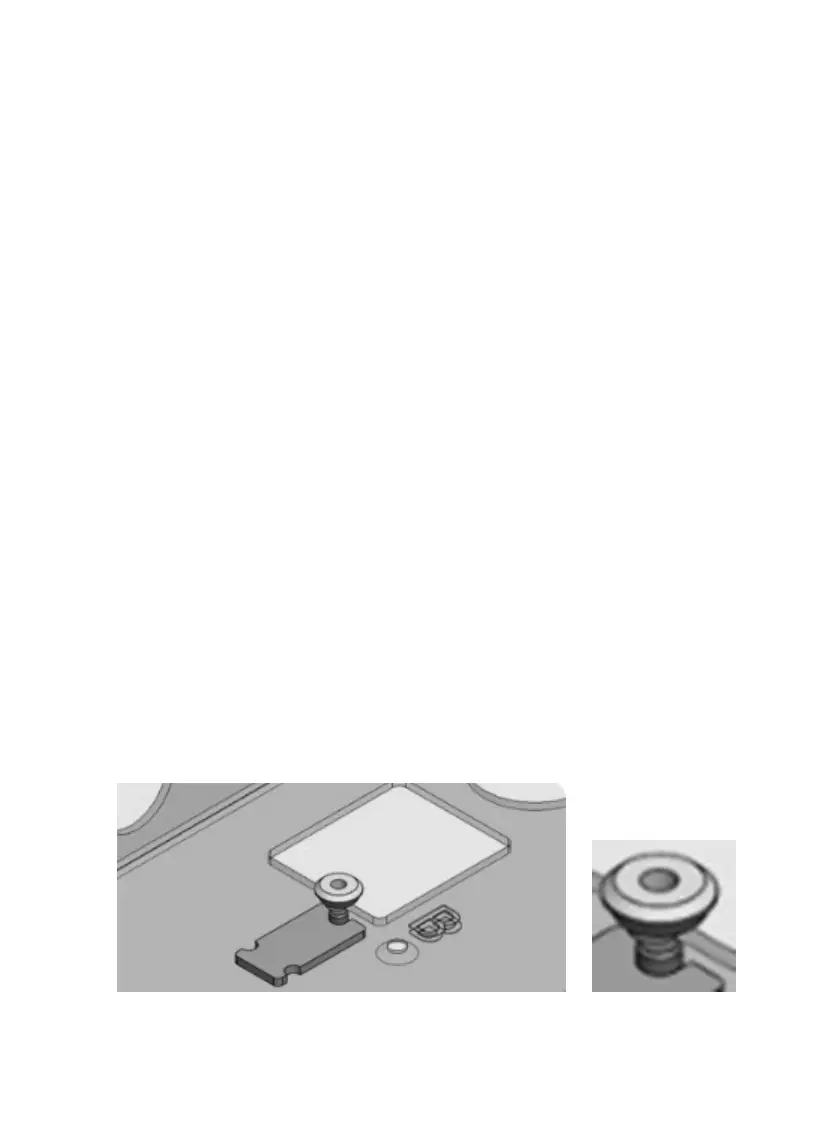
Attach the appliance to the shelf using 2 black screws and 2 washers:
a.
Lift the shelf and insert the screw from underneath, through the
hole next to the letter (D for 1530 / 1550, and E for 1570 / 1590).
b.
Place the washer on top of the screw, with the wider part facing
up.
c.
Place the edge of the fixator against the base of the screw.
d.
Turn the washer a few times until it is in position. The fixator
prevents you from twisting the washer too far.









 To Next Page