Welcome
7KDQN\RXIRUFKRRVLQJ&KHFN3RLQW¶V&KHFN3RLQW$SSOLDQFHV:HKRSHWKDW\RXZLOOEH
satisfied with this system and our support services. Check Point products provide your
business with the most up to date and secure solutions available today.
Check Point also delivers worldwide technical services including educational, professional and
support services through a network of Authorized Training Centers, Certified Support Partners
and Check Point technical support personnel to ensure that you get the most out of your
security investment.
For additional information on the Internet Security Product Suite and other security solutions,
refer to the Check Point Web site (
http://www.checkpoint.com), or call Check Point at 1(800)
429-4391. For additional technical information about Check Point products, consult the Check
Point Support Center (http://supportcenter.checkpoint.com).
Welcome to the Check Point family. We look forward to meeting all of your current and future
network, application and management security needs.
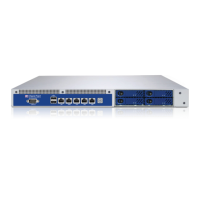
Check Point 4000 Appliances
Overview
The family of Check Point 4000 Appliances enables organizations to maximize security in high-
performance environments such as large campuses or data centers. Combining integrated
firewall, IPSec VPN, and intrusion prevention with advanced acceleration technologies, Check






 To Next Page