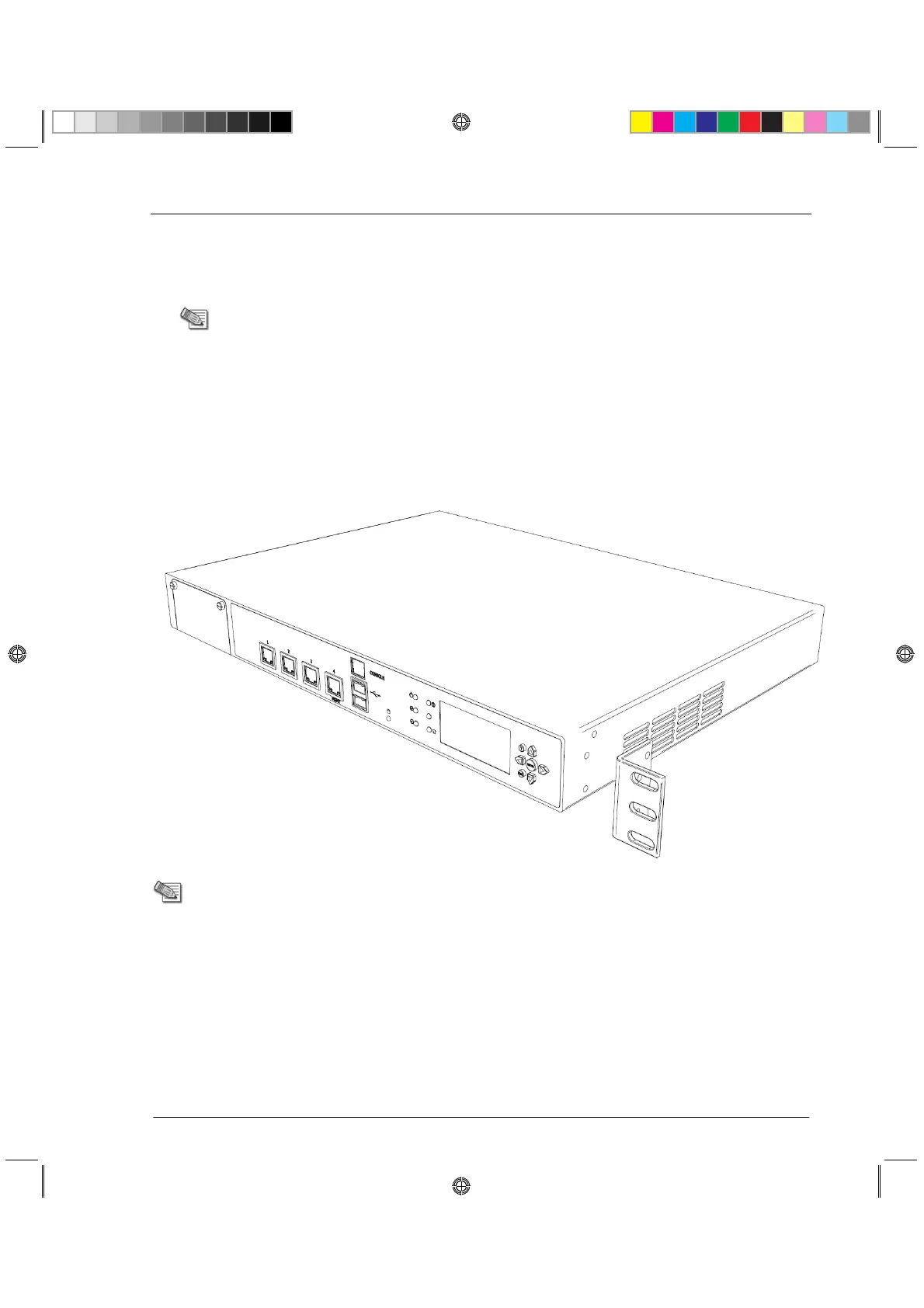
Attaching the Ear Mount Brackets to the Appliance
Rack Mounting Tools
x Philips screwdriver. A magnetic head is recommended to hold screws in place and retrieve
dropped screws. A powered screwdriver is also useful.
Note - Screws to attach the ear mount brackets and rail plates to the rack are not
included.
Attaching the Ear Mount Brackets to
the Appliance
Attach the two ear mount brackets to the front of the appliance.
Note - The ear mount screws have 5 mm heads.
To attach the ear mount brackets to the appliance:
1. Attach the appliance ear bracket to one side of the appliance using three ear mount screws.
2. Do step 1 again for the other side of the appliance.
CP_Toxotai_GettingStartedGuide_416 16CP_Toxotai_GettingStartedGuide_416 16 05 July 2011 1:21:11 PM05 July 2011 1:21:11 PM






 To Next Page