Procedure for Smart-1 600-M Appliances
Quantum Smart-1 600-M/6000-L/6000-XL Appliances Replacing Line Cards|13
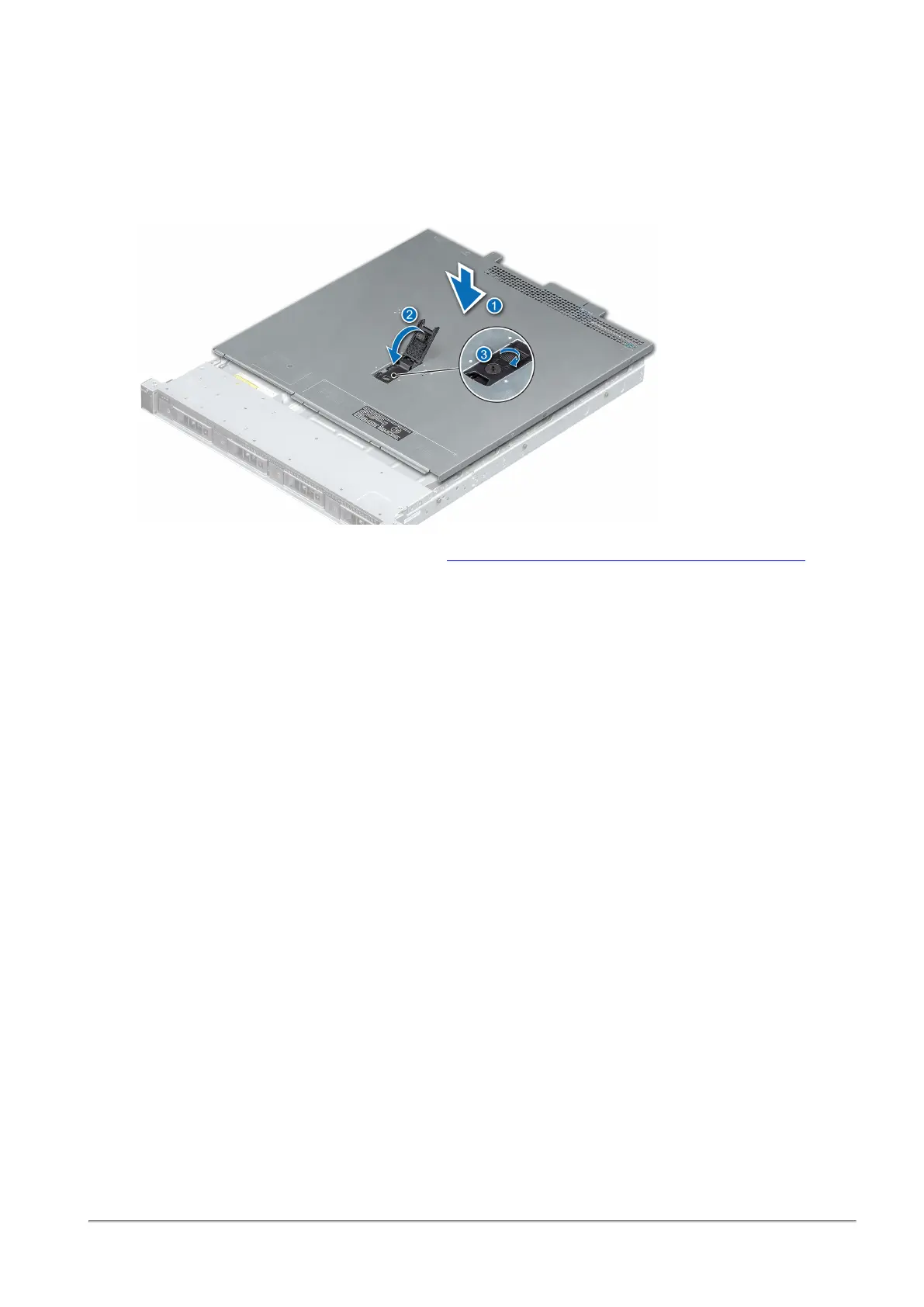
To reassemble the appliance:
1.
Align the tabs on the cover with the guide slots on the appliance (1).
2.
Close the system cover release latch (2).
3.
Using a 1/4 inch flat head or Phillips #2 screwdriver, turn the lock clockwise to the lock position (3).
4. Install the appliances into the rack. See the
Smart-1 625 Installing the Telescopic Rails Guide
.
5. If you have transceivers for your expansion line cards, install them now. See
"Replacing a
Transceiver" on page20
.
If not, install them later.
6.
Connect the power cables from the AC PSUs.
7.
If you opened the hook-and-loop straps, close them to secure the appliance cables.
8. Press the Power button on the front panel to turn on the Security Management appliance.












 To Next Page