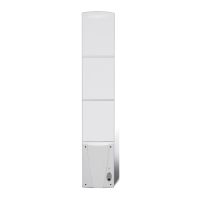
Troubleshootingguide
• Your system should be tested each morning to ensure full functionality.
• These tests should be carried out prior to store opening.
• The store m anager is ultimately responsible for the test.
The following are possible problems that could occur, some of which could be rectified
without the attendance of a Checkpoint engineer.
Problem System is alarming continually:
Check for the following:
1. Tagged articles are not within 6 feet of the antenna.
2. Meta llic objects are not within 6 feet of the antenna.
3. Are any cables running nearby?
4. There are no faulty lights in the area.
• Check for damage to the antenna.
• In extreme cases ONLY the a ntenna concerned can be disabled and a
Checkpoint engineer called.
Problem System is alarming intermittently:
Try to log the time and date of each alarm to see if a pattern can be
established.
Check for the following:
1. Tagged articles are not within 6 feet of the antenna.
2. Meta llic objects are not within 6 feet of the antenna.
3. Are there cables running nearby?
4. There are no faulty lights in the area.
• Check for damage to the antenna.
• Call for a Checkpoint engineer if required.
Problem Deactivation unit malfunctioning:
• Check that items are being deactivated within the deactivation range stipulated.
• Check that the deactivation unit is switched on, there should be a green
illuminated light on the box.
• Check that the deactivation unit cables are securely in place.
• Make sure that you do not have any tags in the area of the deactivation.
• Test the deactivator with the Omni (if applicable) or using a test tag.
• Call for a Checkpoint engineer if required.
12



 To Next Page