Customer Service Procedures
A majority of the EAS alarms t hat are produced are caused when an associate
fails to deactivate or remove a tag or other security device when the customer is
checking out at the point of sale.
Help complete the c ustomer experience by responding to the EAS alarm:
• Acknowledge the customer
• Let the customer know we may have missed a tag during the purchase
•Runtheentirebagoverthedeactivationpadandcheckthemerchandisefor
missed hard tags
• Apologize to the customer for the inconvenience and thank them for
shopping at your store
When approaching customers, be courteous at all times and never make
accusations or threaten t he customer in any way. Always defer to store policies
and procedures for responding to system alarms. Contact your store manager
with further questions. It is also important to be consistent in the manner in
which alarm situations are handled.
If there is no response to alarms, shoplifters will observe this and return to the
store in the hopes of challenging both the system and store personnel.
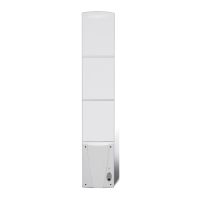
1. Do not spray the pedestals with cleaning solution. Instead, spray the cleaner
on a towel and wipe down the antennas.
2. Do not place liquids in an area where they could spill and short‐circuit a
deactivation unit.
3. Call Checkpoint’s Ser v ice Department before installing new carpet to avoid
cutting the system cable.
4. Turn the system off if there is remodeling or electrical work being done at your
store. Otherwise, the system may alarm for no apparent reason.
5. Do not decorate the pedestals with foil or lights (i.e. Christmas lights). These
will interfere with the system.
36



 To Next Page