EquipmentCareDosandDon’ts
EquipmentCareDosandDon’ts
Dos Don’ts
Dobesurethatthemainpowersupplyis
cleanwithoutany interference
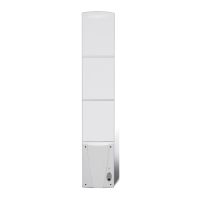
Donotruncablesparalleltotheantennawithin
4feetofthesystem
Doarrangetohavehalogenlightswhichare
faultyorblownreplacedimmediately,asthis
willaff ectthedetection
Donotdecoratesensingantennawithfoilor
lights(e.g.Christmaslights)asthesewill
interferewiththesystem
DocallCheckpointservicedeskbefore
installingnewcarpets/tiles/matstoavoid
cuttingsystemcables
Donotplaceliquidsinanareawheretheycould
spillandshort‐circuitthe deactivation/antenna
units
Doturnthesystemoffifthereis
remodellingorelectricalworkbeing
undertakeninyourstore.Otherwisethiscan
causethesystemtoalarmfornoreason
The environment in which the system is installed is a factor to be taken into consideration for
peak performance. This section explains how the best results are achieved. There may be
interference from metal items near the antenna or electrical activity, which can create 'noise' for
the system. Before installation, this is taken into consideration and the system or environment is
adjusted accordingly. It is common for stores to make changes to the environment, which may
affect the system negatively if a rule below is violated.
The following list should be considered to prevent a possible reduction of the systems sensitivity:
The systems used in stores at present are either ‘swept’, ‘pulse’, or 360° pulse
listen RF technology.
If proposed renovations are likely to affect the system, please contact Checkpoint
for additional advice.
Please Note – No plasma screen monitors should be fitted within 11–13 feet of
any antenna, in either the horizontal or vertical plane. This will cause system
interference.
8



 To Next Page