13
6) Zero Adjust Button for DCA (DCA 영점조정) ▶TK-2000AD
Press ZERO button to enter the relative mode for measuring DCA.
Zero the display, and store the reading as reference value for
subsequent measurements.
Press and hold down ZERO button for 2 seconds to exit the
relative mode.
DCA ZERO 0를 더욱 정밀하게 측정하기 위해 버턴을 눌러 " "이 화면에
표시되게 합니다.
이 비교 모드는 2초 동안 누르면 원래 화면으로 복구됩니다.
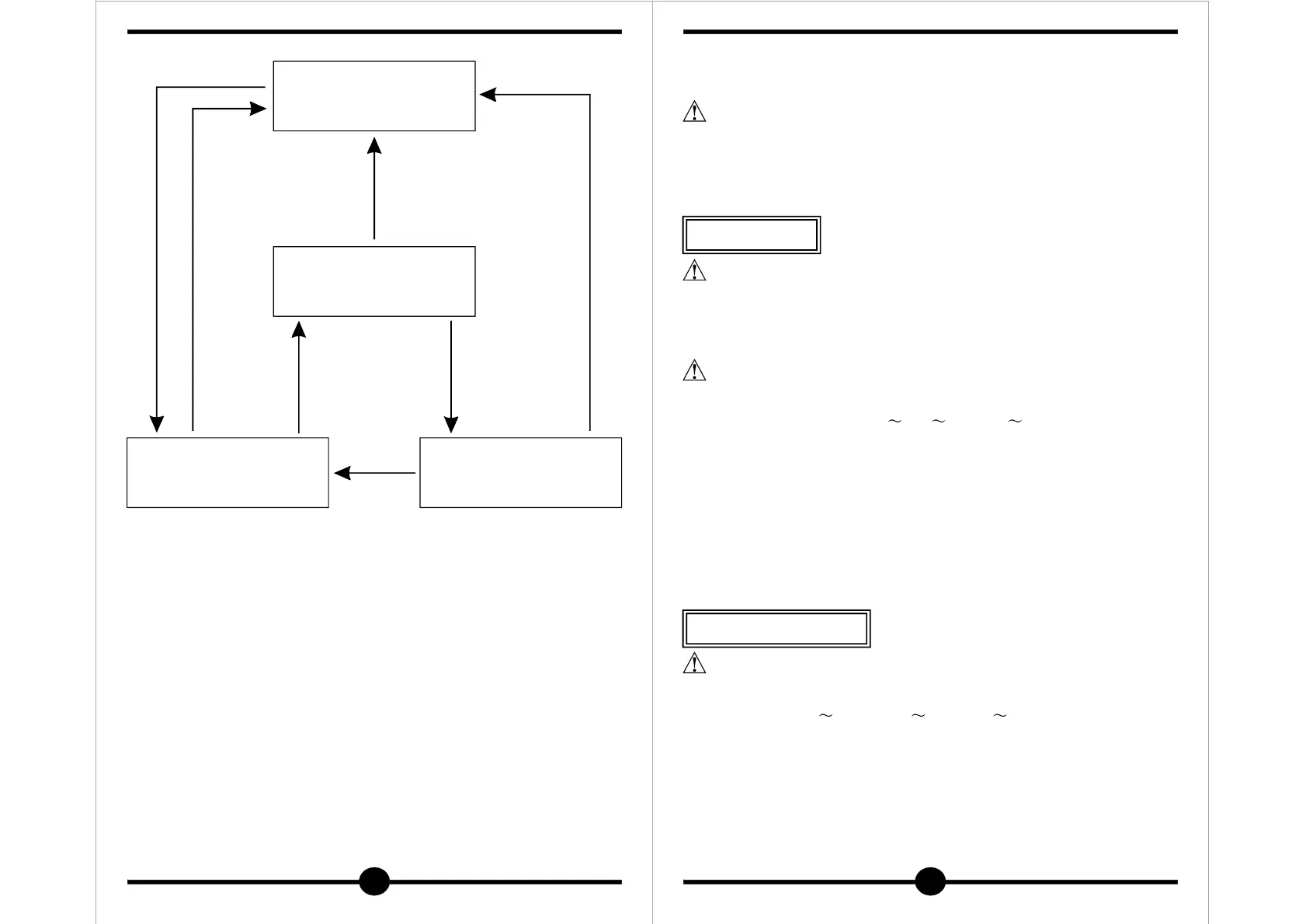
1Push<1Sec
"MAX" active max
value
"MAX/MIN" active max
value
RESET(AUTOMATIC)
"MIN" active min value
1Push<1Sec
1Push<1Sec 1Push<1Sec
1Push<1Sec
14
측정하시기 전에
Start-up inspection
●Never use meter if the meter or test leads are damaged or
broken.
●Make sure that the test leads are not cut or otherwise
damaged.
Make certain that all test leads are disconnected from the instru-
ment terminal.
Set function switch to " "( Or ) Range.
Press the trigger to open the transformer jaws and clamp them
around a conductor.
Jaws should be completely closed before taking a reading.
The most accurate reading will be obtained by keeping the
conductor across center of the transformer jaws.
The reading will be indicated on the display.
Reduce the range setting of set too high until a satisfactory
best resolution reading is obtained.
6. How to make measurements(측정 방법)
WARNING
경 고
WARNING
A 40A 1000A
경 고
A 40A 1000A
40A OL 1000A
●본체나 테스트 리드에 손상이 있으면 사용하지 마십시오.
●테스트 리드에 이상이 있는지 확인하십시오.
측정하기시 전에 기기의 단자에 연결된 테스터 리드를 확실하게 분리시켜
주십시오.
기능스위치를 " " (또는 나 )를 선택합니다.
클램프 코아 손잡이(트리거)를 눌러 부하가 걸린 전원선 1가닥(단상,
삼상 동일)을 클램프 코아에 정확히 삽입하고 양쪽의 코아가 접촉되게
코아 손잡이를 놓습니다.
부하가 걸린 전원 선이 코아의 중심에 지나가도록 합니다.
지시치를 읽습니다.
레인지에서 " "표시가 나타나면 레인지에서 측정합니다.
6-1. AC Current measurements
①
②
③
④
⑤
①
②
③
④
⑤
교류 전류 측정 (ACA)


 To Next Page